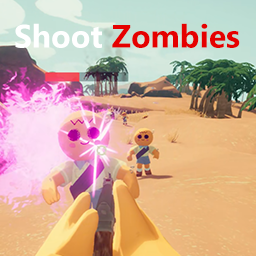
ShootZombies Wiki

Updated a month ago

ShootZombies Wiki

This page is the short version of what ShootZombies does and how to use it in PEAK.

What It Is

ShootZombies keeps PEAK's original blowgun backend for aiming and hit routing, then wraps it in an AK-style presentation with zombie rules, fog rules, and simple multiplayer sync.

If you want the quick summary:

  • The blowgun looks and feels like an AK locally
  • Zombies can be spawned and tuned
  • Fog Mode adds a faster challenge rule set
  • The host controls gameplay-critical settings in multiplayer

Installation

Required dependencies:

  1. BepInEx-BepInExPack_PEAK-5.4.2403
  2. PEAKModding-PEAKLib_Core-1.7.2
  3. PEAKModding-PEAKLib_Items-1.6.0
  4. PEAKModding-ModConfig-1.6.0

Package contents:

  • com.github.Thanks.ShootZombies.dll
  • ak47_shootzombies.peakbundle
  • AK_Sounds/

Config file:

  • BepInEx/config/com.github.Thanks.ShootZombies.cfg

Quick Start

Lobby

  • Press the configured weapon key to get the weapon. Default: T
  • If Fog Mode is enabled, press the configured compass key to get a normal compass
  • The lobby weapon notice shows the current key automatically

Gameplay

  • The host controls the main gameplay rules
  • Zombie hits reduce zombie lifetime and apply knockback
  • Fog Mode forces a faster fog rule set

Main Sections In ModConfig

  • Weapon
  • Fog
  • Zombie Spawning
  • Zombie Behavior
  • Features

Weapon

The weapon section is for local presentation and firing feel:

  • held weapon position
  • held weapon rotation
  • held weapon scale
  • fire interval
  • fire volume
  • recoil
  • AK sound selection

This lets players tune how the weapon looks and feels without changing room-wide rules.

Fog

The fog section controls normal fog values, Fog Mode rules, and the bottom-left fog UI.

When Fog Mode is enabled:

  • fog speed is forced to 2
  • fog wait time is forced to 90s
  • fog cold damage is removed
  • fog pause is disabled

The following UI elements use the same bottom-left layout settings:

  • fog speed UI
  • fog mode notice in the lobby
  • fog mode notice in gameplay

They all follow the same fog UI position and scale values. The large lobby weapon notice is separate and does not follow fog UI settings.

Zombies

The zombie sections let the host tune:

  • spawn enable
  • max alive count
  • spawn count
  • spawn interval
  • spawn radius
  • movement and aggression values
  • zombie lifetime
  • knockback force

Blowgun hits do not use the original sleep result here. Instead, they shorten zombie lifetime and push zombies back.

Multiplayer

In online rooms, the host controls gameplay-critical values such as:

  • zombie spawning rules
  • fog mode
  • fog speed
  • fire interval
  • night cold enable state

Visual tuning stays local, including:

  • weapon pose
  • weapon scale
  • recoil
  • sound choice
  • fog UI placement

For the best result, everyone should use the same mod version.

Troubleshooting

I cannot get the weapon

Check:

  1. Features -> Mod is enabled
  2. Weapon -> Weapon is enabled
  3. Your weapon spawn key is bound correctly

The weapon looks wrong

Check:

  1. ak47_shootzombies.peakbundle exists in the plugin folder
  2. AK_Sounds exists and contains the sound files
  3. You do not have duplicate old package files in the same mod folder

Clients do not match the host

Check:

  1. The host is running the mod
  2. Everyone is using the same version
  3. The host changed the settings before or during the room session

Version

Current wiki version: 1.2.5