

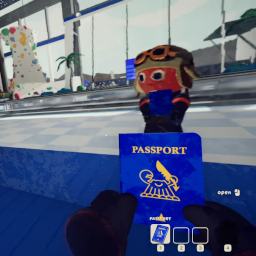
OpenTrack Compatible Head Tracking for PEAK
Decoupled head tracking for PEAK using any OpenTrack-compatible tracker - webcam, phone app, or dedicated hardware.Peak Head Tracking
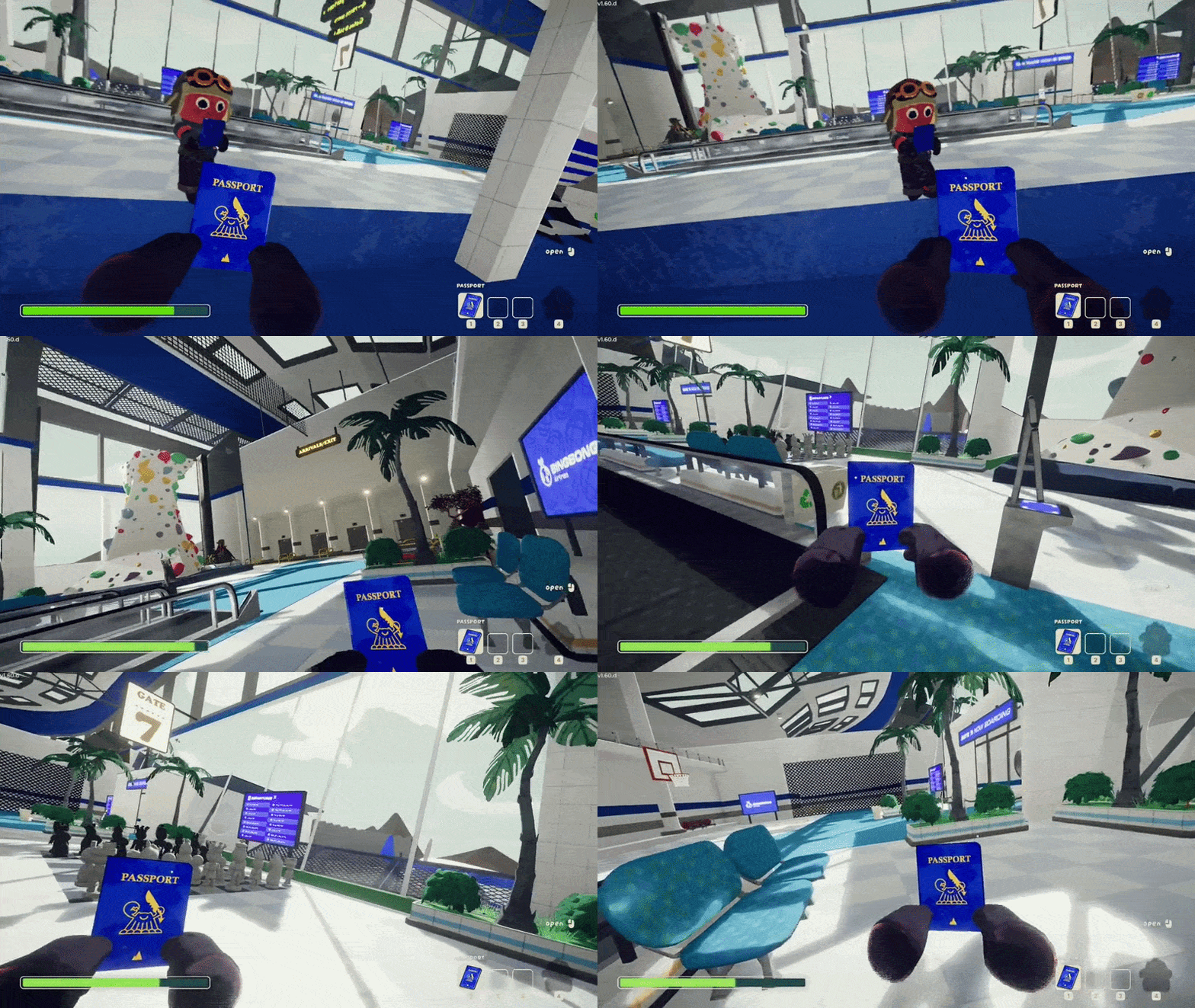
An unofficial BepInEx mod that adds head tracking to PEAK via OpenTrack. Look around naturally with your head while your aim stays independent.
Features
- Decoupled look + aim: Look around freely with your head while your crosshair stays where you're aiming
- 6DOF head tracking: Full rotation (yaw, pitch, roll) and positional tracking via OpenTrack UDP protocol
Requirements
- PEAK (Steam)
- OpenTrack or a compatible head tracking app (smartphone, webcam, or dedicated hardware)
- Windows 10/11 (x64)
Installation
- Download the latest release from the Releases page
- Extract the ZIP anywhere
- Double-click
install.cmd - Configure OpenTrack to output UDP to
127.0.0.1:4242 - Launch the game
The installer automatically finds your game via Steam registry lookup. If it can't find the game:
- Set the
PEAK_PATHenvironment variable to your game folder, or - Run from command prompt:
install.cmd "D:\Games\PEAK"
Manual Installation
If you prefer to install manually or the installer doesn't work for you:
- Install BepInExPack_PEAK into your game folder:
- Download and extract the archive
- Copy the contents of the
BepInExPack_PEAKfolder to your game root (wherePeak.exelives) — this includeswinhttp.dll,doorstop_config.ini, and theBepInExfolder
- Download the Nexus release ZIP (the one ending in
-nexus.zip) - Extract it into your game folder — the DLLs will land in
BepInEx/plugins/:PeakHeadTracking.dllCameraUnlock.Core.dllCameraUnlock.Core.Unity.dll
- Configure your tracker to output UDP to
127.0.0.1:4242 - Launch the game
Setting Up OpenTrack
- Download and install OpenTrack
- Configure your tracker as input
- Set output to UDP over network
- Host:
127.0.0.1, Port:4242 - Start tracking before launching the game
Webcam Setup
No special hardware needed — OpenTrack's built-in neuralnet tracker uses any webcam for 6DOF face tracking.
- In OpenTrack, set the input to neuralnet tracker
- Select your webcam in the tracker settings
- Set output to UDP over network (
127.0.0.1:4242) - Start tracking before launching the game
- Recenter in OpenTrack via its hotkey, and press Home in-game to recenter the mod as needed
Phone App Setup
This mod includes built-in smoothing for network jitter, so you can send directly from your phone on port 4242 without needing OpenTrack on PC.
- Install an OpenTrack-compatible head tracking app
- Configure it to send to your PC's IP on port 4242 (run
ipconfigto find it) - Set the protocol to OpenTrack/UDP
With OpenTrack (optional): If you want curve mapping or visual preview, route through OpenTrack. Set OpenTrack's input to "UDP over network" on a different port (e.g. 5252), output to 127.0.0.1:4242, and point your phone at port 5252. Make sure your firewall allows incoming UDP on the input port.
Controls
Two equivalent binding sets - use whichever your keyboard has:
| Action | Nav-cluster | Chord |
|---|---|---|
| Recenter | Home |
Ctrl+Shift+T |
| Toggle tracking | End |
Ctrl+Shift+Y |
| Cycle tracking mode | Page Up |
Ctrl+Shift+G |
Page Up / Ctrl+Shift+G cycles tracking mode:
- Normal head-tracked gameplay
- Positional tracking disabled, rotational tracking enabled
- Rotational tracking disabled, positional tracking enabled
- Back to normal
Configuration
The mod creates a config file at BepInEx/config/com.cameraunlock.peak.headtracking.cfg on first run.
[Connection]
UDP Port = 4242                  # Must match OpenTrack output port (1024-65535)
Reconnect Timeout = 5            # Seconds before reconnection attempt (1-60)
Packet Buffer Size = 100         # Max packets to buffer (10-500)

[General]
Tracking Enabled = true          # Start with tracking enabled
Position Enabled = true          # Enable lean/positional tracking (6DOF)
Enable Audio Feedback = true     # Play sounds for tracking state changes

[Sensitivity]
Yaw Sensitivity = 1.0            # Horizontal rotation (0.1-5.0)
Pitch Sensitivity = 1.0          # Vertical rotation (0.1-5.0)
Roll Sensitivity = 1.0           # Head tilt (0.1-5.0)
Invert Yaw = false
Invert Pitch = false
Invert Roll = false
Position Sensitivity X = 2.0    # Lateral sensitivity (0.0-5.0)
Position Sensitivity Y = 2.0    # Vertical sensitivity (0.0-5.0)
Position Sensitivity Z = 2.0    # Depth sensitivity (0.0-5.0)
Position Limit X = 0.30         # Max lateral offset in meters (0.01-0.5)
Position Limit Y = 0.20         # Max vertical offset in meters (0.01-0.5)
Position Limit Z = 0.40         # Max depth offset in meters (0.01-0.5)

[Limits]
Enable Pitch Limits = true       # Clamp pitch rotation
Minimum Pitch = -85              # Max look-down angle (-90 to 0)
Maximum Pitch = 85               # Max look-up angle (0 to 90)
Enable Roll = true               # Enable head tilt
Enable Roll Limits = true        # Clamp roll rotation
Maximum Roll = 30                # Max tilt angle (0-90)

[Smoothing]
Smoothing = 0.0                  # 0 = responsive, 1 = heavy (adds latency)
Position Smoothing = 0.15        # Position smoothing (0.0-1.0)

[Deadzone]
Enable Deadzone = false          # Ignore small movements near center
Yaw Deadzone = 0                 # Yaw deadzone in degrees (0-10)
Pitch Deadzone = 0               # Pitch deadzone in degrees (0-10)
Roll Deadzone = 0                # Roll deadzone in degrees (0-10)

[Hotkeys]
Toggle Tracking = End
Recenter View = Home
Toggle Position = PageUp

[Advanced]
Debug Logging = false            # Enable detailed debug logging
Update Rate = 60                 # Target update rate in Hz (30-120)
Maintain Relative Position = true
Near Clip Override = 0.15        # Prevents seeing through player model during head bob (0.01-0.5)
Troubleshooting
Game crashes on startup after installing BepInEx:
- PEAK requires the BepInExPack_PEAK build (ships with a PEAK-specific doorstop). Our
install.cmddownloads this automatically. - If the game crashes on startup, add
-force-vulkanto your Steam launch options (game Properties > General > Launch Options) to bypass DX12
Mod not loading:
- Check
BepInEx/LogOutput.logfor errors - Ensure all three DLLs are in
BepInEx/plugins/:PeakHeadTracking.dll,CameraUnlock.Core.dll,CameraUnlock.Core.Unity.dll - Verify
winhttp.dllis in the game folder
No tracking response:
- Verify OpenTrack is running and outputting data
- Check UDP port matches (default 4242)
- Press End to enable tracking, Home to recenter
- Check firewall isn't blocking UDP port 4242
Jittery movement:
- Increase
Smoothingin the config file (remote connections auto-use 0.15 minimum) - Enable deadzones in the
[Deadzone]section - Improve lighting for webcam-based tracking
Updating
Download the new release and run install.cmd again.
Uninstalling
Run uninstall.cmd from the release folder. This removes the mod DLLs. BepInEx is only removed if it was originally installed by this mod. To force-remove BepInEx:
uninstall.cmd /force
Building from Source
Prerequisites
Build
git clone --recurse-submodules https://github.com/itsloopyo/peak-headtracking.git
cd peak-headtracking

# Build and install to game
pixi run install

# Build only
pixi run build

# Package for release
pixi run package
Available Tasks
| Task | Description |
|---|---|
pixi run build |
Build the mod (Release configuration) |
pixi run install |
Build and install to game directory |
pixi run uninstall |
Remove the mod from the game |
pixi run uninstall -- --force |
Remove the mod and BepInEx |
pixi run package |
Create release ZIPs |
pixi run clean |
Clean build artifacts |
pixi run release |
Version bump, build, tag, and push |
License
MIT License - see LICENSE for details.
Credits
- Aggro Crab / Landfall - PEAK
- BepInEx - Unity modding framework
- OpenTrack - Head tracking software
- Harmony - Runtime patching library
Disclaimer
This mod is not affiliated with, endorsed by, or supported by Aggro Crab Games or Landfall. Use at your own risk.