

You are viewing a potentially older version of this package. View Latest Version
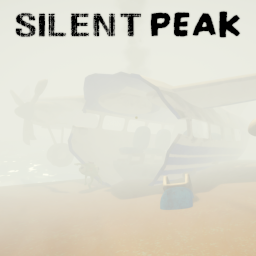
Silent PEAK
Silent Hill-style fog, ambient music from Silent Hill, and optional PeakFilter pixelation on PEAK runs. Host-synced visuals in multiplayer, in-game config menu (F9).Silent PEAK
Silent PEAK turns PEAK runs into a Silent Hill-style expedition: thick height fog, optional pixel filtering, and ambient music on level scenes. Configure everything in a PEAK-styled in-game menu (F9 by default).

SUGGESTIONS:
- Pair with Scoutmasters Rampage to be hunted in the fog.
- Install PeakFilter for the built-in Pixelate preset (optional — Silent PEAK works without it).
- Use Stamina Panic for heavy breathing and heartbeat at low stamina.
- Turn your in-game music slider to 0 so Silent Hill ambience stands out.
Features
- Height fog — Drives the game's Post Fog / ScreenFog pipeline with tunable color, thickness, and height offset.
- Silent Hill music — Plays the first
.oggfile found in the plugin folder onLevel_*scenes only. - PeakFilter preset — Optional Pixelate look (intensity, pixel size, outline, dither) when PeakFilter is installed.
- In-game menu (F9) — Tabs for General, Fog, Filter, and Keys; color wheel, sliders, toggles, and keybind capture.
- Level-only effects — Fog, filter, and music turn off at the airport and other non-level scenes.
- Multiplayer host sync — Host controls fog and filter for the whole lobby; clients keep their own music volume and menu key.
In-game menu (F9)
| Tab | Host / solo | Client |
|---|---|---|
| General | Enable mod, Use PeakFilter, music volume, Revert Defaults | Music volume only |
| Fog | Color wheel, Gloom Soften, Height Fog Offset | Hidden |
| Filter | PeakFilter sliders (if installed) | Hidden |
| Keys | Menu key | Menu key |
While the menu is open, camera look is locked and the PEAK cursor is shown.
Multiplayer
- Host has Silent PEAK — Fog and PeakFilter settings sync to clients who also have the mod installed.
- Host does not have Silent PEAK — Clients with the mod installed disable effects and cannot open the mod menu.
- Client-only — Music volume and menu keybind are never synced; each player adjusts their own.
All players in a synced lobby should run the same Silent PEAK version.
How it works
- Level scenes (
Level_*) — Fog applies, music plays, PeakFilter preset applies (if enabled and installed). - Airport / title / menus — Fog, music, and PeakFilter turn off automatically.
- Mod disabled mid-run — Fog globals clear, music stops, and PeakFilter is released immediately.
- Music file — Place a
.oggin the plugin folder (first file found is used).
Configuration
Config file: BepInEx/config/tony4twentys.Silent_PEAK.cfg
Most settings are also available in the F9 menu. Host/solo players can edit fog and filter there; clients edit local settings only.
General
| Key | Description | Default |
|---|---|---|
Enabled |
Master toggle | true |
UsePeakFilter |
Apply PeakFilter Pixelate on level load | true |
MusicVolume |
Music volume (0–100; 100 = full) | 25 |
MenuKey |
Key to open the mod menu | F9 |
Fog
| Key | Description | Default |
|---|---|---|
DeepFogColor |
Fog tint (#RRGGBB) |
#FFFFFF |
GloomSoften |
Visibility curve (0 = thickest) | 0 |
HeightFogHeightOffset |
Height offset relative to player Y | 1000 |
PeakFilter (applied on level load when PeakFilter is installed)
| Key | Description | Default |
|---|---|---|
Intensity |
Pixelate intensity (0–1) | 1 |
PixelSize |
Block size (1–30) | 10 |
OutlineStrength |
Outline (0–3) | 0 |
DitherAmount |
Dither (0–1) | 0 |
Requirements
- BepInEx
- PeakFilter — optional (for pixel filter features)
Installation
- Download via Thunderstore or install manually.
- Place the plugin folder (DLL +
.oggmusic) inBepInEx/plugins/. - Launch the game — config generates on first run.
- Press F9 in-game to open the menu (host/solo: full menu; clients: local settings only).
Or use the Thunderstore Mod Manager.
Credits
Author: tony4twenty
Questions, bugs, or feedback: Peak Modding Discord