
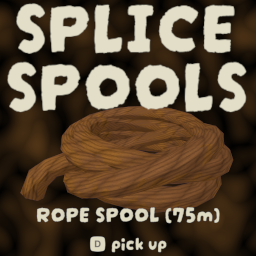
Splice Spools
Splice matching rope spools together or cut them into shareable lengths. Names show leftover meters, weight scales with length, extras drop at your feet!Splice Spools 🪢➕🪢
You ever wanted to combine spools of rope to free up an inventory slot? Have you ever found 4 ropes and wanted to combine them all to make 50m of rope? Well now you can!
Does not place longer rope lengths. Max placement is still 10m, but now you can place a bunch of knots and carry the rope even easier than before!
- Pair with Reloadable Hand Cannons to reload rope cannons with your spliced rope!
- 🗣️ Find the mod in the Peak Modding Discord under #mod-releases for issues, reports, or appreciation


🛠️ Features
- Combine matching rope spools into one longer spool (mega-spools welcome)
- Cut a spool into shareable lengths from a cursor-unlocking menu
- Spools can grow larger than vanilla length, but each placed knot is still max ~10m
- Leftover meters show in the item name
- Anti-grav rope and normal rope will not combine together
- Weight affliction scales with leftover length (~0.2 / -0.2 per meter from vanilla)
- If you are holding a spool, combine and cut use that one. Otherwise they use the longest matching spool
- Extra cut spools drop on the ground in front of you when inventory is full
🎮 How to use
- Have rope spools in your inventory or hand
- Tap the splice key (Default = C) to combine matching types into one spool
- If there is nothing to combine, that same tap opens the cut menu
- Hold the splice key to open the cut menu anytime
- Click a cut as many times as you want — the menu stays open
- Escape or the splice key closes the menu
- enjoy
⚙️ Config Options
Config file: BepInEx/config/tony4twentys.Splice_Spools.cfg
| Setting | Default | Description |
|---|---|---|
Splice Key |
C |
Tap to splice matching rope. Tap also opens the cut menu when there is nothing to combine. Hold to open the cut menu. |
Include Backpack |
true |
When true, leftover rope in a worn backpack is included when splicing or cutting. |
Long Press Seconds |
0.45 |
How long to hold the splice key to open the cut menu instead of combining. |
Remembered Cut Meters |
10 |
Last typed cut length for the remembered-amount button. |
📦 Installation
- Download via Thunderstore
- Place the
.dllin:/PEAK/BepInEx/plugins/ - Launch the game — config is generated on first run
🪢 or use a Mod Manager 🪢
📦 Dependencies
Required
📣 Feedback
Suggestions, ideas, or issues?
Reach out via the PEAK Modding Discord
🙌 Credits
- Author: tony4twenty
Happy climbing. 🪢🔥