

VeeItemInfo
Shows what the item in your hands does - status changes, reach, weight and whether to cook it.VeeItemInfo
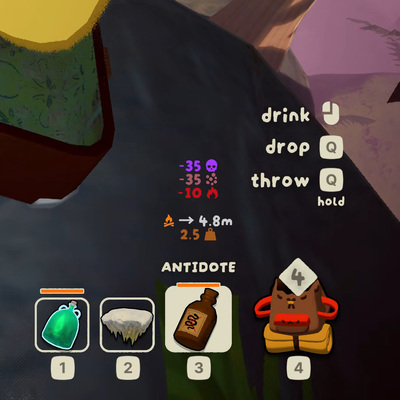
This overlay shows what the thing in your hands does, right above the inventory slot holding it.
Last updated for and tested on PEAK 2.4.c.
See it for every item
Every item's overlay, exactly as it draws in game →
That page is generated by the mod itself, so it is the honest answer to "what will this tell me?" before you install anything.
What it shows
Four sections, each of which you can switch off:
- Item-specific facts — how far a Rope Cannon reaches, how long a stovetop burns, what an item does while you merely hold it.
- Effects — every status change, whether it lands on you or on everyone nearby.
- Cooking — whether cooking improves the item, ruins it, or turns it into an explosion.
- Weight.
Gallery
 |
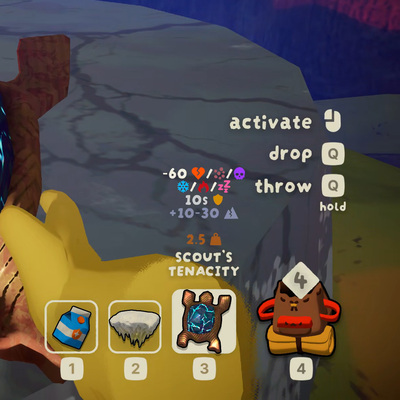 |
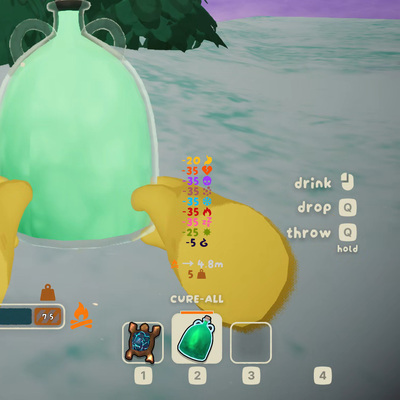
| Cure-All — nine status changes at once, each in the colour its own bar uses, and a cooking hint saying it becomes a healing cloud 4.8m across. | Scout's Tenacity — the amulets the latest patch added. One budget of 60 split across six statuses, ten seconds of shield, and the petrify it charges you for it. |
 |
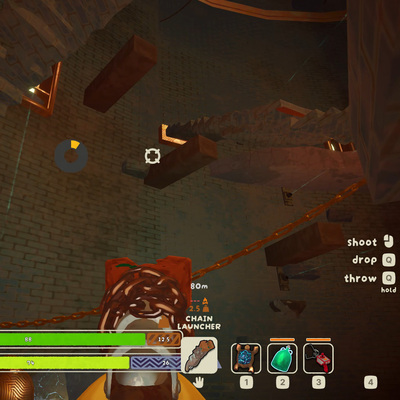 |
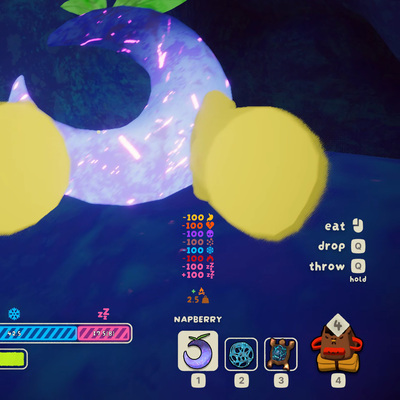
| Napberry — wipes everything, then puts you to sleep. Both halves are shown, because both are worth knowing before you eat it. | Chain Launcher — not everything is food. For a tool you get what there is: how far it reaches, and that the fire would destroy it. |
The numbers printed on the status bars in some shots come from StaminaInfoForked, not from this mod or the base game. The two pair well.
Configuration
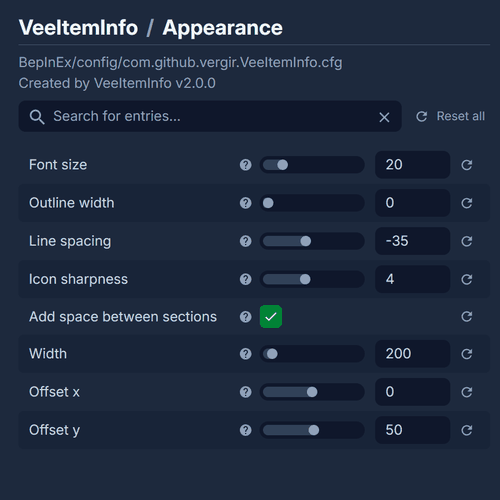
- Sections — turn on or off item weight, status changes, or other sections.
- Appearance — font size, outline, line spacing, icon sharpness, box width, and where the overlay sits relative to the slot.
- Formatting — what a full status bar counts as (set it to 40 and a Granola Bar reads 6 instead of 15), and Unity units instead of PEAK metres.
- Item Info — the Shroomberry colour hint, settings for revealing spoiler info and which figure the Rope Cannon shows.
- Advanced — the once-a-second re-check, which is what lets you read an item in another player's hands as they swap it, and debug logging.
AI usage
AI was used heavily on this mod: writing the code, working out how the game actually behaves, and drafting the documentation, this line included.
It was not used to make any artwork. The icon and every screenshot above are captures from the game itself.
Credits
Original ItemInfoDisplay by jkqt; this fork by vergir. Source, and the reasoning behind every symbol above, at https://github.com/Vergir/PEAK-VeeItemInfo.
Not affiliated with, endorsed by, or sponsored by Landfall Publishing or Aggro Crab Games.
MIT licensed, source code only. The mod ships PEAK's own artwork under the terms in
assets/NOTICE.md, included in this package. Everything else it draws is borrowed from
the running game and stored nowhere.