

This package has been deprecated and may no longer be maintained. We recommend looking for an alternative.
POG BrightMod
Visibility and lighting enhancement mod for Pit of Goblin with in-game toggle and hotkey config.POG BrightMod
POG BrightMod is a visibility and lighting enhancement mod for Pit of Goblin. It applies a high-priority HDRP volume profile, reduces dark scenes, and lets players toggle the effect in-game.
Install: Use Thunderstore Mod Manager / App, or place POGBrightMod.dll in the game Mods folder.
Features
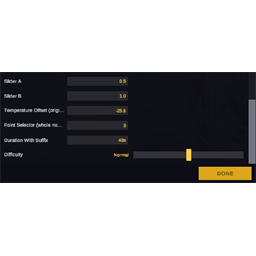
- Bright mode toggle in MOD SETTINGS.
- Configurable hotkey (
Toggle Key) in MOD SETTINGS. - Persistent settings with MelonPreferences.
- Works with IL2CPP + MelonLoader runtime.
- Keeps effect state synchronized between menu toggle and hotkey toggle.
- Disables accidental hotkey switching while MOD SETTINGS is open.
What Bright Mode Changes
When enabled, the mod applies a global HDRP volume profile and quality override:
Exposure->Fixedmode,fixedExposure = -0.5IndirectLightingController->indirectDiffuseLightingMultiplier = 6ColorAdjustments->postExposure = 2Fog-> forced disabledVignette->intensity = 0QualitySettings.shadows->ShadowQuality.Disable
When disabled:
- The created override volume is turned off.
- Original shadow quality is restored.
For Developers
Click To Expand
Runtime behavior
- Main behavior lives in
BrightModBehaviourand is injected as an Il2CppMonoBehaviour. - A global
Volumewith high priority is created once and reused. Apply()updates:_overrideVolume.enabledfor post-processing stateQualitySettings.shadowsto disable/restore shadows when bright mode changes
Config integration
- Config entries are registered through
POGConfig.Register(...). ToggleEntrycontrols bright mode state.KeyEntrycontrols the runtime hotkey and persists asintin preferences.
Safety / UX notes
- Hotkey toggle is intentionally blocked while MOD SETTINGS is open to prevent accidental changes while editing config.
- On first launch, default bright mode is enabled unless user preferences override it.
Extending the mod
- Add more visual presets by extending
Initialize()volume setup. - Add additional config rows in
TryRegisterConfig(). - Keep heavy scene scanning out of
Update(); use cached references and preference-backed values.