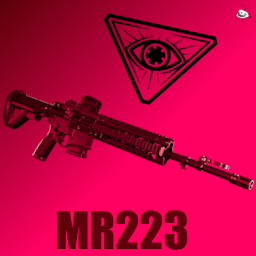
MR223
A semi-auto version of the HK416, with a reflex sight!
https://cdn.discordapp.com/attachments/881715672214810638/1113547807102611486/thebeatingofamilliondrums.png
Changelog
1.0.0
Initial release
1.1.0
- Changes:
- Made the "slide stop mechanic preventer preventer" more consistent.
1.2.0
- Changes:
- Added sounds for the slide getting locked.
- Added sounds for unlocking the slide.
- Changed recoil, it's a lot more easier to control now.
Download & Installation
(You can watch this video guide in case something isn't clear)
- Download the files in the releases section.
- Extract the .zip file somewhere.
- Launch the game with the modding kit DLL installed.
- Go into setting and click on the "Install" button.
- Navigate to where you extracted the .zip file
- After clicking the prompt to install the gun, restart the game.
Alternatively, if you prefer the manual method:
- Copy the file called "MR223_Files" in MR223_(OS).rar to
%UserProfile%\AppData\LocalLow\Wolfire Games\Receiver2\Guns - Windows
~/Library/Application Support/Wolfire Games/Receiver2/Guns – Mac OS
~/.config_unity3d/Wolfire Games/Receiver2/Guns – Linux
- Copy the file called "MR223_plugin" in MR223_(OS).rar to (where you have R2 installed) Receiver 2\BepinEx\plugins
Usage & Features
- Go to the debug menu, and start the custom campaign, or go to the debug menu and spawn the gun + mag in.
- Yes the slide locking on every shot is intended.
- The reflex sight is zeroed at around ~40m.
- Most important feature: the dust cover can be closed and opened!
les crédits :D
- Szikaka for all his continued assistance, for the new version of the modding kit, and for the reflex shader that he also modified from someone else (nice)
- Wolfire for this game (I NEED UPDATE)
- BSG for the sounds, models, and textures
- Textures and mesh modified by me (Ciarence#6364)