

You are viewing a potentially older version of this package. View Latest Version
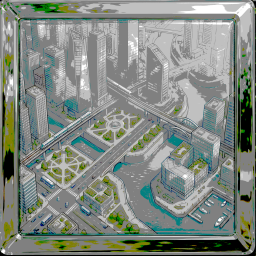
REPO MiniMap
A real-time mini-map with zoom controls for REPO.REPO Minimap Mod
A lightweight, client-side HUD enhancement for R.E.P.O. that adds a real-time minimap to your screen. This mod helps you navigate complex facilities and keep track of your teammates' positions to avoid getting lost or separated. ✨
Features
- Live Radar: A top-down view of your immediate surroundings
- Player Tracking: Teammates are marked with distinct icons on the map
- Dynamic HUD: The map stays fixed to your HUD and can rotate with your character (optional)
- Client-Side Only: Only you need to install this mod; it works even if the host doesn't have it
Installation
1. Via Thunderstore Mod Manager (Recommended)
- Open the Thunderstore Mod Manager or
r2modman. - Search for "REPO Minimap" in the online gallery.
- Click Download (the manager will install
BepInExand dependencies if needed). - Launch the game through the manager.
2. Manual Installation
- Ensure you have
BepInEx5 installed. - Download the latest
.ziprelease from the "Releases" section. - Extract the contents of the zip into your game folder, for example:
SteamLibrary\steamapps\common\REPO\BepInEx\plugins - Start the game.
Controls
- Toggle Minimap —
M - Zoom In — Keypad
+ - Zoom Out — Keypad
-
Tip: You can change keybinds in the config file after running the game once:
BepInEx/config/com.yourname.minimap.cfg
Configuration
The mod generates a config file where you can adjust:
- Map Position — move the map to any corner of your screen
- Map Scale — change the HUD element size
- Zoom Level — adjust how much of the facility is visible
- Player Icon Size — change teammate marker sizes
Known Issues / Compatibility
- Performance: On very large maps the secondary camera may cause a slight FPS drop on lower-end systems.
- Mod Compatibility: Compatible with most current UI-altering mods.
License
Distributed under the MIT License. See LICENSE for details.