

You are viewing a potentially older version of this package. View Latest Version
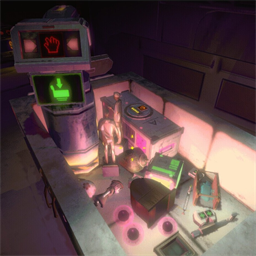
适配 R.E.P.O. 4.0 版本的物品缩小搬运车。
作者 / Author: AngelcoMilk
Thunderstore: https://thunderstore.io/c/repo/p/AngelcoMilk/ShrinkCart/
GitHub 文档 / GitHub Docs: https://github.com/AngelcoMilk/ShrinkCart
ShrinkCart 会在物品放入 C.A.R.T / 购物车后自动缩小,方便搬运;物品真正离开购物车一段时间后会恢复原尺寸。缩放底层由 ScalerCore 负责,ShrinkCart 负责购物车触发、分类倍率、边缘防抖、恢复冷却、隐藏缩放闪光、商店/人物用品过滤、玩家站车计时切换缩放、主机配置同步,以及可选敌人进车秒杀。
BepInEx-BepInExPack-5.4.2305Vippy-ScalerCore-0.6.1nickklmao-REPOConfig-1.2.6Thunderstore/r2modman 安装时会自动拉取依赖。手动安装时,请确保这些依赖和 ShrinkCart 安装在同一个 R.E.P.O. 配置文件中。
推荐房间里所有玩家都安装 ShrinkCart 和上述依赖。主机负责决定缩放倍率、商店/人物用品是否参与缩放、离车恢复时机和敌人进车秒杀;ScalerCore 负责把实际缩放状态同步给客户端。
ScalerCore 0.6.1 提供官方运行中更新缩放选项的 API,ShrinkCart 不再反射 ScalerCore 私有字段。缩放倍率、速度、恢复速度、隐藏闪光/声音都会由主机计算后通过 ScalerCore 同步。客户端本地配置与主机不同也不会改变缩放结果;推荐所有玩家都安装 ShrinkCart、ScalerCore 0.6.1 和 REPOConfig。
ValuableObject.volumeType 来判断贵重物大小分类。枪械、血包等商店购买类实用品默认不会被购物车缩小,避免影响战斗、治疗和工具使用。需要时可以在配置里打开“商店/人物用品也缩小”。

敌人球和 SurplusValuable 属于特殊物品分类,会使用单独的缩小倍率,方便和普通贵重物分开调整。

大型、宽型、高型、超高型贵重物会按各自分类倍率缩小,适合搬运原本难以放进车里的物品。

R.E.P.O. 新版本的特殊物品同样可以被识别并缩小,ShrinkCart 会优先使用游戏内置分类和自己的特殊物品规则。

配置界面由 REPOConfig 提供,主要配置项为中文:
倍率含义:0.4 表示目标尺寸为原尺寸的 40%。v0.2.11 默认值已按本地测试配置调整:缩小速度 0.6,放大速度 0.2,离车防抖延迟 0.5,恢复后重新缩小冷却 0.5,商店/人物用品缩放 false,玩家进车缩放倍率 0.4,玩家站车触发时间 3 秒。
玩家机制说明:玩家缩放只在“商店/人物用品也缩小”开启时生效。玩家必须实际站在正式购物车上,并且脚下处于中心区域满 3 秒才会触发切换;第一次触发会缩小,离开车外仍保持缩小,再次站到中心区域满 3 秒会恢复原尺寸。离开中心区域会重置计时;触发后如果一直站在车上不会连续反复切换,必须离开中心区域后重新站入才会开始下一次计时。小推车/口袋推车不会触发玩家站车缩放;靠近车边、擦到车壁或站在边缘区域也不会触发。
BepInEx/plugins/ShrinkCart/ShrinkCart.dllA shrink-hauler cart for R.E.P.O. 4.0.
Author: AngelcoMilk
Thunderstore: https://thunderstore.io/c/repo/p/AngelcoMilk/ShrinkCart/
GitHub Docs: https://github.com/AngelcoMilk/ShrinkCart
ShrinkCart automatically shrinks supported items placed inside a C.A.R.T / cart for easier hauling, then restores them after they truly leave the cart. ScalerCore handles the low-level scaling; ShrinkCart handles cart triggers, category factors, edge debounce, restore cooldowns, hidden cart-scale flashes and impact sounds, shop/player item filtering, timed player stand-toggle shrinking, host config sync, and optional enemy-in-cart instant kill.
BepInEx-BepInExPack-5.4.2305Vippy-ScalerCore-0.6.1nickklmao-REPOConfig-1.2.6All players in the room should install ShrinkCart and its dependencies. The host decides scale factors, shop/player item filtering, restore timing, and enemy-in-cart instant kill. ScalerCore syncs the actual scale state, while ShrinkCart syncs a host config snapshot for consistent client-side visuals.
ScalerCore 0.6.1 provides an official live options update API, so ShrinkCart no longer reflects into ScalerCore private fields. The host's scale factor, shrink speed, restore speed, and quiet visual/audio options are sent through ScalerCore's multiplayer sync. Client-side config cannot override the host result.
ValuableObject.volumeType for valuable size categories.Guns, health packs, and similar shop utility items are not shrunk by default, so combat, healing, and tool use stay predictable. Enable "Shrink shop/player items" in config if you want them to use the fallback scale factor.
Enemy orbs and SurplusValuable use special categories and can be tuned separately from normal valuables.
Big, wide, tall, and very tall valuables shrink by category factor, making bulky items easier to haul in the cart.
Special items from newer R.E.P.O. versions are also supported through the game's built-in classification plus ShrinkCart's special-item rules.
Configuration is provided through REPOConfig. Scale factors are direct size multipliers: 0.4 means 40% of the original size. v0.2.11 defaults now match the local test config: shrink speed 0.6, restore speed 0.2, cart leave debounce 0.5, post-restore reshrink cooldown 0.5, shop/player item scaling false, player cart scale factor 0.4, player cart stand trigger time 3 seconds.
Player mechanism: player scaling only works when "Shrink shop/player items" is enabled. The player must actually stand on a regular cart and keep their feet in the center zone for 3 seconds to toggle the state. The first trigger shrinks the player, leaving the cart keeps the player small, and standing in the center zone again for 3 seconds restores the original size. Staying in the zone will not repeatedly toggle; leave and re-enter the center zone to start the next timer. Small/pocket carts do not trigger player stand-toggle scaling, and brushing the cart wall or standing on the edge zone will not trigger it.
BepInEx/plugins/ShrinkCart/ShrinkCart.dll