
Please disclose if any significant portion of your mod was created using AI tools by adding the 'AI Generated' category. Failing to do so may result in the mod being removed from Thunderstore.
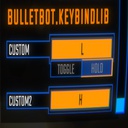
KeybindLib
A library that lets you add your own keybinds to the controls.
| Last updated | 3 weeks ago |
| Total downloads | 1124307 |
| Total rating | 2 |
| Categories | Libraries |
| Dependency string | BULLETBOT-KeybindLib-1.0.6 |
| Dependants | 102 other packages depend on this package |
README
KeybindLib
- A library that lets you add your own keybinds.
Adding your own keybinds
Keybinds.Bind(string name, string binding) => Keybind
Keybinds.Bind(string category, string name, string binding) => Keybind
Keybinds.Toggle(Keybind.Toggle toggle) => Keybind
Keybinds.Toggle(string category, Keybind.Toggle toggle) => Keybind
Keybinds.Toggle(Keybind keybind, Keybind.Toggle toggle) => Keybind
To register a keybind:
Keybinds.Bind("Push", "<Keyboard>/b");
To register a keybind with a category:
Keybinds.Bind("General", "Push", "<Keyboard>/b");
To register a toggle:
Keybinds.Toggle(new Keybind.Toggle()) // This is a toggle that will be under your modGuid header.
To register a toggle with a category:
Keybinds.Toggle("General", new Keybind.Toggle()) // This is a toggle that will be under your specified category.
If you want to have a toggle for your keybind:
Keybind keybind = Keybinds.Bind("Push", "<Keyboard>/b");
Keybinds.Toggle(keybind, new Keybind.Toggle()
{
    defaultValue = false,
    falseText = "off",
    trueText = "on"
}); // Returns the same keybind and applies the new toggle from this method.
If you want to use the keybind:
SemiFunc.InputDown(keybind.inputKey);
SemiFunc.InputUp(keybind.inputKey);
SemiFunc.InputHold(keybind.inputKey);
InputManager.instance.InputToggleGet(keybind.inputKey); // Only use this when you have set a toggle to your keybind otherwise this will error.
There are much more variables in the "Keybind" class. Check the class in dnSpy for more details.
