
You are viewing a potentially older version of this package.
View all versions.
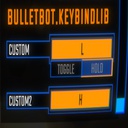
| Date uploaded | 4 days ago |
| Version | 1.0.4 |
| Download link | BULLETBOT-KeybindLib-1.0.4.zip |
| Downloads | 40566 |
| Dependency string | BULLETBOT-KeybindLib-1.0.4 |
README
KeybindLib
- A library that lets you add your own keybinds.
Adding your own keybinds
Keybinds.Bind(string name, string binding) => Keybind
Keybinds.Bind(string category, string name, string binding) => Keybind
Keybinds.Toggle(Keybind.Toggle toggle) => Keybind
Keybinds.Toggle(string category, Keybind.Toggle toggle) => Keybind
Keybinds.Toggle(Keybind keybind, Keybind.Toggle toggle) => Keybind
To register a keybind:
Keybinds.Bind("Push", "<Keyboard>/b");
To register a keybind with a category:
Keybinds.Bind("General", "Push", "<Keyboard>/b");
To register a toggle:
Keybinds.Toggle(new Keybind.Toggle()) // This is a toggle that will be under your modGuid header.
To register a toggle with a category:
Keybinds.Toggle("General", new Keybind.Toggle()) // This is a toggle that will be under your specified category.
If you want to have a toggle for your keybind:
Keybind keybind = Keybinds.Bind("Push", "<Keyboard>/b");
Keybinds.Toggle(keybind, new Keybind.Toggle()
{
    defaultValue = false,
    falseText = "off",
    trueText = "on"
}); // Returns the same keybind and applies the new toggle from this method.
If you want to use the keybind:
SemiFunc.InputDown(keybind.inputKey);
SemiFunc.InputUp(keybind.inputKey);
SemiFunc.InputHold(keybind.inputKey);
InputManager.instance.InputToggleGet(keybind.inputKey); // Only use this when you have set a toggle to your keybind otherwise this will error.
There are much more variables in the "Keybind" class. Check the class in dnSpy for more details.
CHANGELOG
Note
If that version is not listed here, do not download that version, as it can cause some issues.
1.0.4
- Fixed a possible crash when getting the calling mod.
1.0.3
- Removed unneccessary code such as debugging messages.
1.0.2
- Fixed a problem where the method couldn't find the calling mod.
1.0.1
- Added categories and mod/category based toggles.
- Updated the code structure.
1.0.0
- Initial release.
