
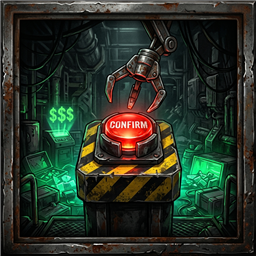
ExtractionButtonConfirm
Evita que los puntos de extracción se envíen solos al llegar a la cuota y añade confirmación manual por botón físico igual que en la tienda.Extraction Button Confirm
🇬🇧 English
Tired of the extraction platform triggering automatically right when you were about to put more valuables inside?
Extraction Button Confirm brings the confirmation button mechanic from the Shop into all regular gameplay levels. Extractions will never trigger automatically upon reaching the haul goal: you and your team decide the exact moment to extract by pressing the confirmation button.
What does this mod do?
- No automatic extractions: Load as many valuables as you want onto the extraction platform without the tube slamming down on its own as soon as you hit the quota.
- Physical confirmation button (just like in the Shop):
- Right next to the extraction point you will have the confirmation button (both on the side pedestal and on the extraction machine itself).
- If the quota is met or exceeded: Pressing the button confirms the extraction in green (
✔) and starts the3, 2, 1countdown to extract your loot. - If you still don't have enough money: Pressing the button triggers the red rejection alert (
X) just like in the Shop when you can't afford an item, leaving all your valuables completely safe and intact.
Multiplayer (Host-Only vs. Clients)
- Works as Host-Only: If only the lobby Host has the mod installed, the match works seamlessly for everyone: the platform will not extract automatically, and the Host will be able to press the button to confirm the extraction.
- Recommended for all players (Client-Side): It is recommended that your friends also install the mod so everyone can see the active confirmation button and any team member can press it (if only the Host has the mod, only the Host will be able to interact with the confirmation button).
Additional Info & Compatibility
- Compatibility with other mods: If you have another mod installed that alters or delays extraction point activation (for example, ModQueAjustaExtraccion), disable it to avoid conflicts.
- Optional customization: From your mod manager (Edit Config ->
com.user.repo.extractionbutton.cfg), you can choose whether to enable both buttons (Both), only the Shop-style pedestal button (ShopPedestalButton), or only the machine's built-in button (ExtractionPointButton).
🇪🇸 Español
¿Cansado de que la plataforma de extracción se active sola justo cuando ibas a meter más objetos valiosos?
Extraction Button Confirm trae la mecánica del botón de confirmación de la tienda (Shop) a todos los niveles del juego. Ahora la extracción nunca se enviará automáticamente al alcanzar la meta de dinero: tú y tu equipo deciden el momento exacto en que quieren extraer presionando el botón.
¿Qué hace el mod?
- Sin extracciones automáticas: Mete tantos objetos de valor como quieras dentro de la plataforma sin que el tubo baje por su cuenta al llegar a la cuota.
- Botón físico de confirmación (igual que en la tienda):
- Junto al punto de extracción tendrás el botón de confirmación (tanto en el pedestal lateral como en la propia máquina).
- Si ya alcanzaste o superaste la cuota: Al presionar el botón, el punto de extracción se pondrá en verde (
✔) e iniciará la cuenta regresiva (3, 2, 1) para extraer todo tu botín. - Si todavía falta dinero: Al presionar el botón, la máquina mostrará la alerta roja de rechazo (
X) igual que en la tienda cuando no te alcanza el dinero, dejando todos tus objetos intactos.
Multijugador (Host-Only vs. Clientes)
- Funciona como Host-Only: Si solo el anfitrión (Host) tiene el mod instalado, la partida funciona sin problemas para todos: la plataforma no se enviará sola y el Host será quien pueda presionar el botón para confirmar la extracción.
- Recomendado para todos los jugadores (Client-Side): Se recomienda que tus amigos también lo instalen para que todos vean el botón de confirmación activo y cualquier miembro del equipo pueda presionarlo (si solo lo tiene el Host, únicamente el Host podrá accionar el botón).
Información adicional e incompatibilidades
- Compatibilidad con otros mods: Si tienes instalado otro mod que altere o retrase la activación del punto de extracción (por ejemplo, ModQueAjustaExtraccion), desactívalo para evitar conflictos.
- Personalización opcional: Desde el gestor de mods (Edit Config ->
com.user.repo.extractionbutton.cfg) puedes elegir si prefieres usar ambos botones (Both), solo el pedestal estilo tienda (ShopPedestalButton) o solo el botón integrado en la máquina (ExtractionPointButton).