

VoidCart
Alpha: a purchasable Void Cart with an endless black opening, smooth sinking intake for large loot, and searchable Inventory, Weapons and Cosmetics tabs. Press B or F8 nearby. Stored contents do not persist between levels or saves.Void Cart for R.E.P.O.

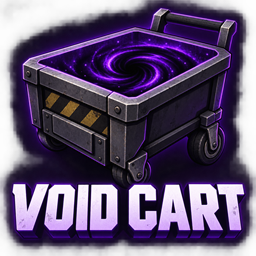
Adds a separate Void Cart you can buy in the shop: a dark beveled basket, a bottomless-looking black void, and scrollable Inventory, Weapons, and Cosmetics tabs. Released items visibly sink into the darkness. Ordinary carts keep their normal appearance and behavior.
Start here
- In r2modman or Thunderstore Mod Manager, select your R.E.P.O. profile. It needs BepInExPack installed.
- Open the manager's Settings → Browse profile folder.
- Copy the VoidCart folder from
package/BepInEx/plugins/into that profile'sBepInEx/plugins/folder. The final path should beBepInEx/plugins/VoidCart/VoidCart.dll. - Start the game using Start modded.
- Find and buy Void Cart in the shop. It uses the game's randomized stock, so it may not appear on every visit.
- On a level, release something over the Void Cart's black opening. It sinks into the void and enters storage. Stand near it and press B or F8 to browse its contents. A nearby prompt shows the controls and stored item count.
This package does not install itself or change an existing mod-manager profile.
Controls
| Action | Control |
|---|---|
| Open the nearby Void Cart's inventory | B or F8 |
| Browse stored items | Mouse wheel over the list |
| Find an item | Search box |
| Browse cosmetic capsules | Cosmetics tab |
| Browse stored weapons | Weapons tab |
| Take one item out | Withdraw beside the item |
| Store the cart's current contents | Store cart contents |
| Take everything out | Unload all |
| Close the inventory | F8, Esc, or X |
Auto-store is enabled by default for Void Carts. The separate item uses the medium cart's chassis, handle controls, and value screen with the custom void basket. Ordinary small, medium, and big carts do not gain void storage or visuals.
B only opens the inventory, so you can type it in Search without closing the panel. Both opening keys can be changed under Controls in BepInEx/config/caspi.voidcart.cfg. If you are too far away, pressing an opening key displays a message instead of failing silently.
Buying a Void Cart
The configured base price is $50,500. The game applies its shop multiplier and then rounds up to the next $1,000, giving $51,000 at a 1× multiplier. Change Shop → BasePrice in BepInEx/config/caspi.voidcart.cfg and restart the game to use another base price.
Void Cart participates in normal randomized shop stock, with at most one in a shop and one owned by the team. Another can become eligible after the owned cart is lost. It has its own purchase/save item key; buying it does not rename, reprice, or replace an ordinary cart. Its return on later levels follows the game's normal purchased-item system and still needs the live checks in TESTING.md.
Void Cart shares the truck's four large cart/equipment parking spaces. Shop offers respect those spaces when a Void Cart is stocked or owned, so the shop will not sell an extra cart that has nowhere to spawn on the next level. If all four spaces are already occupied, a Void Cart cannot be offered until a space is free.
The black surface is visual only. After a brief intake delay, eligible items overlapping the opening stop colliding with the inherited cart floor and ease downward until the black surface hides them. This works for large objects even when their midpoint remains above the rim. The default delay can be adjusted with Storage → IntakeDelay in caspi.voidcart.cfg. The older SettleTime setting is no longer used. Set Appearance → PurplePortal to false to hide the custom basket and void; the setting keeps its old name for existing profiles.
The Cosmetics tab holds cosmetic capsules you actually put in the cart. Withdraw or extract them through the game's normal cosmetic system. It does not unlock an entire cosmetics catalogue or browse MoreHead wardrobe selections.
The Weapons tab holds guns, melee weapons, grenades, mines, and launchers identified by the game's item type or weapon components. Release the weapon inside the Void Cart, open with B or F8, and select Weapons. Search, scrolling, Withdraw, and Unload all work with weapons too. The original weapon and its current battery/ammo power or durability are retained; storage does not refill or repair it. Equipped/held weapons stay outside storage, and shooting, swinging, or armed weapons must finish their action or be disarmed first. Compatibility with unusual weapons from other mods needs separate checking.
How storage works
There is no programmed item-count or size cap. Supported stored items remain the original objects in the current scene, hidden and carried along with the cart. Their original value and state are retained. They still use memory, so very large inventories can affect performance.
Held/equipped items, players, enemies, nested carts, and objects joined to another independent physics object stay outside storage. Storage pauses in the shop. Complex items from other mods may require compatibility work.
Withdraw needs clear ground beside the cart. Unload all releases items one at a time and pauses when there is no room; click it again to stop. Withdrawn objects have a ten-second delay before they can be automatically stored again.
Stored valuables are designed to participate in the game's normal extraction when the cart enters the extraction area. The mod does not add currency or recreate valuables. Extraction behavior still needs to be verified in a live run; see TESTING.md.
The purchased cart uses the game's normal item persistence, but stored loot has no added cross-scene or save persistence. Treat the void as storage for the current scene, not a stash that guarantees contents survive leaving a level, disconnecting, or restarting the game.
For co-op, install the same VoidCart build on the host and every player. Mixed modded/unmodded lobbies are not a supported setup.
Status
Alpha 0.4.2. Compiled for R.E.P.O. v0.4.4.3 / Steam build 23363152. Adds collider-based intake for oversized items, a short sinking animation, and an unlit black opening without the purple vortex effects. A host-only private lobby loaded a playable level and stored an oversized valuable with all three Coollectors mods enabled. Remote-player syncing and the animation's full appearance still need live checks; see TESTING.md.
Version 0.3.0 passed 36 visible Unity integration checks and 56 protocol checks for registration, shop selection/pricing, purchase bookkeeping, purchased-item reconstruction and prefab cloning, normal-cart exclusion, and parking capacity. A 0.3.1 live run verified storing and withdrawing a goblet and common cosmetic capsule as the same original objects, preserving their stored value/health. Full physical checkout/next-level journeys, extraction, and co-op still need verification; see TESTING.md for current results.
Earlier 0.2.0 checks compiled successfully, passed 56 protocol validation tests, and rendered the custom model on all three installed cart prefabs in Unity. That build also entered a new single-player manor run. These are historical checks: storage, extraction, the interactive inventory UI, and co-op were not verified. Version 0.3.0 uses only the medium-based model for its separate Void Cart item.
Version 0.2.0 also keeps the plugin controller alive during R.E.P.O.'s startup cleanup. It no longer depends on a profile manually enabling BepInEx's HideManagerGameObject option. This addresses the loader-lifecycle issue described in the BepInEx troubleshooting guide.
Build from source
The included build script uses the Windows .NET Framework compiler; it does not require the dotnet SDK or download packages. The project targets .NET Framework 4.7.2 with C# 5. You need a local R.E.P.O. installation and BepInExPack.
Open PowerShell in this folder:
.\build.ps1
For a custom game or profile location:
.\build.ps1 -GameDir 'D:\SteamLibrary\steamapps\common\REPO' -BepInExDir 'D:\MyRepoProfile\BepInEx'
The script first checks the local modded r2modman profile, then Thunderstore's Default profile, then r2modman's Default profile and the game's BepInEx folder. A successful build creates package/BepInEx/plugins/VoidCart/VoidCart.dll and does not copy it into the game. No game or BepInEx DLLs are redistributed.
VoidCart.csproj is also available for Visual Studio/MSBuild with the .NET 4.7.2 targeting pack. Override GameDir and BepInExDir if necessary.
Run the dependency-free protocol tests with powershell -ExecutionPolicy Bypass -File .\tests\run-tests.ps1. Test binaries go to a scratch directory, never the plugin package.
The design was checked against local game assembly signatures and extraction logic. Primary mod references used to identify cart interfaces: ShrinkCart source and PocketCartPlus source. No game assemblies or third-party mod code are included in this package.