

ExtractionTrail
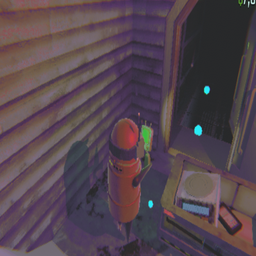
Guides you to extraction points, trucks or carts with a flowing trail of dots. Includes configurable colors and toggle keys.Extraction Trail v1.5.1
Stop wandering in the dark. Extraction Trail is a professional navigation utility for R.E.P.O.
Features
- Intelligent Navigation: Uses NavMesh to find the shortest path.
- Animated Trails: Customizable pulsing dots.
- Draggable UI: Hold ALT and drag the notification to move it.
- Text-Based Keybinds: Simply type the key name in the mod menu!
Controls
- Toggle Trail: Default
F4(Changeable in config). - Next Target: Default
F5— cycles forward: Extraction Point → Truck → Cart 1 → Cart 2 → ... - Prev Target: Default
F6— cycles backward. - Move UI: Hold
ALT+ Mouse Drag.
Configuration
In the MODS menu, you will see text boxes for keybinds.
- To set a key, simply type its name, e.g.:
F4,G,Space,Mouse0,Alpha1.
Changelog
1.5.1
- Fix: Resolved "Failed to create agent because it is not close enough to the NavMesh" error. The internal pathfinding agent is now initialized lazily only when a valid NavMesh position is available.
1.5.0
- Cart Navigation Overhaul: F5 and F6 now cycle through all targets in a unified list: Extraction Point → Truck → Cart 1 → Cart 2 → ...
- Multi-Cart Support: Each hauling cart gets its own slot. F5 goes forward, F6 goes backward. Toast shows
CART 1/2etc. - Pocket Cart Filter: Pocket carts (held items) are fully excluded from the cart list.
- Auto-Clamp: If a cart disappears mid-round, the index clamps automatically to the next available one.
- Improved Pathfinding: Trail now uses a
NavMeshAgent(same as enemies) to calculate paths — avoids edges and drop-offs. - Path Smoothing: Added NavMesh-based string pulling algorithm that straightens unnecessary curves for a more direct route.
1.3.9
- Fix: Targeted the Main Hauling Cart specifically. The mod now filters out "Pocket Carts" by checking for the
Itemcomponent and player hierarchy, ensuring the trail always leads to your large loot cart. - Improved Detection: Added multiple filters to ensure the world-space cart is prioritized over inventory items.
1.3.7
- Fix: Improved Shopping Cart detection. The mod now searches for the
PhysGrabCartcomponent directly, making the "Cart" trail much more reliable even if the object is renamed or nested in the level hierarchy. - Cleanup: Minor adjustments to dot material initialization.
1.3.6
- UI Fix: Switched to text-based keybinds. You can now type the key name (e.g., "F4") in the mod menu.
1.3.6
- UI Fix: Replaced standard Keybind types with String-based inputs. This ensures the "Controls" section is visible in the in-game menu and allows players to simply type their desired key instead of scrolling through a list.
- Stability: Added real-time key parsing when changing settings in the menu.
1.3.5
- Attempted KeyboardShortcut implementation (reverted due to game UI incompatibility).
1.3.4
- Adjusted default UI position to avoid overlapping with the stamina bar.