

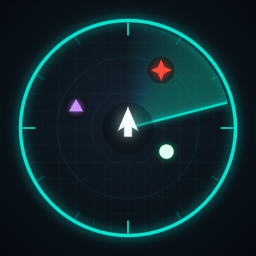
SurveyorMap
Client-side configurable HUD minimap for R.E.P.O. with optional safe enemy markers.🗺️ SurveyorMap
Minimapa persistente e client-side no HUD inferior esquerdo — espelha o mapa nativo do R.E.P.O. sem overlays falsos. Persistent client-side minimap in the bottom-left HUD — mirrors the native R.E.P.O. map with full fidelity.
Português
O SurveyorMap lê a câmera de mapa real do jogo e exibe um minimapa persistente no canto inferior esquerdo da tela durante o gameplay. Mesma geometria, mesmas cores e mesma fidelidade que o TAB — sem overlays falsos.
🎯 Funcionalidades
- 🗺️ Minimapa persistente — HUD inferior esquerdo, visível apenas durante o gameplay. Some nos menus e no lobby.
- 📷 Fidelidade nativa — lê a câmera de mapa real do jogo (
activeTexture). Mostra a geometria real das salas, marcadores nativos e fidelidade das paredes. M— pressione para mostrar/ocultar o minimapa sem afetar o TAB nativo.- 🛡️ TAB seguro — ao abrir o TAB, o minimapa persistente some automaticamente. O TAB não é afetado.
- 🎛️ Modo de edição F8 — cursor liberado e câmera suspensa automaticamente ao entrar no F8; você pode editar o minimapa sem mover a câmera do jogador. Config salva automaticamente ao sair.
- 🔍 Scroll (no F8) — ajusta o tamanho do minimapa.
- 🔎
+/-— ajustam o zoom dentro ou fora do F8. - 👁️ Marcadores de inimigos — mostra posições de inimigos no mapa. Inimigos mortos/despawnados são removidos em ~2s. Forma e cor indicam o nível de ameaça de forma redundante.
- 🔇 Silencioso por padrão —
DebugLogging=false; emite apenas uma linha no log em uso normal. - 🟢 Client-side — nenhum outro jogador precisa instalar. Sem RPCs. Sem alteração de rede.
🎮 Controles
| Tecla | Contexto | Ação |
|---|---|---|
M |
Qualquer | Mostrar / ocultar o minimapa |
F8 |
Qualquer | Entrar / sair do modo de edição |
| Arrastar | F8 ativo | Mover o minimapa |
| Scroll | F8 ativo | Ajustar tamanho |
+ / - |
F8 ativo | Ajustar zoom |
R |
F8 ativo | Resetar para valores padrão |
+ / - |
Gameplay normal | Ajustar zoom (com EnableZoomHotkeysOutsideEdit=true) |
👁️ Sistema visual dos marcadores de inimigos
Forma e cor comunicam o mesmo nível de ameaça do inimigo, de forma redundante. Isso maximiza a legibilidade no minimapa pequeno — você identifica o perigo pela forma ou pela cor.
| Ameaça | Forma | Cor | Hex |
|---|---|---|---|
| Baixa (Easy) | Círculo | Verde-gelo | #DFFFE8 |
| Média (Medium) | Quadrado | Azul escuro | #1E6BFF |
| Alta (High) | Triângulo | Lilás | #C084FC |
| Crítica (Elite) | Estrela | Vermelho/coral | #FF3B30 |
O nível de ameaça é derivado do campo difficulty do inimigo. Palavras-chave no nome/tipo podem elevar o nível (nunca reduzir):
veryheavy→ elevado para pelo menos Alta (triângulo/lilás)trudge,slow walker,boss,elite→ elevado para Crítica (estrela/vermelho)hunt,huntsman,bang,rush,charge→ elevado para pelo menos Alta (triângulo/lilás)
⚙️ Configuração
| Seção | Chave | Padrão | Efeito |
|---|---|---|---|
| Minimap | EnableMinimap |
true |
Liga/desliga o HUD do minimapa. |
| Minimap | ToggleKey |
M |
Tecla para alternar o minimapa. |
| Minimap | Width |
260 |
Largura do minimapa em pixels. |
| Minimap | Height |
260 |
Altura do minimapa em pixels. |
| Minimap | PosX |
24 |
Offset horizontal a partir da borda esquerda. |
| Minimap | PosY |
120 |
Offset vertical a partir da borda inferior. |
| Minimap | Opacity |
0.85 |
Opacidade (0 = invisível, 1 = opaco). |
| Minimap | Zoom |
2.25 |
Fator de zoom ortográfico da câmera de mapa. |
| Features | RevealRoomsMode |
Vanilla |
Vanilla = padrão (TAB original). NativeGlobal = revela via SetExplored, também afeta TAB. |
| Features | ShowEnemies |
true |
Mostrar marcadores de inimigos no mapa. |
| Features | EnemyMarkerSize |
0.95 |
Escala dos marcadores (0.30–2.00). Aplica em ~2s sem reiniciar. |
| EditMode | EditModeEnabled |
true |
Liga o modo de edição in-game (F8). |
| EditMode | EditModeKey |
F8 |
Tecla para entrar/sair do modo de edição. |
| EditMode | UnlockCursorInEditMode |
true |
Libera o cursor automaticamente ao entrar no F8. Se o jogo ainda capturar o mouse, pressione ESC uma vez. |
| EditMode | FreezeCameraInEditMode |
true |
Suspende o mouse-look da câmera ao entrar no F8. O controle é restaurado ao sair. |
| EditMode | EnableZoomHotkeysOutsideEdit |
true |
Permite +/- ajustarem o zoom durante gameplay normal, sem entrar no F8. Só funciona com minimapa visível e TAB fechado. |
| Debug | DebugLogging |
false |
Habilita logs verbosos no BepInEx/LogOutput.log. Ative somente para diagnóstico. |
📋 Notas
- O minimapa é puramente client-side e não afeta outros jogadores.
RevealRoomsMode = NativeGlobalchamaRoomVolume.SetExplored(), o que também revela salas no TAB nativo — comportamento opt-in documentado, não é o padrão.- Filtro de marcadores por sala inexplorada: removido em v1.0 (a API nativa de exploração de salas em modo Vanilla não é confiável o suficiente para uso em produção).
English
SurveyorMap reads the game's own map camera and displays a persistent minimap in the bottom-left HUD during gameplay. Same geometry, same colours, and same fidelity as the TAB map — no fake overlays.
🎯 Features
- 🗺️ Persistent minimap — bottom-left HUD, visible only during gameplay. Disappears in menus and lobby.
- 📷 Native map fidelity — reads the game's own map camera (
activeTexture). Shows real room geometry, native markers, and wall fidelity. M— press to show/hide the minimap without affecting the native TAB map.- 🛡️ TAB-safe — when you open the TAB map, the persistent minimap hides automatically. TAB is unaffected.
- 🎛️ F8 Edit Mode — cursor unlocked and camera suspended automatically on entry; edit the minimap without spinning the player's view. Config is saved on exit.
- 🔍 Scroll (in F8) — adjusts minimap size.
- 🔎
+/-— adjust zoom inside or outside F8. - 👁️ Enemy markers — shows enemy positions on the map. Dead/despawned enemies are cleaned up in ~2s. Shape and colour both indicate threat level, redundantly.
- 🔇 Silent by default —
DebugLogging=false; emits only one line in normal use. - 🟢 Client-side — no other players need to install it. No RPCs. No network changes.
🎮 Controls
| Key | Context | Action |
|---|---|---|
M |
Any | Show / hide the minimap |
F8 |
Any | Enter / exit edit mode |
| Drag | F8 active | Reposition the minimap |
| Scroll | F8 active | Adjust size |
+ / - |
F8 active | Adjust zoom |
R |
F8 active | Reset to defaults |
+ / - |
Normal gameplay | Adjust zoom (with EnableZoomHotkeysOutsideEdit=true) |
👁️ Enemy marker visual system
Shape and colour both communicate the same threat level — redundantly. This maximises readability on a small minimap — you recognise the danger by glyph or colour at a glance.
| Threat | Shape | Colour | Hex |
|---|---|---|---|
| Low (Easy) | Circle | Ice-green | #DFFFE8 |
| Medium | Square | Dark blue | #1E6BFF |
| High | Triangle | Lilac | #C084FC |
| Critical (Elite) | Star | Red / coral | #FF3B30 |
Threat level is derived from the enemy's difficulty field. Name/type keywords can only elevate the tier (never reduce it):
veryheavy→ elevated to at least High (triangle / lilac)trudge,slow walker,boss,elite→ elevated to Critical (star / red)hunt,huntsman,bang,rush,charge→ elevated to at least High (triangle / lilac)
⚙️ Configuration
| Section | Key | Default | Effect |
|---|---|---|---|
| Minimap | EnableMinimap |
true |
Enable/disable the minimap HUD. |
| Minimap | ToggleKey |
M |
Key to toggle the minimap. |
| Minimap | Width |
260 |
Minimap width in pixels. |
| Minimap | Height |
260 |
Minimap height in pixels. |
| Minimap | PosX |
24 |
Horizontal offset from the left edge. |
| Minimap | PosY |
120 |
Vertical offset from the bottom edge. |
| Minimap | Opacity |
0.85 |
Minimap opacity (0 = invisible, 1 = fully opaque). |
| Minimap | Zoom |
2.25 |
Native map camera orthographic zoom. |
| Features | RevealRoomsMode |
Vanilla |
Vanilla = default (TAB stays original). NativeGlobal = reveals via SetExplored, also affects TAB. |
| Features | ShowEnemies |
true |
Show enemy markers on the map. |
| Features | EnemyMarkerSize |
0.95 |
Marker scale multiplier (0.30–2.00). Applies within ~2s without restart. |
| EditMode | EditModeEnabled |
true |
Enable in-game edit mode (F8). |
| EditMode | EditModeKey |
F8 |
Key to enter/exit edit mode. |
| EditMode | UnlockCursorInEditMode |
true |
Unlocks the cursor automatically when F8 is active. If the game still captures the mouse, press ESC once. |
| EditMode | FreezeCameraInEditMode |
true |
Suspends camera mouse-look when F8 is active. Control is restored on exit. |
| EditMode | EnableZoomHotkeysOutsideEdit |
true |
Allows +/- to adjust minimap zoom during normal gameplay without entering F8. Only active when minimap is visible and TAB is not open. |
| Debug | DebugLogging |
false |
Enable verbose logging to BepInEx/LogOutput.log. Enable only for diagnostics. |
📋 Notes
- The minimap is purely client-side and does not affect other players.
RevealRoomsMode = NativeGlobalcallsRoomVolume.SetExplored()which also reveals rooms in the native TAB map — intentional opt-in, not the default.- Room-exploration-based marker filtering: removed in v1.0 (the native room exploration API in Vanilla mode is not reliable enough for production use).