

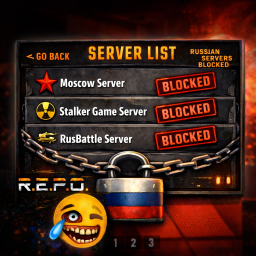
REPOLobbyFilter
Automatically filters Russian/Belarusian lobbies and allows manual blocking via hotkeyREPOLobbyFilter
BepInEx plugin for R.E.P.O. that automatically filters Russian and Belarusian game lobbies, plus manual blocking via hotkey.
Features
- Automatic Filtering: Blocks Russian/Belarusian lobbies based on country codes (RU, BY)
- Manual Blocking: Press B or F9 while hovering over any lobby to block it instantly
- Separate Blocklists: Auto-blocked and manually blocked lobbies stored separately
- Readable Format: Blocklists show both GUID and lobby name for easy management
- Persistent Storage: All blocked lobbies saved automatically
- Smart Migration: Automatically upgrades from v1.0.0 blocklist format
Installation
Prerequisites
IMPORTANT: You must install BepInEx 5.x first before using this plugin!
- Download BepInEx 5.4.23.4
- Extract BepInEx to your R.E.P.O. game folder
- Run the game once to generate BepInEx folders
- Exit the game
Plugin Installation
- Download
REPOLobbyFilter.dll - Place it in
R.E.P.O/BepInEx/plugins/ - Launch the game
Usage
Automatic Blocking
Lobbies with country codes RU or BY are automatically hidden from the server list.
Manual Blocking
- Hover your mouse over any lobby in the server list
- Press B or F9
- The lobby will be blocked and disappear
- Block is saved permanently
Configuration
Edit blocklist files in R.E.P.O/BepInEx/config/:
REPOLobbyFilter_AutoBlocked.txt- Auto-blocked lobbiesREPOLobbyFilter_ManualBlocked.txt- Manually blocked lobbies
Format: GUID | Display Name
Upgrading from v1.0.0
Your old blocklist will be automatically migrated to the new format on first launch. The old file is backed up as REPOLobbyFilter_Blocklist.txt.v1.0.backup.
Source Code
GitHub: https://github.com/Hanibalas7x7/REPOLobbyFilterPlugin
Changelog
v1.1.1
- Added automatic migration from v1.0.0 blocklist format
- Old blocklist automatically backed up
v1.1.0
- Added manual blocking with B/F9 hotkey
- Fixed hover detection for correct lobby blocking
- Separate auto/manual blocklists
- Readable GUID | Name format
v1.0.0
- Initial release with automatic country-based filtering