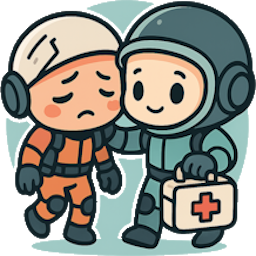
Medic!
Revive fallen teammates by transferring your own health while holding their PlayerDeathHead.
Press H to spend HP and bring them back. On success (and if enabled), the revived player automatically posts a global chat line using the game’s built-in chat pipeline so everyone sees it.
- Author: callmehill
- Version: 1.1.2
- BepInEx: 5.x (tested with 5.4.21)
Features
- Pick-up revive: Hold a teammate’s
PlayerDeathHead and press H to revive.
- HP transfer: Default cost is 20 HP from the reviver to the revivee.
- Audio feedback (1.1.1+): Plays a configurable sound when you don’t have enough health to attempt a revive.
- True in-game chat (toggleable): The revivee sends a chat line via the native chat method—identical to a normal message—only on a successful revive and only if enabled.
- Mixed lobby friendly: Players without the mod can still be revived. (They just won’t emit the chat line unless they’re running the mod.)
- Randomized gratitude (1.1.0+): On a successful revive, the revivee picks a random phrase from a phrases list loaded at startup.
- Phrases are read from
gratitude_phrases.txt (one per line). Lines starting with # are comments.
- Search order: plugin folder (next to the DLL) → BepInEx/config → fallback list in config.
- Hot reload: press Ctrl+P to reload the phrases file at runtime.
What’s new in 1.1.2
- Fixed: The deny sound now emits from the reviver’s position, improving audibility in different environments.
- Improved: Added a one-frame delay before posting the revive chat on the revivee’s client to improve reliability in mixed/laggy lobbies.
How it works (tech notes)
- Pressing H while holding a
PlayerDeathHead asks the MasterClient to perform an authoritative revive.
- If you lack sufficient health, an audible warning plays and the revive is denied.
- The revive triggers the game’s native
ReviveRPC for the downed player across all clients.
- After one frame, only the revivee’s client calls the game’s private
PlayerAvatar.ChatMessageSend(...) method locally (and only if EnableGratitude is true), so the chat line is broadcast to everyone just like normal chat.
- Health sync:
- Master subtracts HP from the reviver and broadcasts it via
SyncReviverHealth (v1.0.2+).
- The revivee’s new HP is applied and broadcast via
SyncRevivedHealth.
- Gratitude phrases:
MedicPlugin.GetRandomGratitude() returns a random entry from the loaded list (or the fallback list) and feeds it into the native chat send.
Note: Unmodded clients may log “RPC not found” for the custom health/chat RPCs. This is harmless and does not affect gameplay.
Installation
- Install BepInEx 5 for your game.
- Drop
Medic!.dll into BepInEx/plugins/Medic!/ (create the folder if needed).
- (Optional) Place
icon.png, manifest.json, README.md, and gratitude_phrases.txt in the same plugin folder for mod managers.
Usage
- Pick up a fallen teammate’s PlayerDeathHead.
- Press H to spend HP and attempt a revive.
- If you don’t have enough HP, you’ll hear an audio warning and nothing happens.
- On success, the revived player posts a global chat line (same pipeline as normal chat), visible to everyone if chat is enabled and the revivee is running the mod.
Configuration
A BepInEx/config/com.callmehill.medic.cfg file is created on first run.
General/HealthTransferAmount (float, default 20)
How much HP the reviver gives to the revivee.Chat/EnableGratitude (bool, default true)
Toggle to enable/disable the revive gratitude chat line globally on your client.Chat/PhrasesFile (string, default gratitude_phrases.txt)
File to load phrases from (plugin directory → BepInEx/config).Chat/FallbackPhrases (string, default Wow! Thank you, friend!|You saved me!|I owe you one!|Back in the fight!|That was clutch!)
Pipe-separated fallback phrases used if the file is missing or empty.Sound/DeniedSoundVolume (float, default 0.5)
Volume level for the audio warning when revive is denied due to insufficient health.- Phrase length guard (behavior): Phrases longer than 160 characters are trimmed during load to avoid chat overflow.
Compatibility
- BepInEx 5 (5.4.x).
- Works in mixed lobbies; only the chat line requires the revivee to be running the mod.
- No extra keybinds or admin controls are introduced.
Troubleshooting
- H does nothing: Make sure you are holding a PlayerDeathHead and have at least
HealthTransferAmount + 1 HP. You should hear an audio warning if you lack sufficient health.
- Client didn’t lose HP when reviving host: Update to v1.0.2 or later on all modded players to ensure the reviver’s HP cost is synced (
SyncReviverHealth).
- No chat line appears: The revive succeeded, but either
EnableGratitude is off or the revivee isn’t running the mod (chat is emitted locally on the revivee).
- Phrases not changing: Edit
gratitude_phrases.txt and press Ctrl+P to reload.
- Audio warning too loud/quiet: Adjust
Sound/DeniedSoundVolume in the config file.
- Log spam on vanilla clients: Expected; harmless “RPC not found” messages when they don’t have the custom component.
Changelog
See CHANGELOG.md for full history.
Credits