
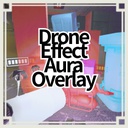
DroneEffectAuraOverlay
【Client MOD】Shows colored overlays on targets affected by drones or Zero Gravity Orb effects. 各種droneやZero Gravity Orbの効果対象を色付きオーバーレイで分かりやすく表示させるMOD
By REPO_JP
| Last updated | 4 hours ago |
| Total downloads | 25 |
| Total rating | 1 |
| Categories | Mods Client-side |
| Dependency string | REPO_JP-DroneEffectAuraOverlay-1.0.0 |
| Dependants | 0 other packages depend on this package |
This mod requires the following mods to function

BepInEx-BepInExPack
BepInEx pack for Mono Unity games. Preconfigured and ready to use.
Preferred version: 5.4.2100README
DroneEffectAuraOverlay
DroneEffectAuraOverlay is a visual overlay mod for R.E.P.O.
It shows colored overlays on targets that are currently affected by drone effects or Zero Gravity Orb effects, making them easier to identify at a glance.
Important
This mod is client-side visual only.
It only changes what you see on your own game client. It does not change game logic, target behavior, physics, damage, drone behavior, orb behavior, or networked gameplay state.
Other players will not see these overlays unless they also install this mod.
This mod is intended for visual recognition only.
Features
- Shows overlays on targets currently affected by drone effects
- Shows overlays on targets currently affected by Zero Gravity Orb effects
- Supports players
- Supports enemies
- Supports valuables and other physical objects
- Uses the actual in-game effect colors
- Restores original appearance when the effect is removed
- Supports two animation modes
- Ink
- Gradient
- Gradient flows from top to bottom
- Default animation mode is Gradient
- Excludes the outer AreaEffect shell of ItemOrbZeroGravity so the outer sphere stays at its vanilla appearance
- Includes debug logging for detection and rendering verification
Supported effect sources
Current supported sources:
- Drone effects based on active ItemDrone targets
- Zero Gravity Orb effects based on active ItemOrbZeroGravity affected object lists
Rendering approach
This mod prioritizes visible and reliable results.
It uses multiple rendering paths at the same time when needed:
- Original material overlay updates
- Emission color updates
- Base color tint fallback
- Dedicated overlay clone renderers
This makes the effect more reliable across different target types and material setups.
Animation modes
Ink
Uses only the colors currently applied to the target. When multiple colors are present, the visible color shifts between those applied colors in a mottled animated style.
Gradient
Uses only the colors currently applied to the target. When multiple colors are present, the colors blend and flow from top to bottom across the target.
This is the default mode.
Notes
- This mod is visual only
- This mod works only on the client where it is installed
- This mod does not synchronize overlays to other players
- This mod does not modify gameplay logic
- ItemOrbZeroGravity outer shell visuals are intentionally excluded from overlay so the outer sphere does not block visibility
Configuration
A General
EnableMod
Enable or disable this mod
OverlayAlpha
Overlay alpha for all drone and orb effects
EmissionStrength
Emission multiplier used when materials support emission
UpdateIntervalSeconds
How often target detection and visual updates run
RescanIntervalSeconds
How often renderer lists are rebuilt for active targets
AnimationMode
Animation mode selection
Available values:
- Ink
- Gradient
Default:
- Gradient
A Fallback Paths
UseOriginalMaterialOverlay
Apply color and emission to original materials when supported
UseOverlayCloneRenderer
Create dedicated transparent overlay clone renderers
Z Debug
DebugLog
Enable debug logs for target detection and visual application
Recommended settings
For a stronger and easier-to-read effect:
- OverlayAlpha = 0.75
- EmissionStrength = 5.0
- AnimationMode = Gradient
For a more mottled effect-color look:
- OverlayAlpha = 0.75
- EmissionStrength = 5.0
- AnimationMode = Ink
Technical details
The mod detects active drone targets from ItemDrone state and target references.
It also detects active Zero Gravity Orb targets from ItemOrbZeroGravity through ItemOrb affected object tracking.
For players, it prioritizes actual visual roots such as PlayerHealth.meshParent and PlayerAvatarVisuals.meshParent.
For enemies, it prioritizes EnemyHealth.meshParent.
For physical objects, it collects renderer groups from the actual object hierarchy.
For ItemOrbZeroGravity itself, the renderer subtree under sphere effect/AreaEffect is excluded so the outer shell remains unchanged.
DroneEffectAuraOverlay
DroneEffectAuraOverlay は R.E.P.O. 向けの視認用オーバーレイMODです。
drone効果または Zero Gravity Orb 効果が現在付与されている対象に色付きオーバーレイを表示し、見た目で即座に判別しやすくします。
重要
このMODはクライアント側の表示専用です。
自分のゲーム画面上の見た目だけを変更します。 ゲームロジック、対象の挙動、物理、ダメージ、droneの挙動、orbの挙動、ネットワーク同期状態は変更しません。
他のプレイヤーには、このMODをその人も導入していない限りオーバーレイは表示されません。
このMODは視認性向上専用です。
機能
- drone効果が現在付与されている対象を表示
- Zero Gravity Orb 効果が現在付与されている対象を表示
- プレイヤー対応
- enemy対応
- 貴重品やその他物理オブジェクト対応
- ゲーム内の実際の効果色を使用
- 効果が外れたら元の見た目へ自動復元
- 2種類のアニメーションモード対応
- Ink
- Gradient
- Gradient は上から下へ流れるアニメーション
- 初期アニメーションモードは Gradient
- ItemOrbZeroGravity の外側 AreaEffect シェルは除外し、外側球はバニラ見た目のまま維持
- 検出確認用のデバッグログ対応
対応している効果ソース
現在対応しているソースは以下です。
- 有効中の ItemDrone が対象に付与している効果
- 有効中の ItemOrbZeroGravity が objectAffected に持っている対象
描画方式
このMODは、とにかく実際に見えることを優先しています。
必要に応じて複数の描画経路を併用します。
- 元マテリアルのオーバーレイ更新
- 発光色更新
- ベース色寄せ
- 専用オーバーレイクローンRenderer
そのため、対象やマテリアル構成が違っても表示されやすい構成になっています。
アニメーションモード
Ink
現在その対象に付与されている色だけを使います。 複数色がある場合は、その色だけでまだらに切り替わるような見た目になります。
Gradient
現在その対象に付与されている色だけを使います。 複数色がある場合は、その色同士を補間しながら上から下へ流れる見た目になります。
これが初期設定です。
注意事項
- このMODは表示専用です
- このMODは導入したクライアントでのみ動作します
- このMODのオーバーレイ表示は他プレイヤーへ同期されません
- このMODはゲームロジックを変更しません
- ItemOrbZeroGravity の外側球は視認性を妨げないよう、意図的にオーバーレイ対象から除外しています
設定項目
A General
EnableMod
このMODの有効無効
OverlayAlpha
全droneおよびオーブ効果オーバーレイの透明度
EmissionStrength
発光対応マテリアルに乗せる発光強度
UpdateIntervalSeconds
対象検出と見た目更新の実行間隔秒
RescanIntervalSeconds
アクティブ対象のRenderer一覧を再構築する間隔秒
AnimationMode
アニメーションモード選択
選択可能値:
- Ink
- Gradient
初期値:
- Gradient
A Fallback Paths
UseOriginalMaterialOverlay
対応プロパティがある元マテリアルへ色と発光も適用
UseOverlayCloneRenderer
専用透明オーバーレイクローンRenderer生成
Z Debug
DebugLog
対象検出と見た目適用のデバッグログ
推奨設定
見やすさ重視の場合
- OverlayAlpha = 0.75
- EmissionStrength = 5.0
- AnimationMode = Gradient
色の切り替わり感を重視する場合
- OverlayAlpha = 0.75
- EmissionStrength = 5.0
- AnimationMode = Ink
技術詳細
このMODは ItemDrone の状態とターゲット参照から、現在効果が付与されている対象を判定します。
さらに ItemOrbZeroGravity については、ItemOrb の affected object 管理を通して現在無重力付与中の対象を判定します。
プレイヤーは PlayerHealth.meshParent や PlayerAvatarVisuals.meshParent のような、実際の見た目ルートを優先して処理します。
enemy は EnemyHealth.meshParent を優先して処理します。
物理オブジェクトは実オブジェクト階層から Renderer 群を収集して処理します。
ItemOrbZeroGravity 自体については、sphere effect/AreaEffect 配下の Renderer を除外し、外側シェルの見た目を変更しないようにしています。
