

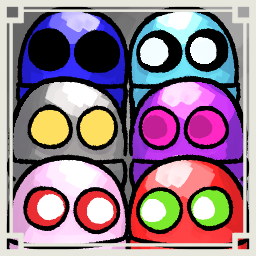
EyesColorCustom
【Client MOD】Quickly changes eye color and pupil size with hotkeys, supports random default eye color, and saves manual selections to Config.Ctrl/Shift操作で目色と瞳孔サイズを変更しRandom初期値とConfig保存に対応IMPORTANT
UPDATED FOR REPO v0.4.0
EyesColorCustom
This mod is a client-only mod that lets you quickly change your eye color and pupil size with hotkeys, supports random default eye color on level changes, and saves manual selections to Config.
Overview
- Change eye color instantly with Ctrl + number keys
- Change pupil size instantly with Shift + number keys
- Show an animated HUD when settings are changed
- Reapply eye and pupil settings after level changes
- Supports
Randomas the default eye color - Saves manual hotkey selections back to Config
Features
-
Eye color hotkeys
- Ctrl+4 = Off
- Ctrl+5 = Red
- Ctrl+6 = Green
- Ctrl+7 = Love
- Ctrl+8 = CeilingEye
- Ctrl+9 = Inverted
- Ctrl+0 = Default
-
Eye color blinking
- Multiple Ctrl + digit selections can blink between selected colors
- Blink speed is configurable
-
Pupil size hotkeys
- Shift+4 = minimum pupil size
- Shift+9 = maximum pupil size
- Shift+0 = Default
-
Random default eye color
DefaultEyeColor = Randomselects a random eye color on each level change- Random selection uses only:
- Red
- Green
- Love
- CeilingEye
- Inverted
- Off is not selected by Random
-
Config save after manual changes
- When eye color is changed by hotkey, the selected eye color is saved to Config
- When pupil size is changed by hotkey, the selected pupil size is saved to Config
- Next launch and next level start use the saved Config value
-
REPO v0.4.0 compatibility
- Reapplies after player cosmetic and visual refreshes
- Avoids direct hard dependency on newer cosmetic classes
- Uses optional reflection-based reapply handling
-
Animated HUD
- Fade-in
- Hold
- Fade-out
- Shows current eye and pupil state
-
Input conflict avoidance
- Suppresses expression hotkeys while Ctrl or Shift is held
- Disables hotkeys while typing
Configuration
0_General.Enabled
- Default:
true - Allowed values:
true,false - Enables or disables the plugin
1_Defaults.DefaultEyeColor
- Default:
Random - Allowed values:
Random,Off,Red,Green,Love,CeilingEye,Inverted - Controls the default eye color
- When set to
Random, a random non-Off eye color is selected on each level change
1_Defaults.DefaultPupilMultiplier
- Default:
1.0 - Range:
0.25to3.0 - Controls the default pupil size multiplier
2_Runtime.ApplyIntervalSeconds
- Default:
0.20 - Range:
0.05to2.0 - Controls the reapply loop interval
2_Runtime.BlinkIntervalSeconds
- Default:
0.20 - Range:
0.05to5.0 - Controls blink speed for multi-color selection
3_HUD.HudHoldSeconds
- Default:
5.0 - Range:
0.0to10.0 - Controls how long the HUD stays visible
3_HUD.HudFadeInSeconds
- Default:
0.18 - Range:
0.0to2.0 - Controls HUD fade-in duration
3_HUD.HudFadeOutSeconds
- Default:
0.22 - Range:
0.0to2.0 - Controls HUD fade-out duration
Usage
- Install the mod
- Launch the game once to generate the Config
- Set
1_Defaults.DefaultEyeColortoRandomif you want random eye color per level - Use Ctrl+4..9 to change eye color
- Use Shift+4..9 to change pupil size
- Manual hotkey changes are saved to Config
Notes
- This is a client-only mod
- Host installation is not required
- Random does not select Off
- Manual hotkey selections overwrite the Config default
- REPO v0.4.0 visual refresh handling is included
Contact
- REPO JP
- REPO Modding Server
※Mod created by AI
IMPORTANT
REPO v0.4.0対応版
EyesColorCustom
REPOが好きな日本人のための日本人のみのREPOのDiscordサーバーあります! 参加は以下のリンクから! https://discord.gg/h5ATY4m5bZ
このMODは、クライアント専用の、ホットキーで目色と瞳孔サイズをすばやく変更でき、レベル変更ごとのRandom目色と手動変更のConfig保存にも対応するMODです。
概要
- Ctrl + 数字で目色を即変更
- Shift + 数字で瞳孔サイズを即変更
- 設定変更時にアニメHUDを表示
- レベル変更後に目色と瞳孔設定を再適用
- 目色初期値
Randomに対応 - 手動ホットキー変更をConfigへ保存
機能
-
目色ホットキー
- Ctrl+4 = Off
- Ctrl+5 = Red
- Ctrl+6 = Green
- Ctrl+7 = Love
- Ctrl+8 = CeilingEye
- Ctrl+9 = Inverted
- Ctrl+0 = Default
-
目色点滅
- Ctrl + 複数数字選択で選択色を点滅
- 点滅速度は設定可能
-
瞳孔サイズホットキー
- Shift+4 = 最小瞳孔サイズ
- Shift+9 = 最大瞳孔サイズ
- Shift+0 = Default
-
Random目色初期値
DefaultEyeColor = Randomの場合、レベル変更ごとに目色をランダム選択- Random対象は以下のみ
- Red
- Green
- Love
- CeilingEye
- Inverted
- OffはRandom対象外
-
手動変更後のConfig保存
- ホットキーで目色を変更すると、選択した目色をConfigへ保存
- ホットキーで瞳孔サイズを変更すると、選択した瞳孔サイズをConfigへ保存
- 次回起動や次レベル開始では保存済みConfig値を使用
-
REPO v0.4.0対応
- プレイヤーのコスメ更新や見た目更新後に再適用
- 新しいコスメ型への直接依存を避けたビルド互換対応
- 任意Reflection Patchによる再適用対応
-
アニメHUD
- フェードイン
- ホールド
- フェードアウト
- 現在の目色と瞳孔状態を表示
-
入力競合回避
- CtrlまたはShift中は表情ホットキーを抑止
- 文字入力中はホットキー処理を無効化
設定項目
0_General.Enabled
- 初期値:
true - 設定可能値:
true,false - 内容: プラグインの有効化/無効化
1_Defaults.DefaultEyeColor
- 初期値:
Random - 設定可能値:
Random,Off,Red,Green,Love,CeilingEye,Inverted - 内容: 初期目色
Randomの場合、レベル変更ごとにOff以外の目色をランダム選択
1_Defaults.DefaultPupilMultiplier
- 初期値:
1.0 - 設定範囲:
0.25から3.0 - 内容: 初期瞳孔サイズ倍率
2_Runtime.ApplyIntervalSeconds
- 初期値:
0.20 - 設定範囲:
0.05から2.0 - 内容: 再適用ループ間隔
2_Runtime.BlinkIntervalSeconds
- 初期値:
0.20 - 設定範囲:
0.05から5.0 - 内容: 複数色選択時の点滅速度
3_HUD.HudHoldSeconds
- 初期値:
5.0 - 設定範囲:
0.0から10.0 - 内容: HUD表示維持時間
3_HUD.HudFadeInSeconds
- 初期値:
0.18 - 設定範囲:
0.0から2.0 - 内容: HUDフェードイン時間
3_HUD.HudFadeOutSeconds
- 初期値:
0.22 - 設定範囲:
0.0から2.0 - 内容: HUDフェードアウト時間
使い方
- MOD導入
- 1回起動してConfig生成
- レベルごとにランダム目色にしたい場合は
1_Defaults.DefaultEyeColorをRandomに設定 - Ctrl+4..9で目色変更
- Shift+4..9で瞳孔サイズ変更
- 手動ホットキー変更はConfigへ保存
補足
- このMODはクライアント専用
- ホスト導入不要
- RandomはOffを選択しない
- 手動ホットキー変更はConfig初期値を上書き
- REPO v0.4.0の見た目更新へ対応済み
連絡先
- REPO JP
- REPO Modding Server
※AI生成MOD