

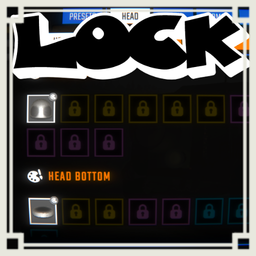
LockAllCosmetics
Players who unfairly used the UnlockAllCosmetics MOD should use this MOD immediately and mash F10.【Client MOD】Mash F10 to lock all cosmetics, or mash F9 to lock cosmetics not used in presets. F10連打で全コスメをロックし、F9連打でプリセットに使用していないコスメのみロックします。COMPATIBLE WITH COSMETICS UPDATE V0.4.0.
LockAllCosmetics
This mod is a client-only mod that lets you intentionally lock cosmetics again with key-mash actions: F10 locks all cosmetics, and F9 locks only cosmetics not saved in cosmetic presets.
Overview
LockAllCosmetics is for players who want to remove unlocked cosmetic progress and collect cosmetics again.
The mod has two actions.
- F10: Lock all cosmetics.
- F9: Lock only cosmetics that are not used in cosmetic presets.
The F9 action is useful when you want to keep saved outfits but lock everything else again.
Save the outfits you want to keep into cosmetic presets before using F9.
The mod does not use chat commands or config files.
How to Use F10: Lock All Cosmetics
- Press F10 once.
- No UI appears on the first press.
- Press F10 again within 1 second.
- The UI appears for at least 3 seconds.
- Keep pressing F10 repeatedly.
- The progress bar fills as you mash F10.
- The screen gets darker as the progress bar gets closer to full.
- When the progress bar reaches 100%, all cosmetics are locked again.
- Stop pressing F10 to cancel. The progress bar will decrease and the screen will return to normal.
How to Use F9: Lock Unused Cosmetics
- Save the outfits you want to keep into cosmetic presets.
- Press F9 once.
- No UI appears on the first press.
- Press F9 again within 1 second.
- The UI appears for at least 3 seconds.
- Keep pressing F9 repeatedly.
- The progress bar fills as you mash F9.
- The screen gets darker as the progress bar gets closer to full.
- When the progress bar reaches 100%, cosmetics not used in presets are locked again.
- Stop pressing F9 to cancel. The progress bar will decrease and the screen will return to normal.
F10 Behavior
F10 is the full lock action.
It uses the game's cosmetic reset-style process and locks all local unlocked cosmetics.
The following local cosmetic data may be reset or cleared by the full lock action:
- Cosmetic tokens
- Unlocked cosmetics
- Cosmetic unlock history
- Equipped cosmetics
- Cosmetic presets
Color settings are not directly reset by this mod unless the base game process changes them.
F9 Behavior
F9 is the preset-based partial lock action.
It scans cosmetic presets and keeps cosmetics used in those presets.
The following local cosmetic data is modified by F9:
- Unlocked cosmetics
- Cosmetic unlock history
- Equipped cosmetics
- Cosmetic preview state
The following local cosmetic data is not changed by F9:
- Cosmetic presets
- Color presets
- Equipped colors
- Cosmetic tokens
If a cosmetic is currently equipped but not saved in any cosmetic preset, it can be locked by F9.
Progress Bar Behavior
The progress bar fills when you repeatedly press the active key.
As the progress bar gets closer to 100%, each key press adds slightly less progress.
This makes the final part require more intentional repeated presses.
Stopping the key presses cancels the action because the progress bar decreases over time.
The screen overlay is linked to the progress bar.
- 0% progress: transparent background.
- 100% progress: dark background.
UI Hints
The F10 UI also shows that F9 can lock only cosmetics not used in presets.
The F9 UI also shows that F10 can lock all cosmetics.
This makes it easier to understand which key controls which lock mode.
Notes
- This is a client-only mod.
- It affects only your own local cosmetic data.
- It does not affect the host or other players.
- There is no backup feature.
- There is no restore feature.
- There is no confirmation screen after the progress bar is completed.
- Both actions are intentional and destructive.
- F9 and F10 may be used by other mods, so this mod requires a second press within 1 second before showing the UI.
Configuration
This mod has no config file.
All behavior is fixed:
- Full lock key: F10
- Preset-unused lock key: F9
- UI activation: second press within 1 second
- UI minimum display time: 3 seconds
- UI: center-screen progress bar
- Cancel method: stop pressing the active key
For Developers
The mod avoids direct compile-time references to cosmetic game classes such as MetaManager.
Cosmetic data is accessed through reflection so the source can build even when the game type is not directly available in the compile project.
F10 calls the full cosmetic lock/reset behavior.
F9 reads cosmeticPresets, builds a set of cosmetic indexes used by presets, and removes any unlocked cosmetics that are not included in that set.
The UI is created by the plugin itself using Unity UI and TextMeshPro.
No Harmony patch is required.
※Mod created by AI
COSMETICS UPDATE V0.4.0対応済み.
LockAllCosmetics
REPOが好きな日本人のための日本人のみのREPOのDiscordサーバーあります! 参加は以下のリンクから! https://discord.gg/h5ATY4m5bZ
このMODは、クライアント専用の、F10で全コスメをロックし、F9でコスメプリセットに使用していないコスメのみをロックするMODです。
概要
LockAllCosmeticsは、解放済みコスメをロックに戻し、コスメを集め直したいプレイヤー向けのMODです。
このMODには2つの操作があります。
- F10: すべてのコスメをロック
- F9: コスメプリセットに使用していないコスメのみロック
F9は、保存済みコーデだけを残して、それ以外のコスメをロックに戻したい場合に使用します。
F9を使用する前に、残したいコーデを必ずコスメプリセットへ保存してください。
チャットコマンドやConfigファイルは使用しません。
F10の使い方: すべてのコスメをロック
- F10を1回押します。
- 1回目ではUIは表示されません。
- 1秒以内にもう一度F10を押します。
- UIが最低3秒間表示されます。
- F10を連打します。
- F10を連打するとプログレスバーが増えます。
- プログレスバーが満タンに近づくほど画面が暗くなります。
- プログレスバーが100%になると、すべてのコスメがロックに戻ります。
- F10の連打を止めるとキャンセルされます。プログレスバーが減り、画面も元に戻ります。
F9の使い方: 未使用コスメのみロック
- 残したいコーデをコスメプリセットへ保存します。
- F9を1回押します。
- 1回目ではUIは表示されません。
- 1秒以内にもう一度F9を押します。
- UIが最低3秒間表示されます。
- F9を連打します。
- F9を連打するとプログレスバーが増えます。
- プログレスバーが満タンに近づくほど画面が暗くなります。
- プログレスバーが100%になると、プリセットに使用していないコスメのみロックに戻ります。
- F9の連打を止めるとキャンセルされます。プログレスバーが減り、画面も元に戻ります。
F10の動作
F10は全ロック操作です。
ゲーム側のコスメ初期化に近い処理を使用し、自分のローカルの解放済みコスメをすべてロックします。
F10では、以下のローカルコスメデータがリセットまたはクリアされる可能性があります。
- コスメトークン
- 解放済みコスメ
- コスメ解放履歴
- 装備中コスメ
- コスメプリセット
色設定は、ゲーム側の処理で変更されない限り、このMODから直接リセットしません。
F9の動作
F9はプリセット基準の部分ロック操作です。
コスメプリセットを読み取り、プリセット内で使用されているコスメだけを残します。
F9で変更されるローカルコスメデータは以下です。
- 解放済みコスメ
- コスメ解放履歴
- 装備中コスメ
- コスメプレビュー状態
F9で変更されないローカルコスメデータは以下です。
- コスメプリセット
- カラープリセット
- 装備中カラー
- コスメトークン
現在装備中でも、どのコスメプリセットにも保存していないコスメはF9でロックされる可能性があります。
プログレスバーの動作
対象キーを連打するとプログレスバーが増えます。
プログレスバーが100%に近づくほど、1回押したときに増える量が少しずつ下がります。
最後まで実行するには、より意図的に連打する必要があります。
キーの連打を止めると、プログレスバーが減ってキャンセルされます。
画面の黒背景はプログレスバーと連動します。
- 0%: 背景は透明
- 100%: 背景は暗い状態
UI表示
F10のUIには、F9でプリセット未使用コスメだけをロックできることも表示されます。
F9のUIには、F10ですべてのコスメをロックできることも表示されます。
どちらのキーがどのロック操作なのかを画面上で確認できます。
注意事項
- このMODはクライアント専用です。
- 自分のローカルのコスメデータだけに影響します。
- ホストや他プレイヤーには影響しません。
- バックアップ機能はありません。
- 復元機能はありません。
- プログレスバー完了後の追加確認画面はありません。
- どちらの操作も意図的で破壊的な処理です。
- F9とF10は他MODでも使われやすいため、1秒以内の2回目押下で初めてUIを表示します。
設定項目
このMODにConfigファイルはありません。
動作はすべて固定です。
- 全ロックキー: F10
- プリセット未使用ロックキー: F9
- UI表示条件: 1秒以内の2回目押下
- UI最小表示時間: 3秒
- UI: 画面中央のプログレスバー
- キャンセル方法: 対象キーの連打を止める
開発者向け詳細
このMODは、MetaManagerなどのコスメ関連ゲームクラスをコンパイル時に直接参照しません。
Reflection経由でコスメデータへアクセスするため、ビルドプロジェクト側でゲーム型を直接参照できない場合でもビルドしやすい構成です。
F10は全コスメロック・リセット相当の処理を呼び出します。
F9はcosmeticPresetsを読み取り、プリセットで使用されているコスメIndexの集合を作成し、その集合に含まれない解放済みコスメを削除します。
UIはUnity UIとTextMeshProを使用して、MOD側で独自に生成します。
Harmony Patchは不要です。
※AI生成MOD