REPOFidelity
HD graphics replacement for REPO: DLSS, FSR, and SMAA, real ultrawide (21:9, 32:9, 16:10), an FOV slider, and shadow controls. Auto-benchmarks your hardware and picks settings to match. Drop-in replacement for REPO HD.REPO Fidelity - HD Graphics & Performance Mod for R.E.P.O.
Better than REPO HD. Graphics overhaul that goes both ways: squeeze more FPS on potato PCs or push visuals on high-end rigs. Auto-detects your hardware and picks the best settings. Full in-game settings menu. DLSS, FSR, SMAA, shadow control, 21:9 / 32:9 / 16:10 aspect-ratio support, and an FOV slider.
Replaces REPO HD. Everything it does, plus DLSS, auto-benchmark, CPU/GPU-aware tuning, performance optimizations, ultrawide / aspect-ratio fixes, and way more control. If you have REPO HD installed, remove it.
A note from Vippy
After way too long of a break, I'm finally back and working on these again :D Every one of my mods just got a full pass: bugs fixed, reports read, a few things I'd always meant to do. New builds and fixes land in Vippy's Discord before they hit Thunderstore, so come hang out. Thanks for sticking around.
v1.7.0: experimental RepoXR (VR) support. The HD upscaling pipeline used to break VR stereo rendering, each eye ended up looking the wrong way. REPOFidelity now detects a VR headset and stands its camera pipeline down (no upscaler, no FOV or ultrawide override). The performance optimizations keep running, so VR still gets the extra frames. Raise VR render resolution with RepoXR's own CameraResolution setting. This is new and only lightly tested; if something looks off in VR, open an issue.
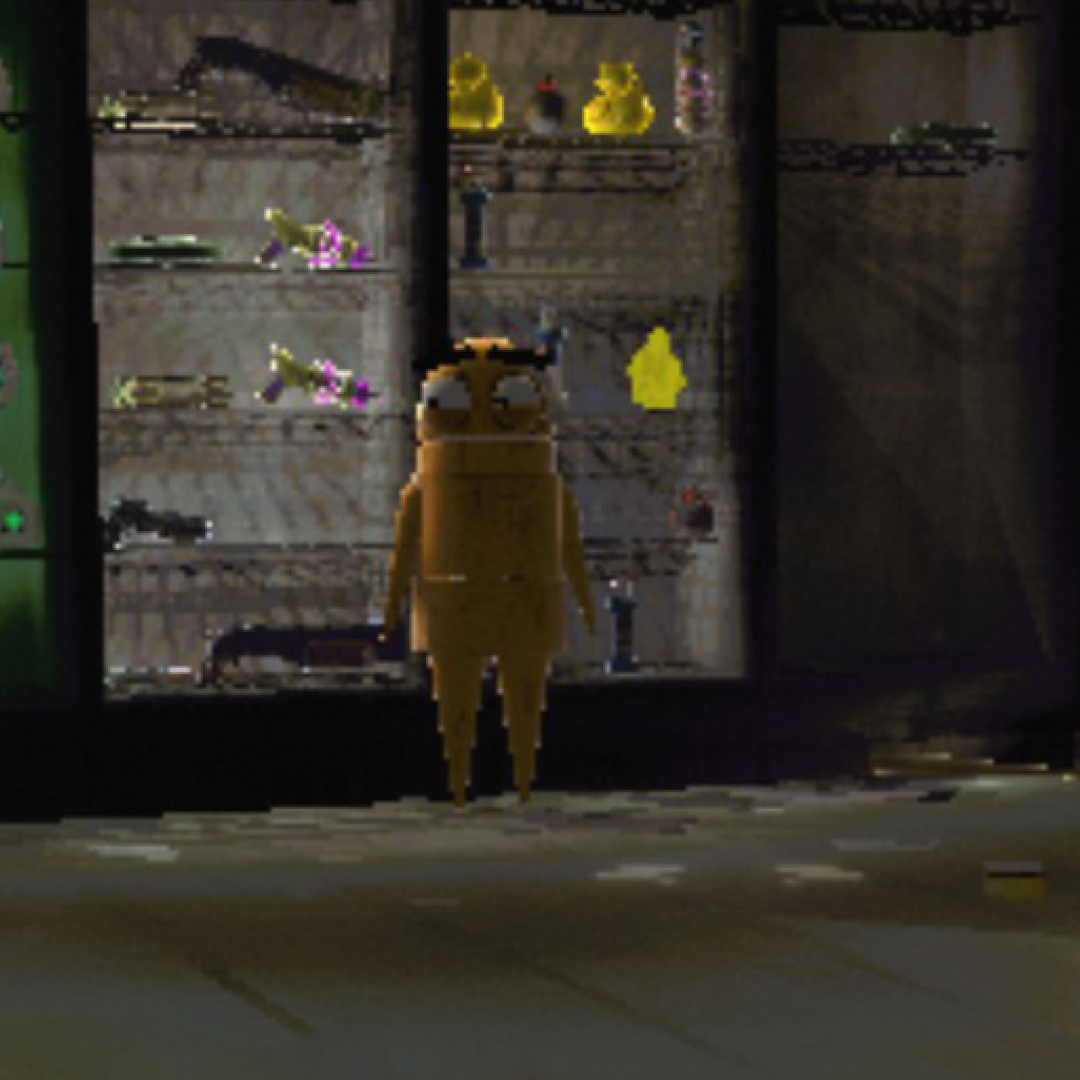
Vanilla vs REPO Fidelity
Environment
| Vanilla | REPO Fidelity |
 |
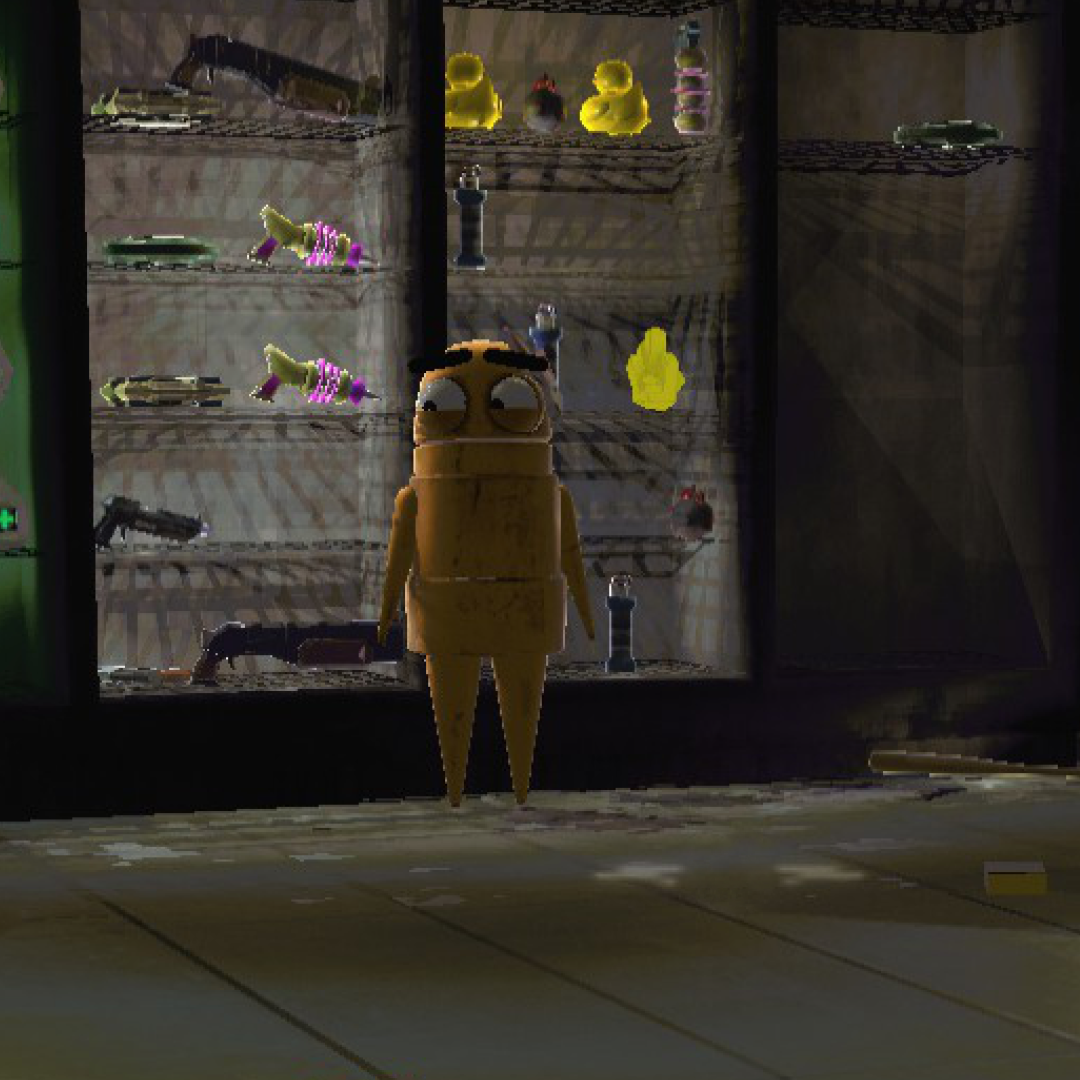 |
Cleaner edges, better shadow quality, no more pixelated mess. Notice the grating detail and wall panels.
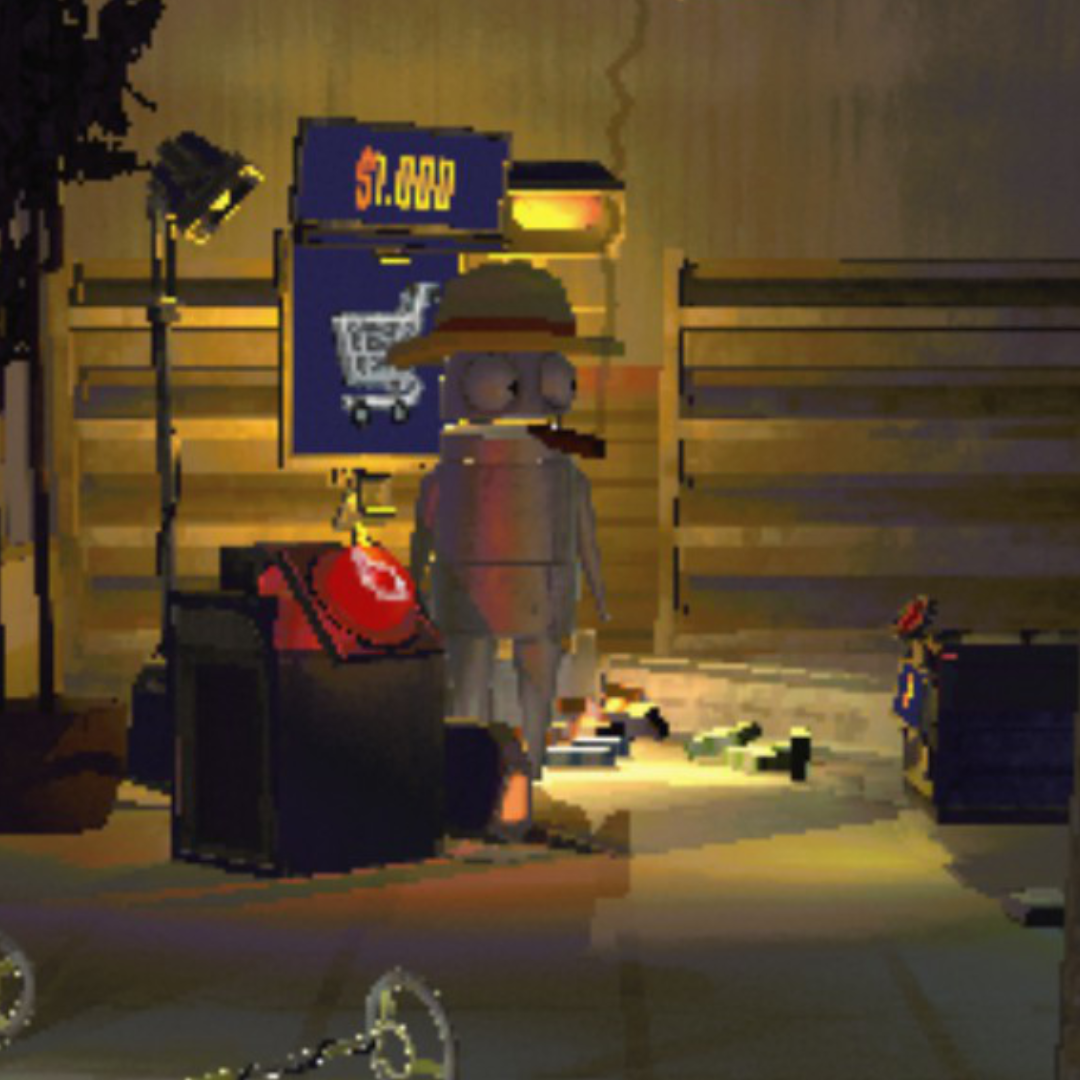
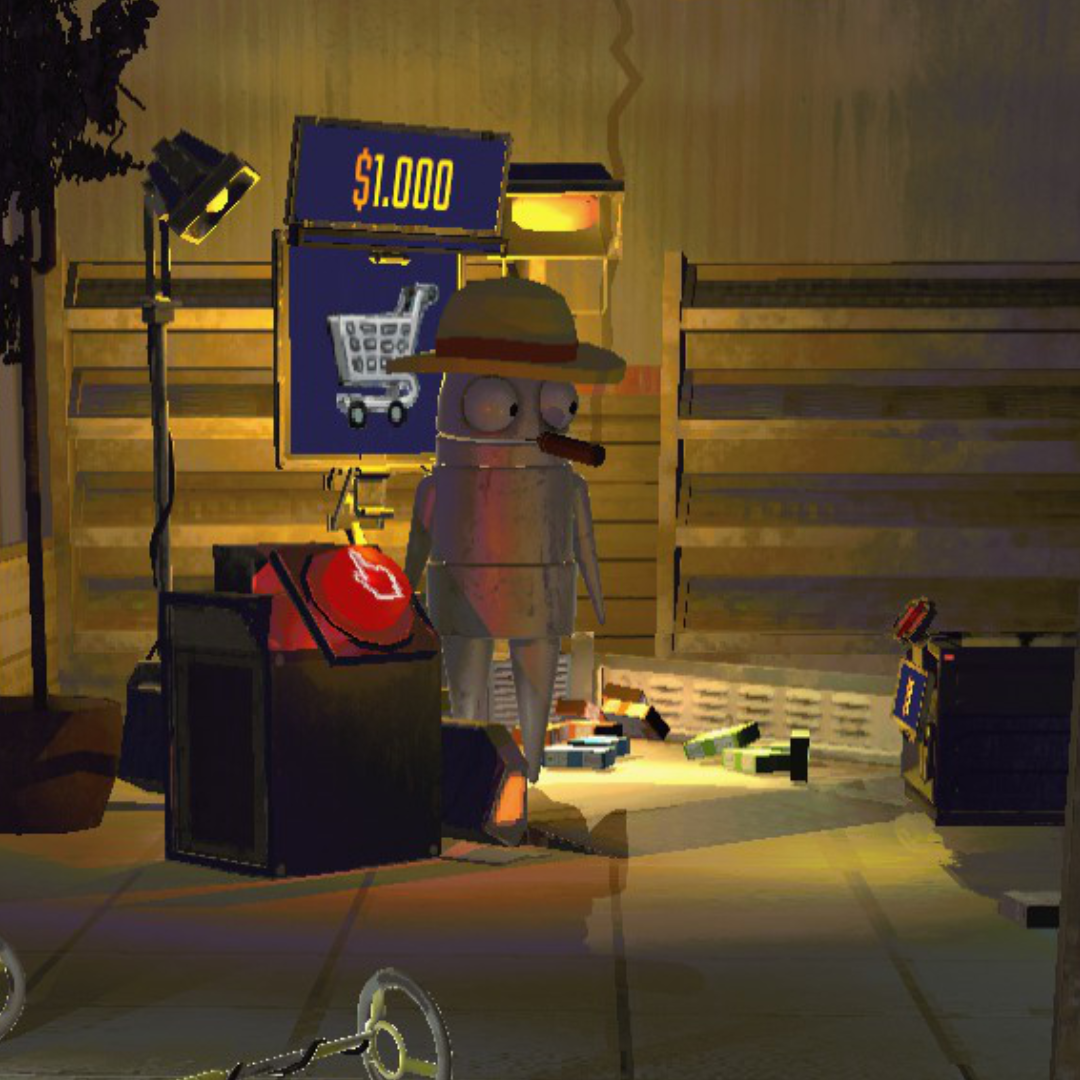
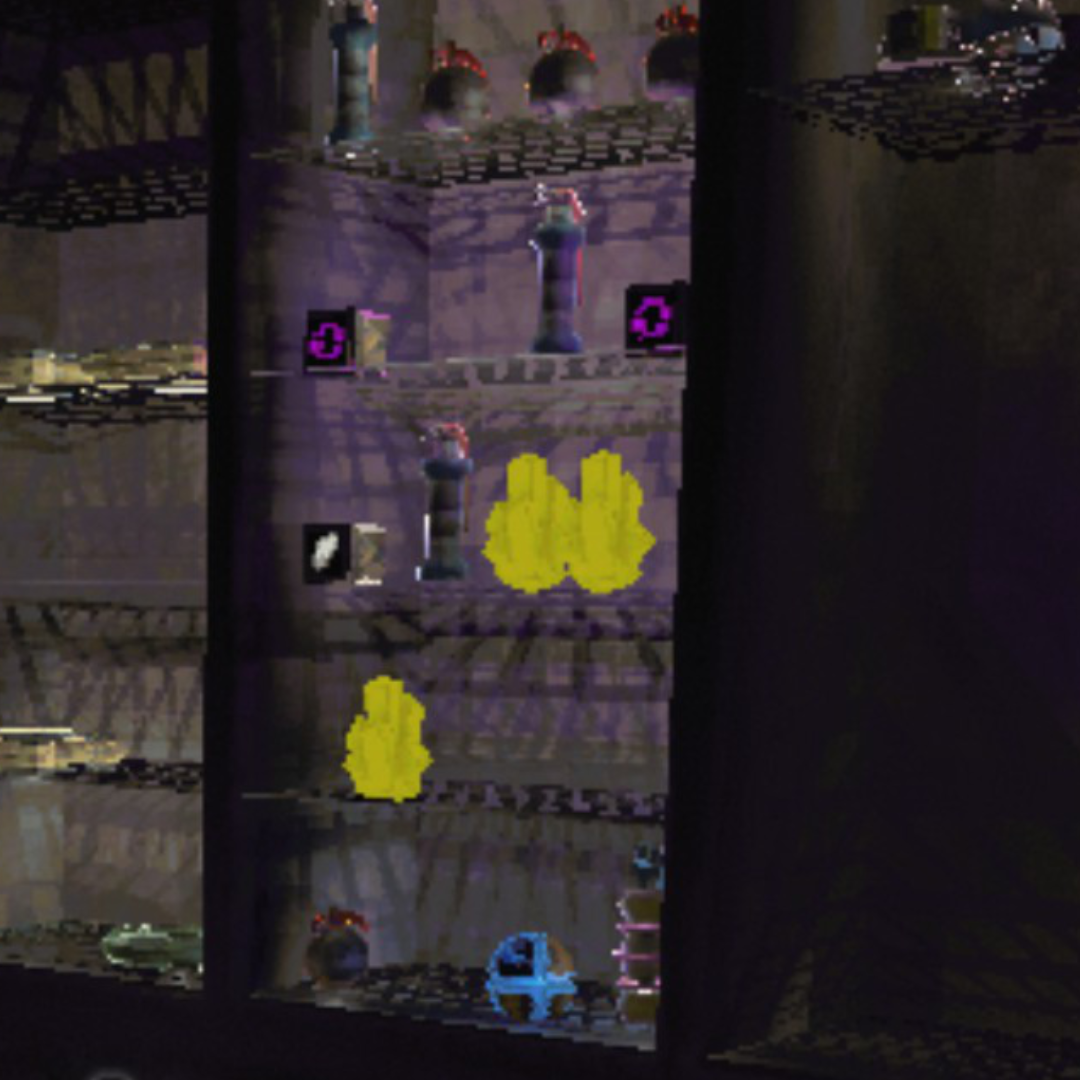
Up Close - Edges & Text
| Vanilla | REPO Fidelity |
 |
 |
| Vanilla | REPO Fidelity |
 |
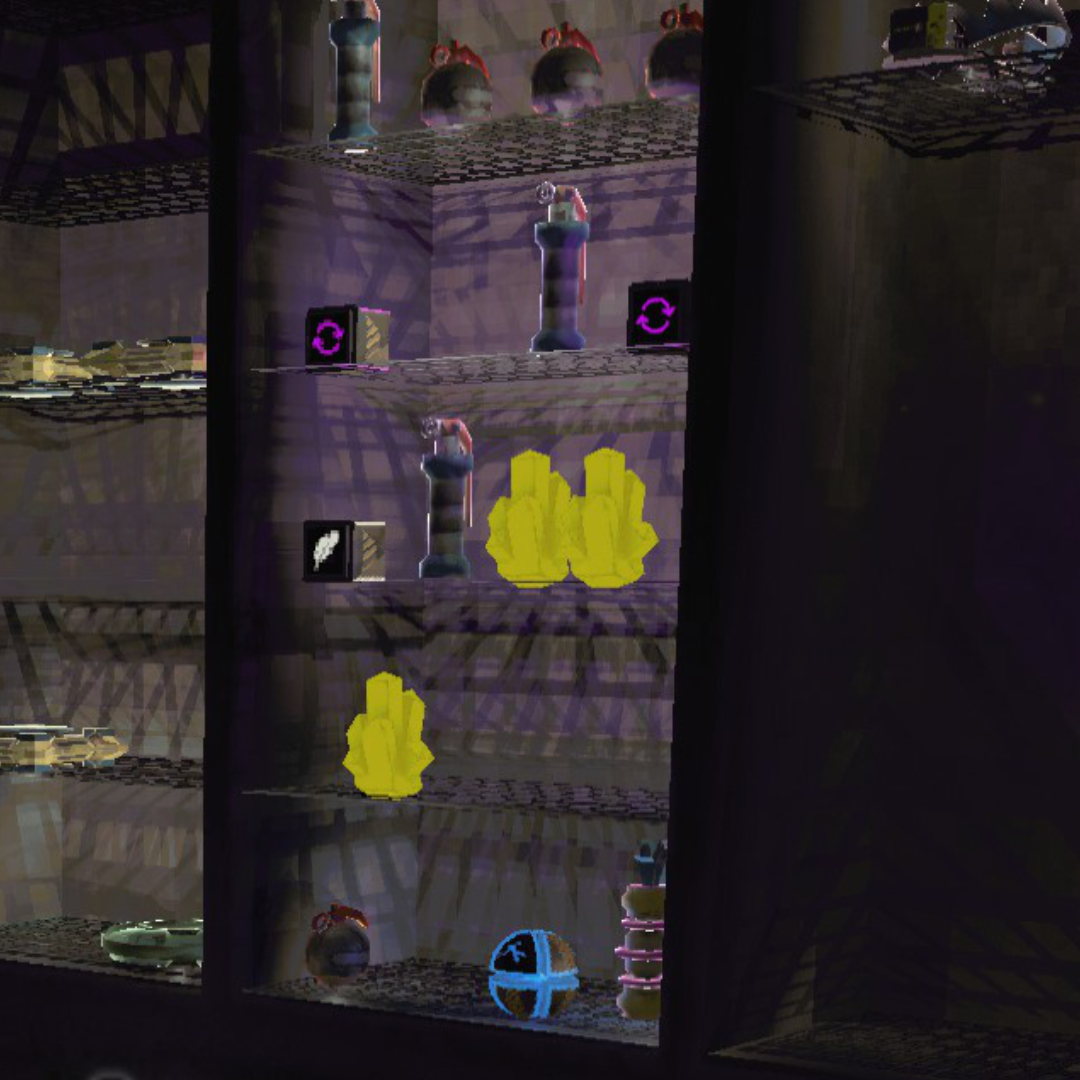 |
Hazard stripes, text, and fine geometry all render without the jagged staircase edges.
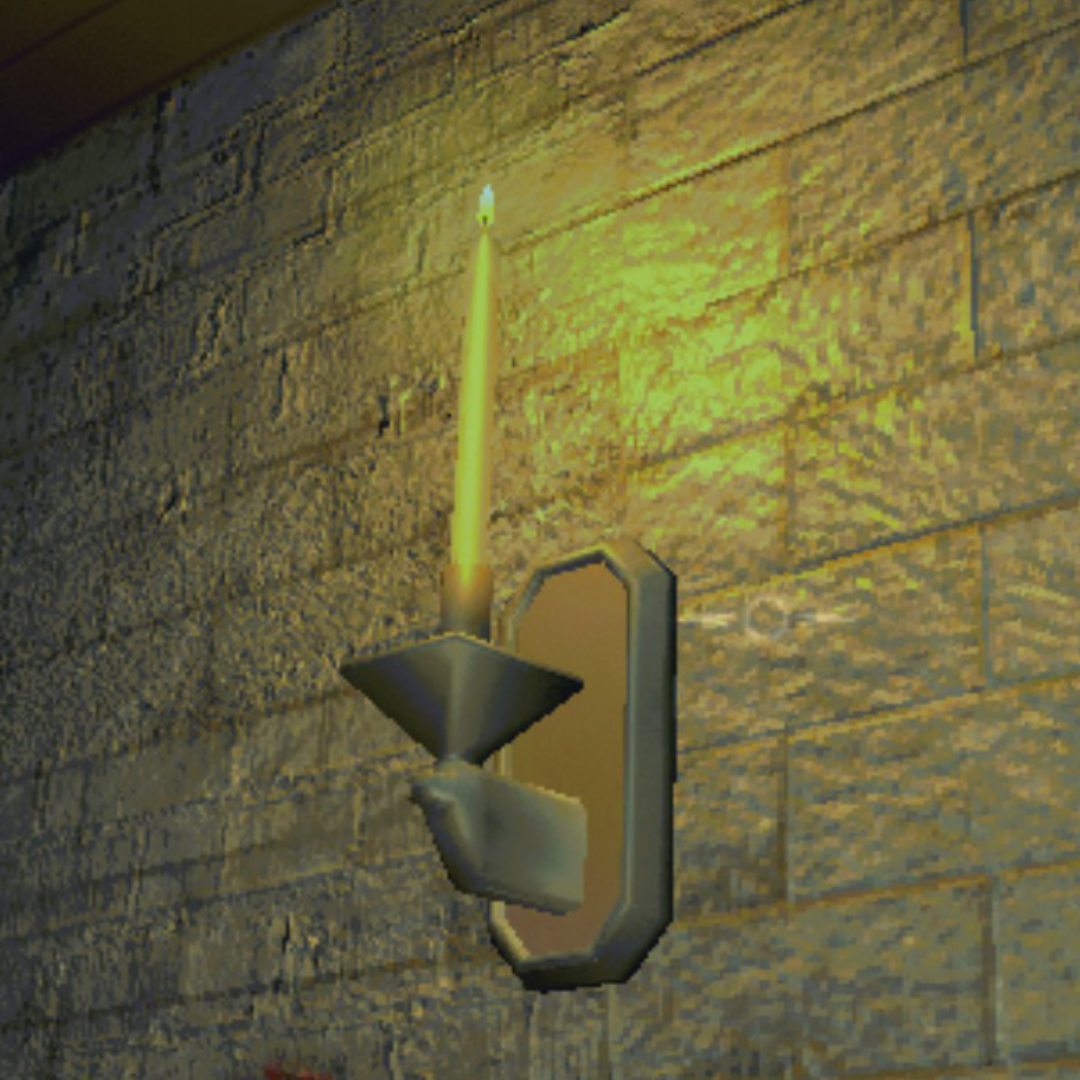
Lighting & Textures
| Vanilla | REPO Fidelity |
 |
 |
| Vanilla | REPO Fidelity |
 |
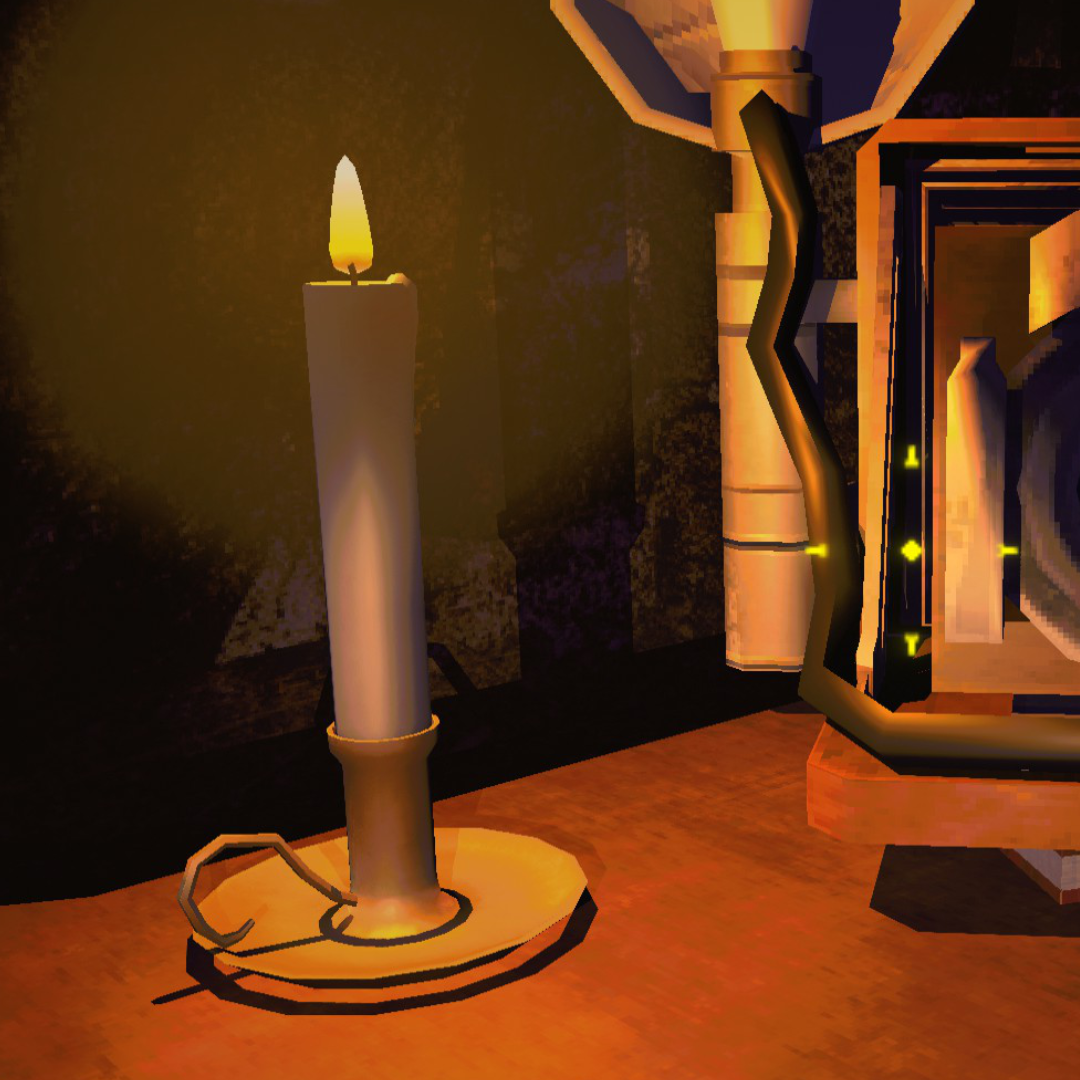 |
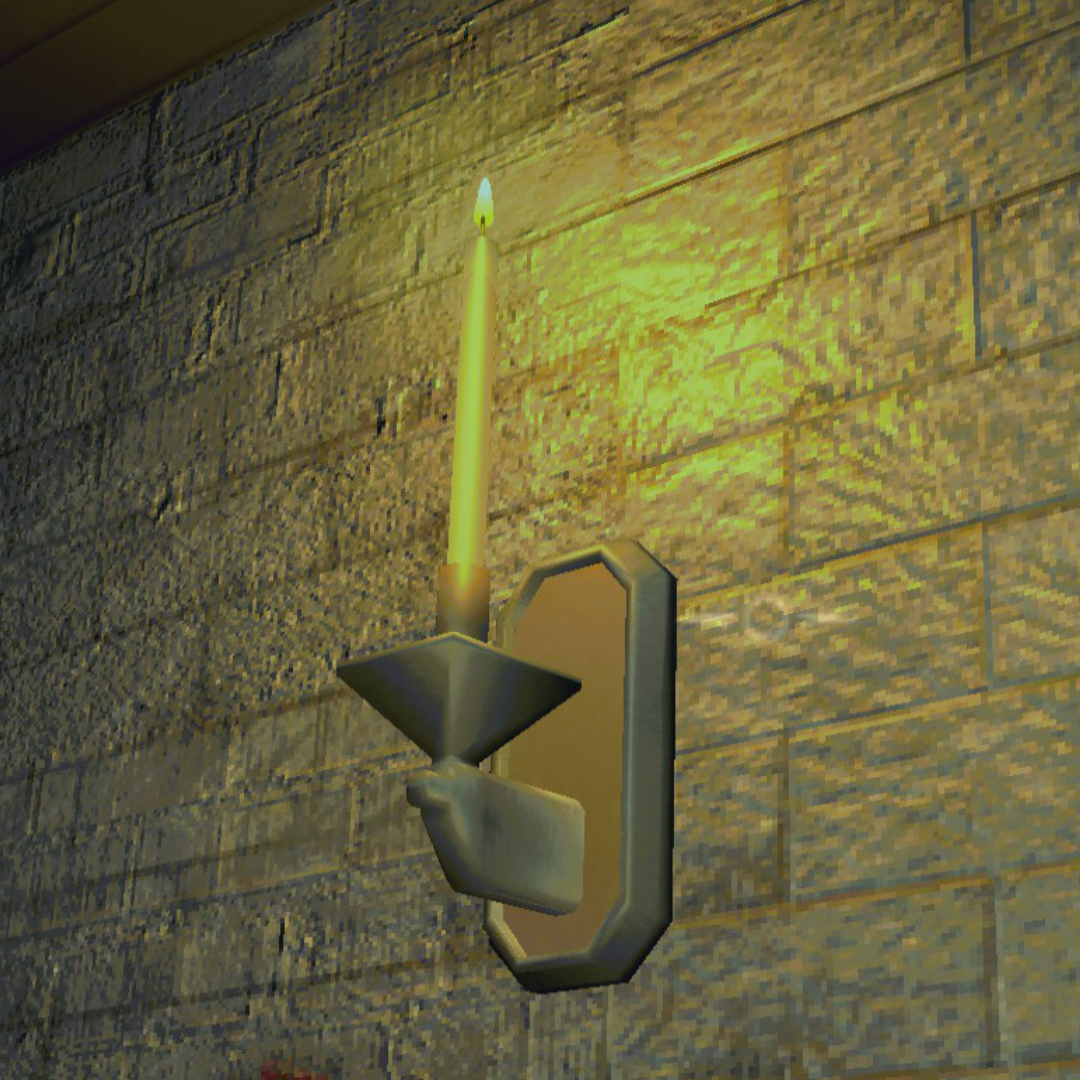
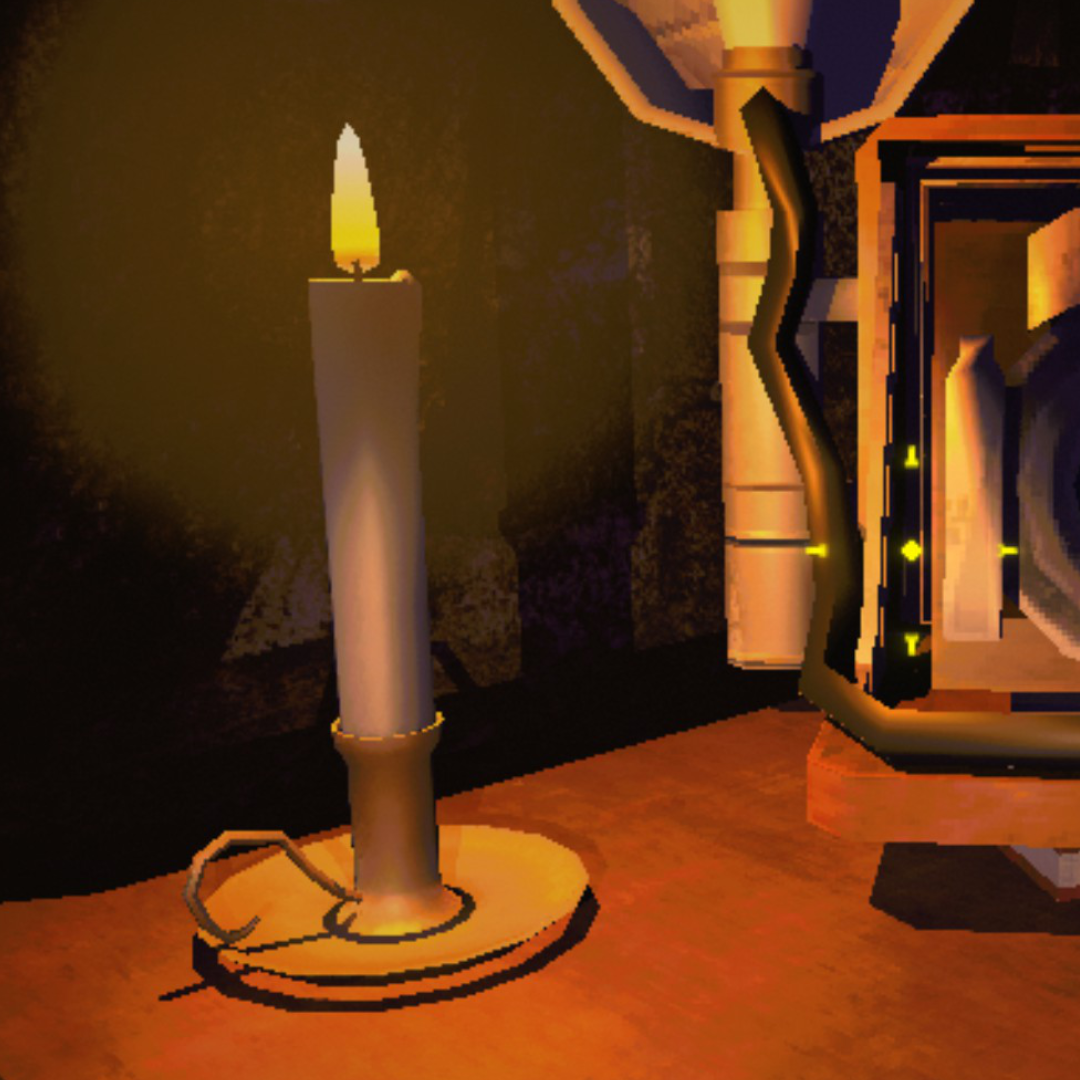
Brickwork, candlelight, and shadow edges all sharpen up. Look at the wall texture and the base of the candle.
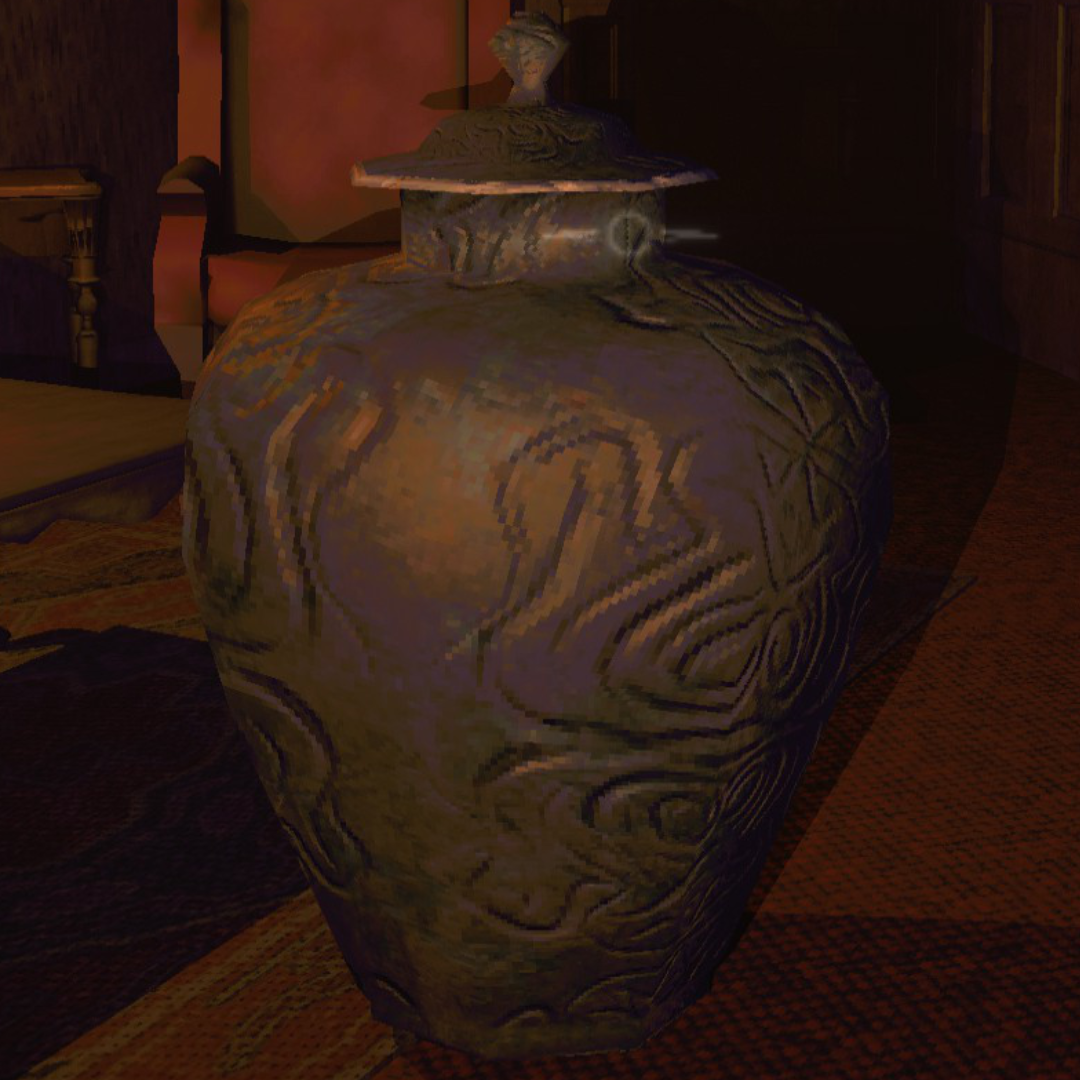
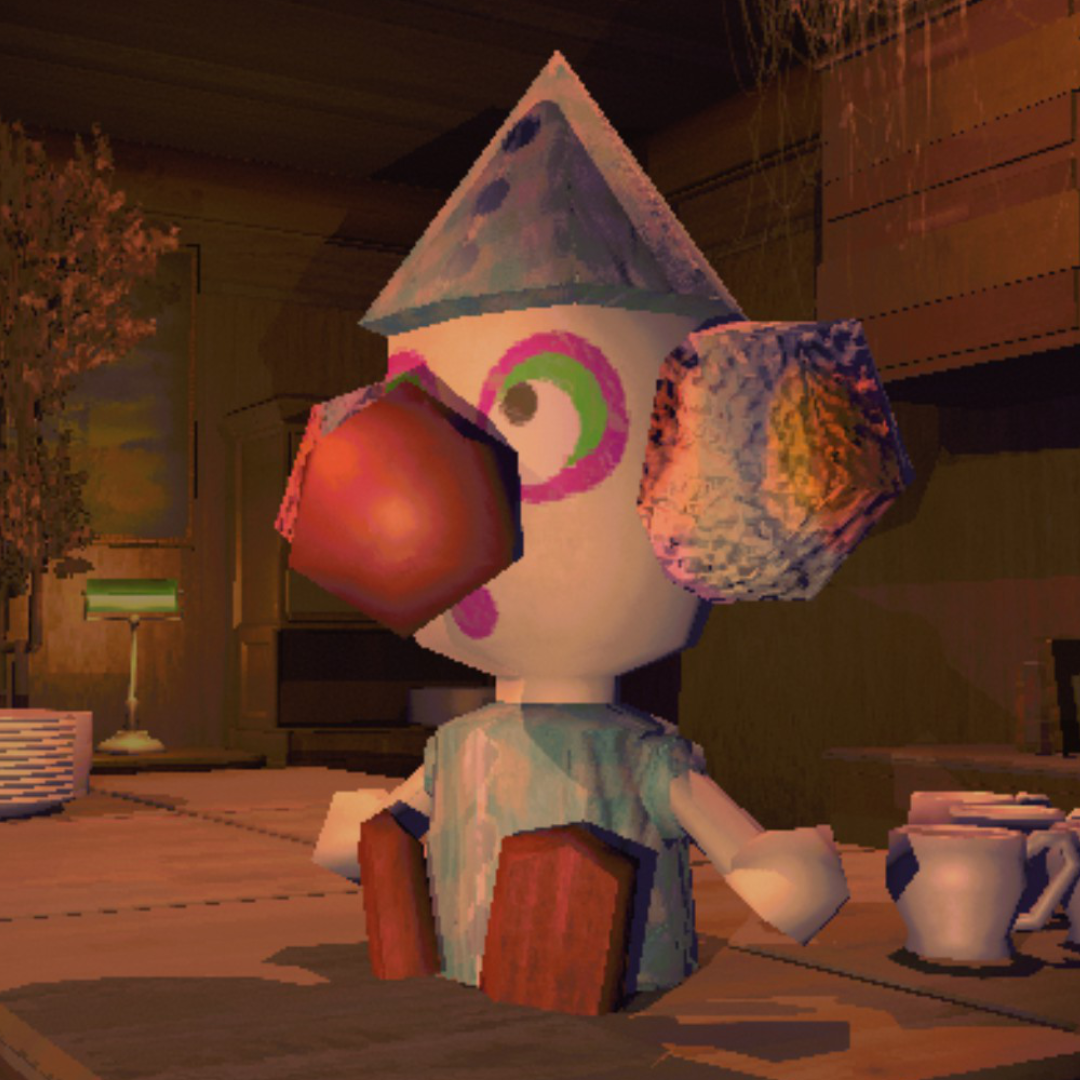
Object Detail
| Vanilla | REPO Fidelity |
 |
 |
| Vanilla | REPO Fidelity |
 |
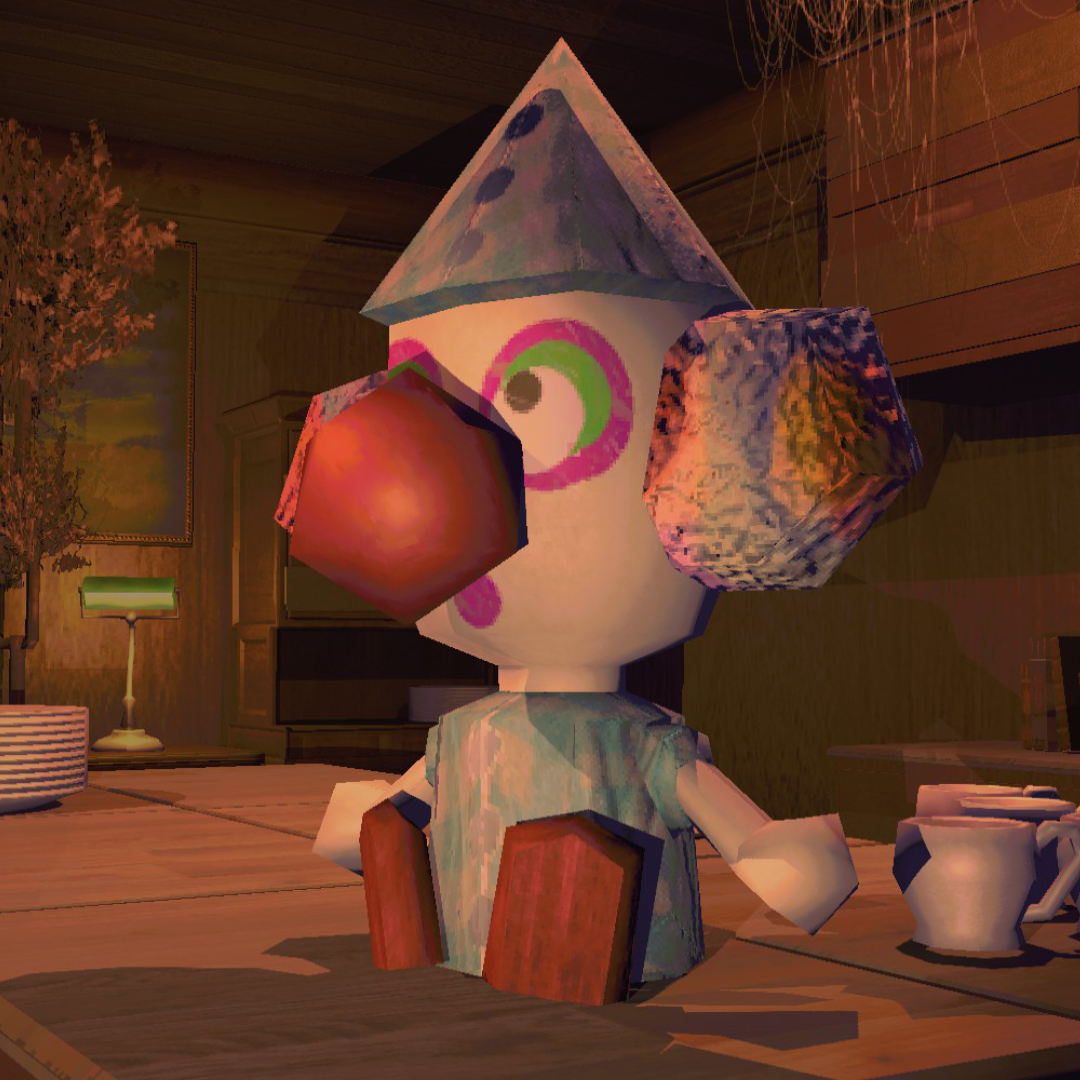 |
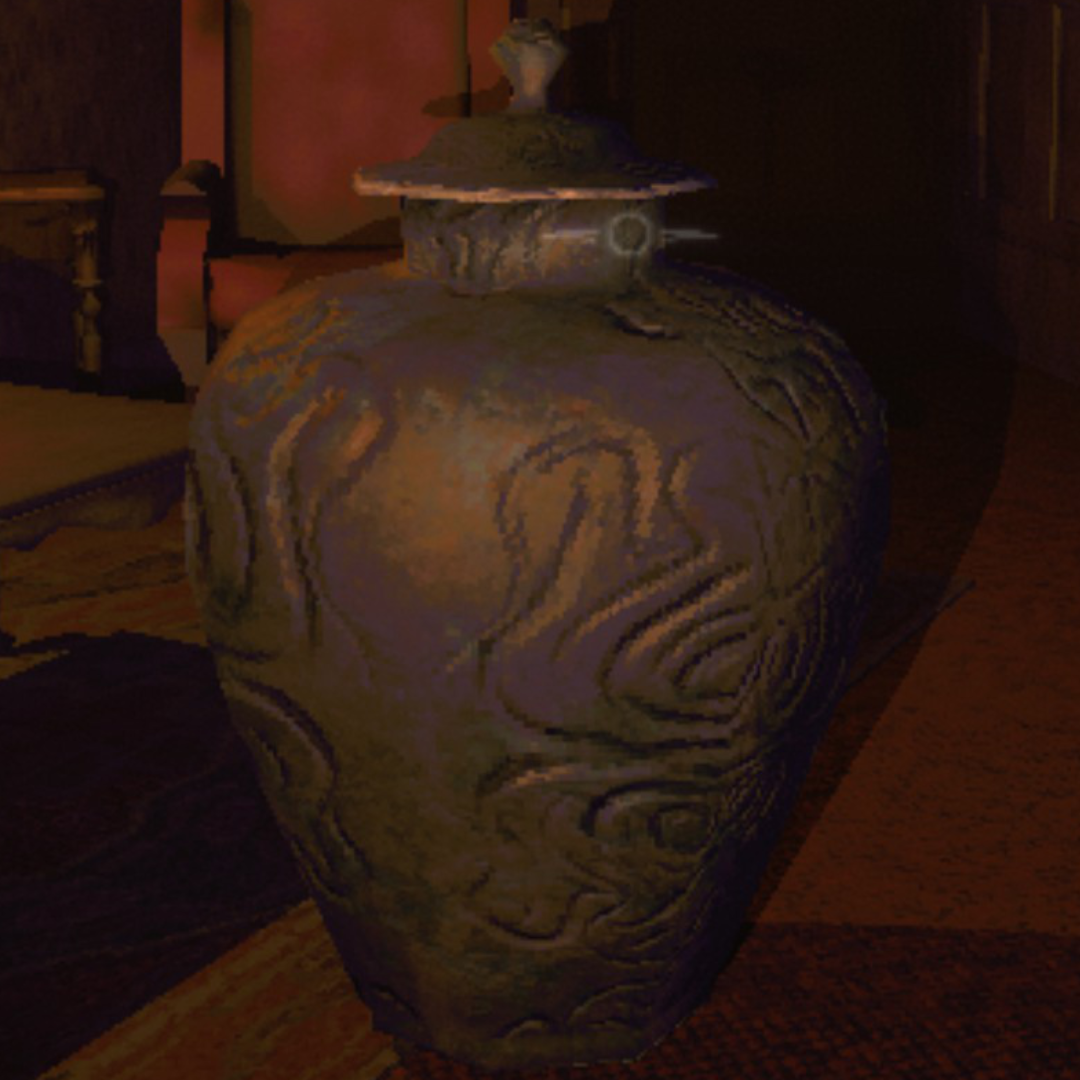
Surface detail on the vase and sharper edges on the clown figure. Shadows render properly instead of blocky artifacts.
Features
Upscaling & Anti-Aliasing
- DLSS: NVIDIA AI upscaling. At 100% render scale, runs as DLAA (native-res AA)
- FSR: AMD temporal upscaling, works on any GPU including Linux/Proton
- SMAA: sharp edge-based AA, no ghosting, works everywhere
- CAS sharpening: adjustable post-upscale sharpening
Quality Settings
- Shadow quality (Low through Ultra) and shadow distance (5-200m)
- Light render distance (vanilla caps around 30m)
- LOD bias, anisotropic filtering, texture quality
- Pixel light count (1-16 per object)
- Fog distance, draw distance
- Post-processing toggles (motion blur, chromatic aberration, lens distortion, film grain, bloom)
Performance Optimizations
- Shadow budget: limits nearby shadow casters by distance, with smooth fade transitions. Prevents item-heavy scenes from tanking FPS
- Tiered shadow resolution: scales shadow map size by light importance instead of one-size-fits-all 4K maps
- Shadow cascades for directional lights: proper cascade distribution instead of a single shadow map stretched over the full distance
- Kills shadows on zero-intensity lights (free FPS, zero visual impact)
- GPU instancing on all materials (fewer draw calls)
- Cached physics queries (less garbage collection pressure)
- Disables unnecessary shadows on explosions, particle effects, animated lights
- CPU patches: EnemyDirector loop throttling, NonAlloc physics replacements, SemiFunc result caching, PhysGrabObject iteration fix, LightManager allocation-free cleanup
- CPU patches auto-enable based on frame time: active when your system needs them, dormant when it doesn't
- All optimizations scale with preset: Ultra keeps full visual quality
Ultrawide & Field of View
- Aspect-ratio support - 21:9, 32:9, 16:10: world view fills the full screen instead of being squashed into a centered 16:9 box; wider panels lose the side letterbox. 4:3 and 5:4 fall back to vanilla letterbox, the HUD is a fixed 16:9 layout and filling a much-taller panel either floats it or crops the edges, so vanilla's letterbox just looks right there. Post-processing (vignette, bloom, screen flashes) extends across the full aspect, HUD positioning untouched so other mods that hook the UI hierarchy still work
- Sharp HUD: the HUD, menus and text render at your panel's pixel density instead of the game's fixed low-res overlay texture, so they're crisp at every aspect (the difference is biggest on 4K and on ultrawide). Toggle in the post-processing section, on by default
- Aspect-aware default FOV: pure HOR+, vertical FOV stays at vanilla and horizontal expands with the panel so wider screens show more at the sides, held at 135° horizontal at the extreme (32:9) so it doesn't fisheye. Slider override (0-110°) wins when set
- Vertical FOV slider with smooth animation between values
- Title-screen polish on ultrawide: menu camera narrows to hide the world edge past the truck, fog tightens to keep distant scene assets fading inside fog rather than popping at the rolling-treadmill despawn line
- F10 vanilla 16:9 compare view for side-by-side comparison without losing your saved resolution
- Resolution dropdown lists native-aspect modes plus synthesized 50/67/75/83% downscales so 21:9 / 32:9 panels aren't stuck with two or three Windows-reported entries
Smart Auto-Benchmark
- Runs on first launch, stores results in
autotune.json, separate from your settings - Re-runs automatically when the mod updates or your hardware/resolution changes
- Detects CPU vs GPU bottleneck; won't waste visual quality on settings that can't help
- "Auto" preset uses the benchmarked profile. Other presets are never touched by auto-tune.
- Re-run manually anytime from the settings menu
Presets
All presets adapt to your hardware. CPU-bound machines keep 100% render scale since dropping resolution wouldn't help FPS anyway. Potato through Medium use the game's native render system with zero pipeline overhead; upscalers only activate at High and above.
| Preset | Render Scale | AA | Shadows | Target |
|---|---|---|---|---|
| Auto | Benchmarked | Benchmarked | Benchmarked | Auto-tuned for your hardware. Re-runs on mod update or hardware change |
| Potato | 50% | Off | Low / 10m | Faster than vanilla. Cuts everything for max FPS |
| Low | 50% | SMAA | Low / 20m | Near-vanilla FPS with cleaner image |
| Medium | 75% | SMAA | Med / 30m | Big visual upgrade, no upscaler overhead |
| High | 75-100% | DLSS/FSR | High / 85m | Premium. Upscaler handles AA |
| Ultra | 100% | DLAA/FSR | Ultra / 150m | Maxed everything |
| Custom | Any | Any | Any | Tweak individually. Per-setting perf toggles |
Settings
Replaces the game's Graphics page. All vanilla display settings (window mode, VSync, max FPS, gamma) plus every mod setting. Preset selector or go Custom.
| Setting | Range | Default | Description |
|---|---|---|---|
| Preset | Auto-Custom | Auto | Quality level. Auto uses benchmarked profile |
| Upscaler | DLSS / FSR / Off | Auto | DLSS on NVIDIA, FSR on AMD/Intel, Off if CPU-bound |
| Resolution | Monitor-specific | Native | Output resolution. Filtered to your aspect ratio |
| Render Scale | 33-100% | Varies | Internal resolution before upscaling to selected resolution |
| Anti-Aliasing | Auto / SMAA / FXAA / Off | Auto | Post-process AA. Auto picks SMAA, or nothing when a temporal upscaler already provides it |
| Shadow Quality | Low / Medium / High / Ultra | Varies | Shadow map resolution |
| Shadow Distance | 5-200m | Varies | Max shadow render distance |
| Shadow Limit | 0-50 | Varies | Max nearby shadows. 0 = unlimited. Closest lights get priority |
| Pixel Lights | 1-16 | Varies | Per-object dynamic lights |
| Detail Distance | 0.5-4.0 | Varies | LOD bias |
| Texture Quality | Full | Full | Locked to full; R.E.P.O.'s textures are too small for mip reduction to matter |
| Anisotropic Filtering | Off / 2x / 4x / 8x / 16x | Varies | Texture sharpness at angles |
| Light Distance | 10-100m | Varies | Max light render range |
| Fog Distance | 0.3-1.1x | 1.0x | Fog end distance multiplier. Below 1.0x pulls the fog wall in for extra savings |
| Vertical FOV | 0-110° | 0 (auto) | Camera FOV. 0 keeps the game's vertical FOV at every aspect, so a wider panel shows more world at the sides instead of zooming; only past about 32:9 does it trim vertical to hold horizontal FOV at 135°. Any non-zero value overrides |
| Sharpening | 0-1 | Varies | CAS sharpening pass. 0 = off |
| Draw Distance | 0-500m | 0 (auto) | Camera far clip. 0 follows the fog wall |
| Ultra-Wide UI Fix | On / Off | On | Fills the screen with the world view on aspects other than 16:9. Toggle off to keep the vanilla letterbox |
| Ultra-Wide HUD Unstretch | On / Off | On | Renders the HUD at the panel aspect instead of stretching the 16:9 overlay across it. Inert on 16:9 |
| Sharp HUD | On / Off | On | Lifts the HUD overlay texture to your panel's pixel density so text and menus render crisp. Off is the vanilla soft look |
| Mod Toggle Key | F5-F10 | F10 | Disables mod entirely for vanilla comparison |
F10 (configurable) toggles the entire mod off for vanilla comparison; everything reverts including performance optimizations.
The post-processing toggles (motion blur, chromatic aberration, lens distortion, film grain, pixelation), the extraction-point flicker fix, and six per-optimization sliders (explosion, item light, animated light, particle, small object and point light shadows, each Auto / Keep / Disable) live on the same page. Without MenuLib all of it is in BepInEx/config/Vippy.REPOFidelity.cfg and REPOConfig instead.
F11 toggles the performance optimization layer on and off. Unlike F10, the visual layer (upscaler, AA, shadow quality) stays active; only the per-frame hacks (tiny renderer culls, shadow budget, CPU patches, etc.) revert to vanilla.
Installation
- Install BepInEx 5
- Install MenuLib for the in-game settings menu (optional; without it, settings appear in REPOConfig instead)
- Drop this mod in
BepInEx/plugins/ - Launch: benchmark runs automatically on first level
DLSS DLL is bundled. No extra downloads.
Coming from REPO HD?
Remove it. REPO Fidelity does everything REPO HD does:
- Removes pixelation / upscales to native
- Anti-aliasing (SMAA, plus DLSS/DLAA for NVIDIA)
- Extraction point flicker fix
- Plus: DLSS upscaling, auto-benchmark, CPU-aware tuning, shadow optimization, full settings menu, performance presets, 15+ configurable quality settings
VR (RepoXR)
REPOFidelity has experimental RepoXR support. What it does in a headset is narrow on purpose:
- The visual features are flatscreen only. DLSS/upscaling, the FOV and ultrawide handling, and the post-processing redirect and jitter the main camera in ways that assume one flat display and would break stereo rendering. When a VR headset is active the mod stands that whole pipeline down, so it does not change what you see in the headset.
- The optimization layer still runs in VR. Shadow culling, the CPU/GC patches, and the quality settings (shadow, light, texture quality, draw distance) never touch the stereo view, so they still buy you frames.
- VR render resolution is RepoXR's job, through its own CameraResolution setting.
- MenuLib and RepoXR conflict. RepoXR is incompatible with MenuLib, which powers REPOFidelity's in-game graphics menu. Remove MenuLib from your VR profile: the mod is a soft dependency and runs fine without it, and its settings then appear in REPOConfig (or edit the config file directly). The performance settings are the ones that matter in VR anyway.
Compatibility
- Works alongside most mods; only conflicts with other render pipeline mods
- BetterView: turn off its
RenderTextureoptions when using REPOFidelity. Both mods drive the same render texture, soBlockRenderTextureSizeChangeandRenderResolutionScalefight the upscaler and garble the view (the TAB map especially). SetBlockRenderTextureSizeChange= false,RenderResolutionScale= 1.0,BlockTemporaryResolutionDrop= false, and let REPOFidelity own the resolution. BetterView's lighting and color effects are fine to keep - MenuLib powers the in-game settings menu (soft dependency; without it, settings fall back to REPOConfig). Remove it for RepoXR/VR
- Singleplayer and multiplayer
- Windows and Linux (Proton)
Known Issues
- Switching presets rapidly can briefly flash a black frame
Report bugs on GitHub.
Credits
Endershade tested the aspect-ratio update on a 5:4 monitor like it was 2004 and demanded, quote, "a big icon called endershade best tester" as payment.
ENDERSHADE: BEST TESTER
That's the biggest heading markdown has. Consider the invoice settled.
Come hang out
I'm Vippy. I make R.E.P.O. mods and I read every bug report.
| Vippy's Discord | Test builds land here before Thunderstore, you get a say in what comes next, and it's the fastest way to get a bug fixed. Come say hi. |
| GitHub Issues | Bug reports and ideas that deserve a paper trail. |
| R.E.P.O. Modding Server | The whole modding scene, not just me. |
| More of my mods | Everything else I've made for R.E.P.O. |
Keep the mods coming
Everything I make is free and stays free. Two ways to help if you feel like it, neither one expected:
- Ko-fi: buy me a coffee and your name goes on the supporters list in my Discord. Every coffee buys another evening on the next update.
- BisectHosting: hosting a server for Minecraft or anything else your crew plays? Code
vippytakes 25% off, and I get a cut at no cost to you. It's where my own servers live.