
Please disclose if your mod was created primarily using AI tools by adding the 'AI Generated' category. Failing to do so may result in the mod being removed from Thunderstore.

REPOFidelity
HD graphics + performance mod. DLSS, FSR, SMAA, shadow control, auto-benchmark. Better than REPO HD. Potato to Ultra presets. CPU/GPU-aware tuning. Full settings menu.
| Date uploaded | 2 days ago |
| Version | 1.2.0 |
| Download link | Vippy-REPOFidelity-1.2.0.zip |
| Downloads | 2166 |
| Dependency string | Vippy-REPOFidelity-1.2.0 |
This mod requires the following mods to function

BepInEx-BepInExPack
BepInEx pack for Mono Unity games. Preconfigured and ready to use.
Preferred version: 5.4.2305
README
REPO Fidelity — HD Graphics & Performance Mod for R.E.P.O.
Better than REPO HD. Better than vanilla. Graphics overhaul that goes both ways — squeeze more FPS on potato PCs or push visuals on high-end rigs. Auto-detects your hardware and picks the best settings. Full in-game settings menu. DLSS, FSR, SMAA, shadow control, the works.
Replaces REPO HD. Everything it does, plus DLSS, auto-benchmark, CPU/GPU-aware tuning, performance optimizations, and way more control. If you have REPO HD installed, remove it.
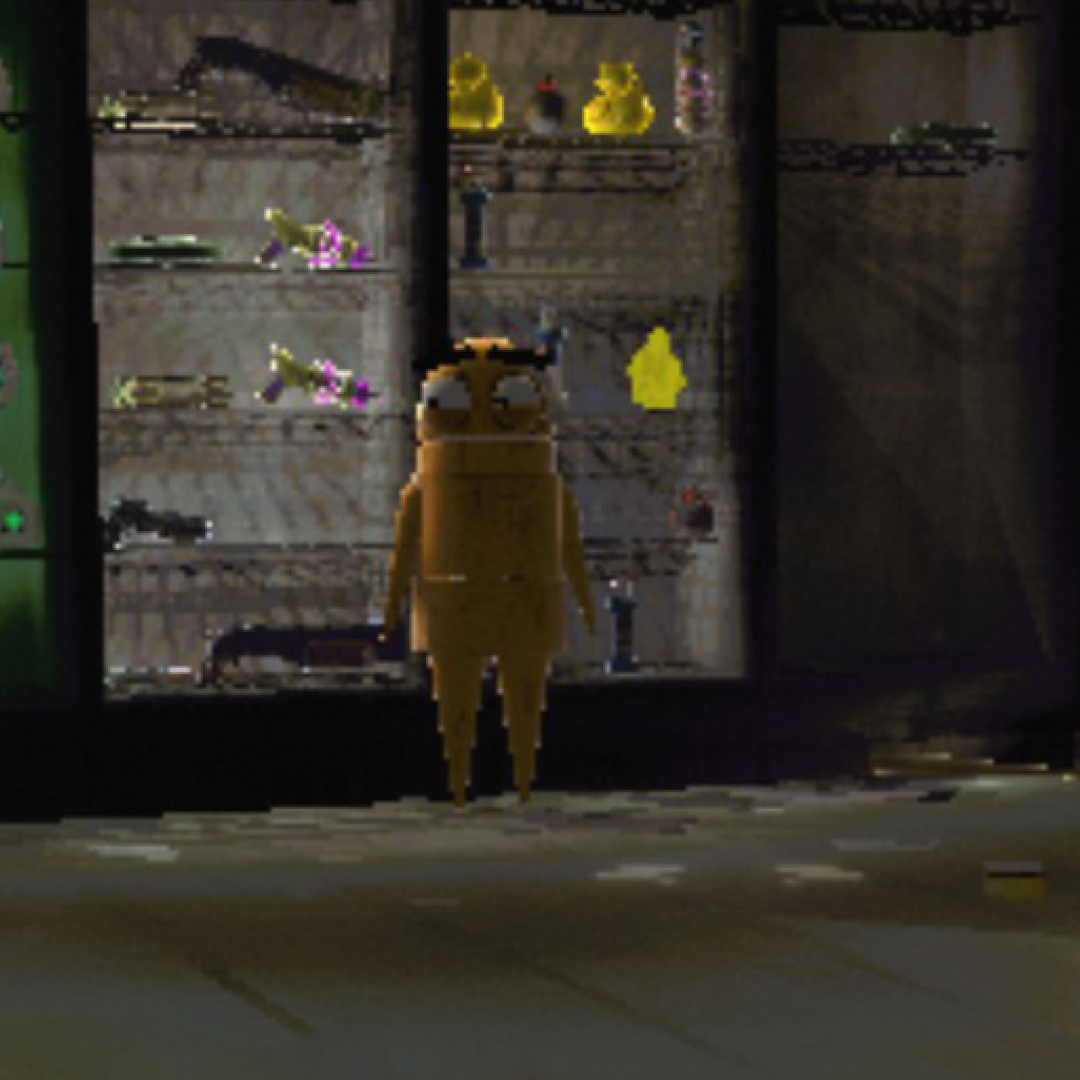
Vanilla vs REPO Fidelity
Environment
| Vanilla | REPO Fidelity |
 |
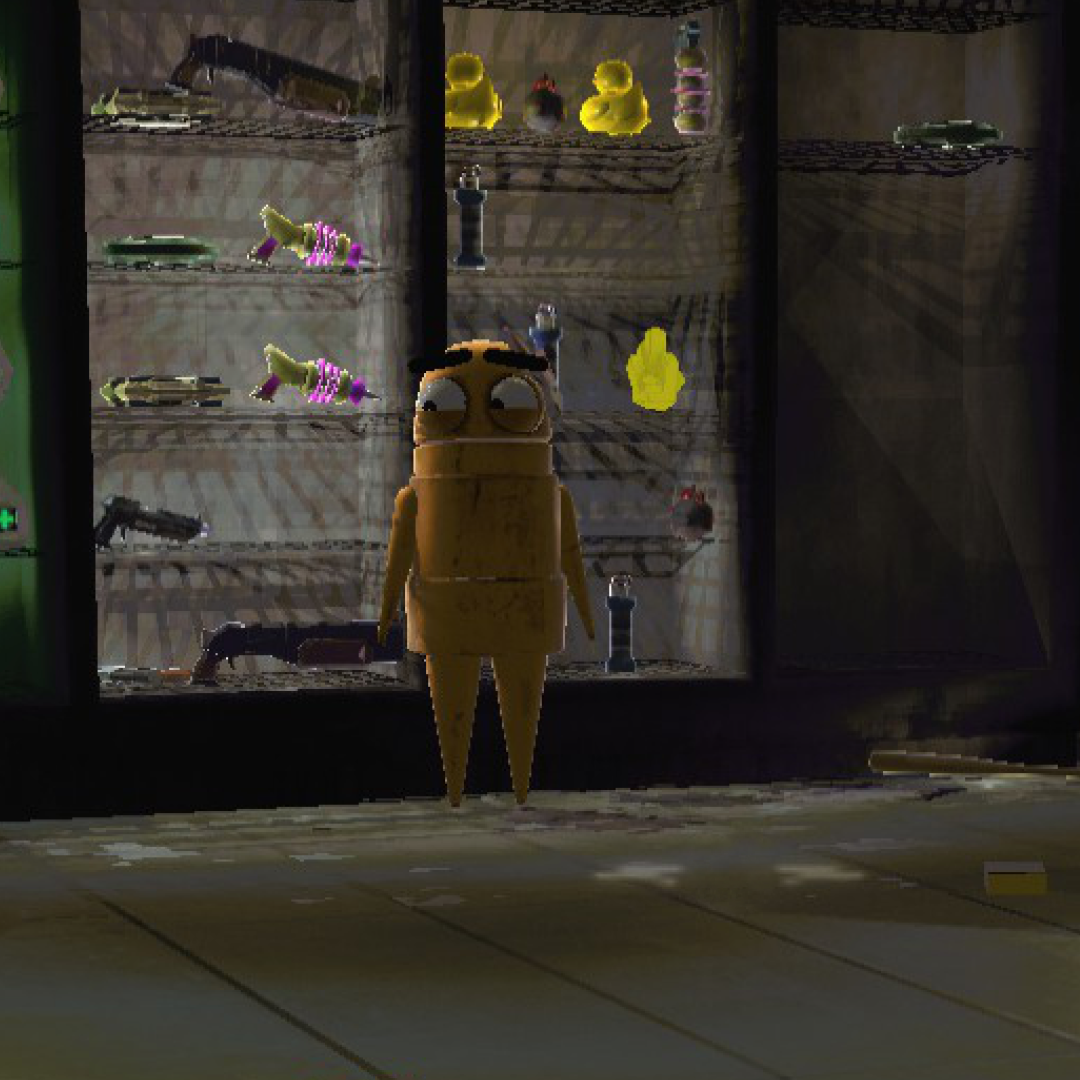 |
Cleaner edges, better shadow quality, no more pixelated mess. Notice the grating detail and wall panels.
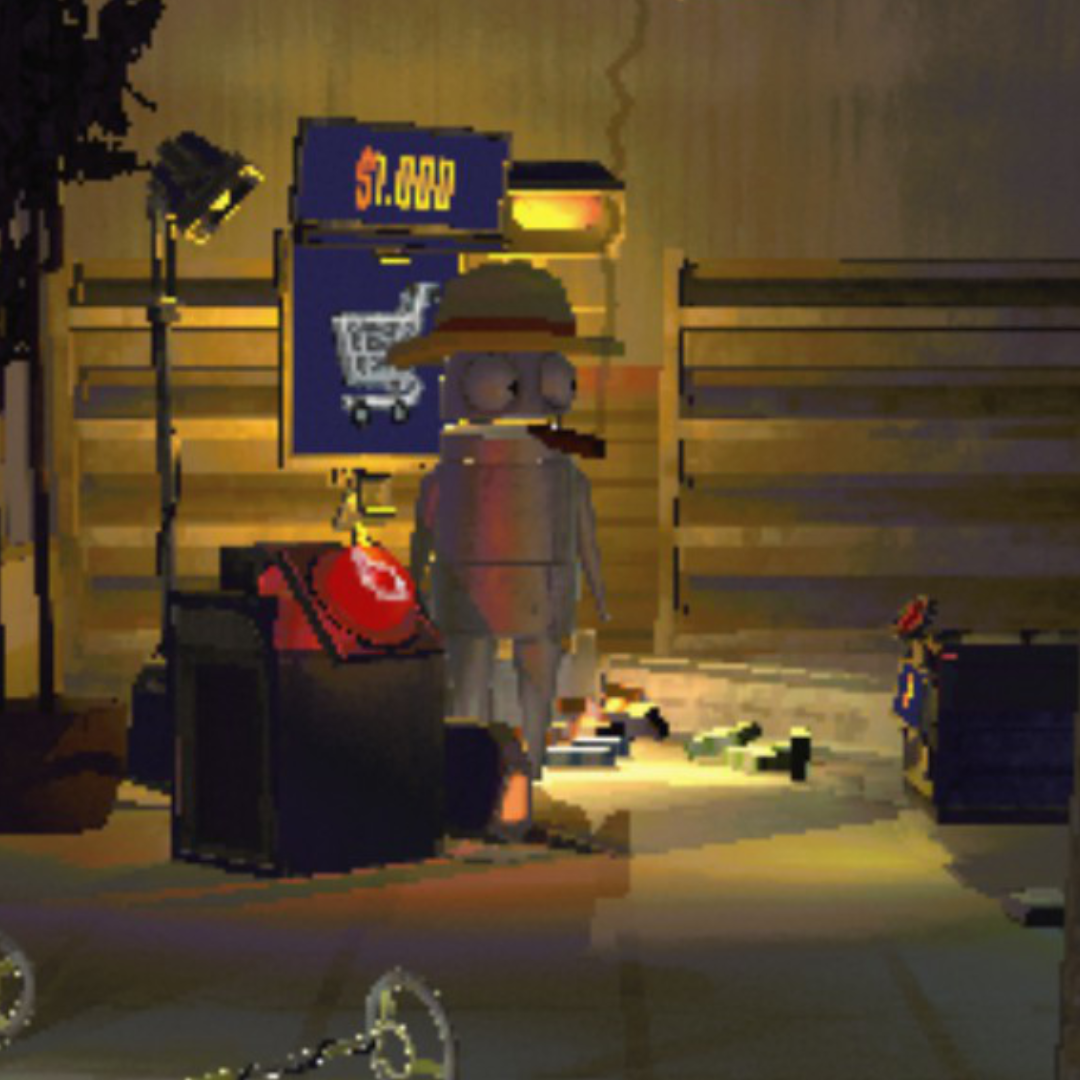
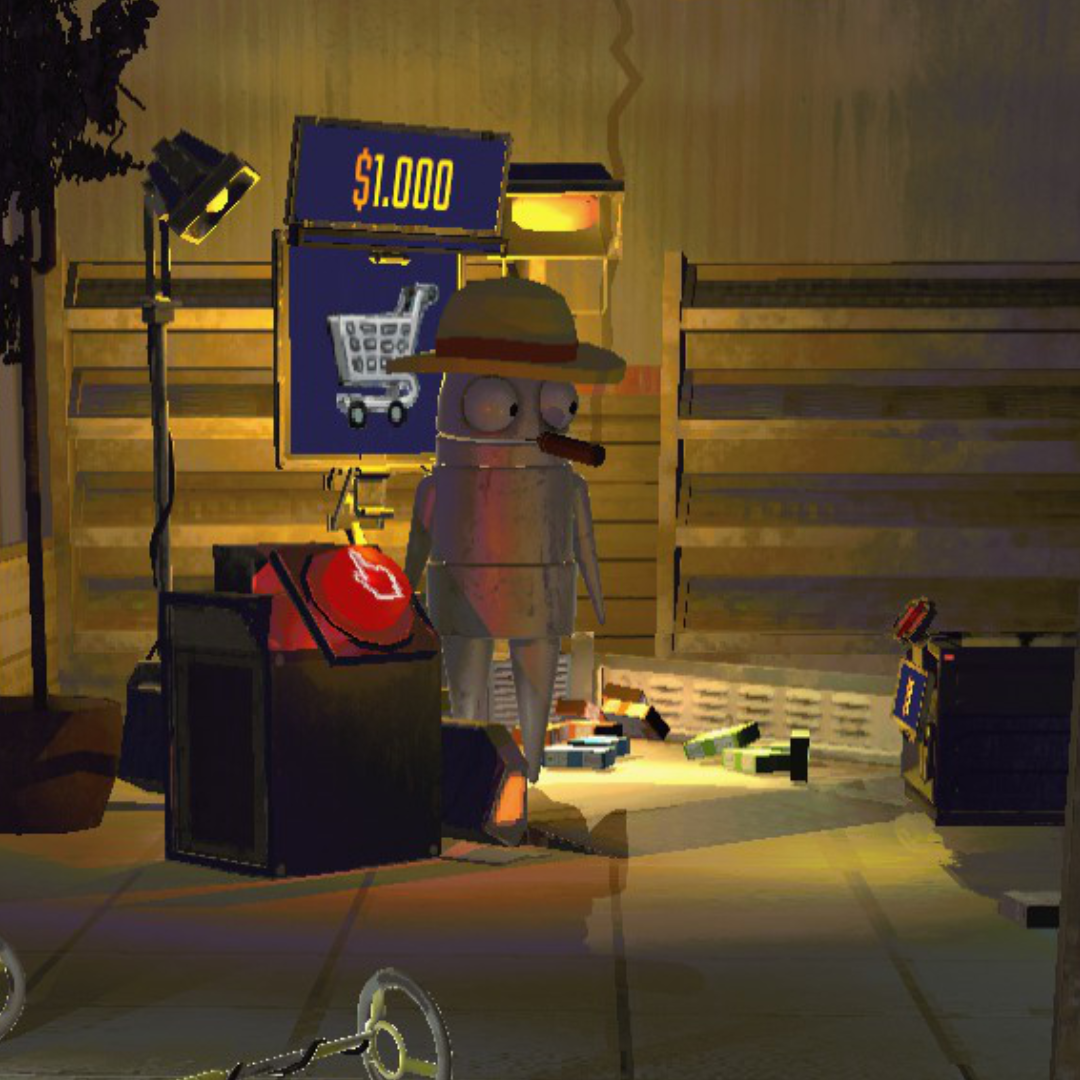
Up Close — Edges & Text
| Vanilla | REPO Fidelity |
 |
 |
| Vanilla | REPO Fidelity |
 |
 |
Hazard stripes, text, and fine geometry all render without the jagged staircase edges.
Lighting & Textures
| Vanilla | REPO Fidelity |
 |
 |
| Vanilla | REPO Fidelity |
 |
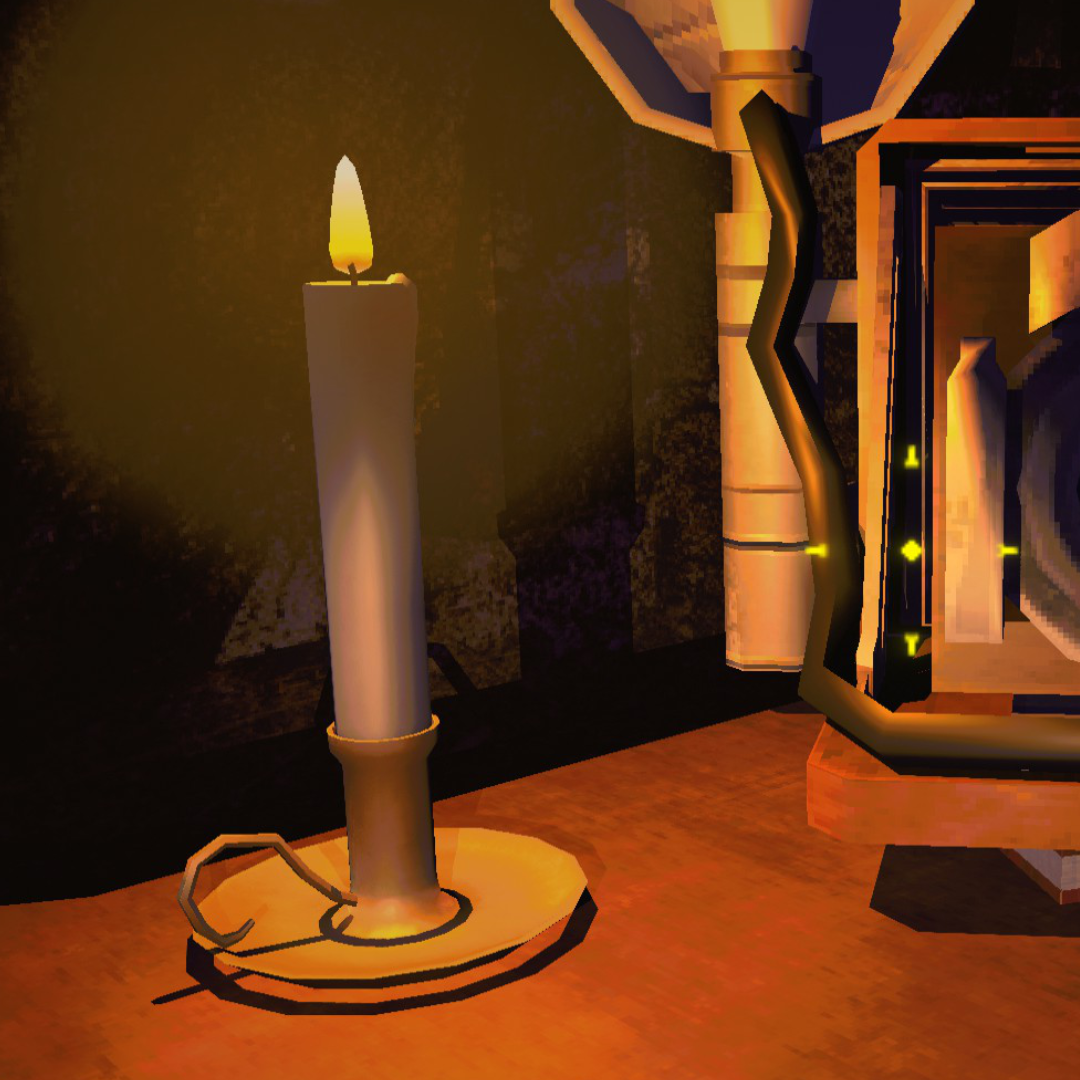 |
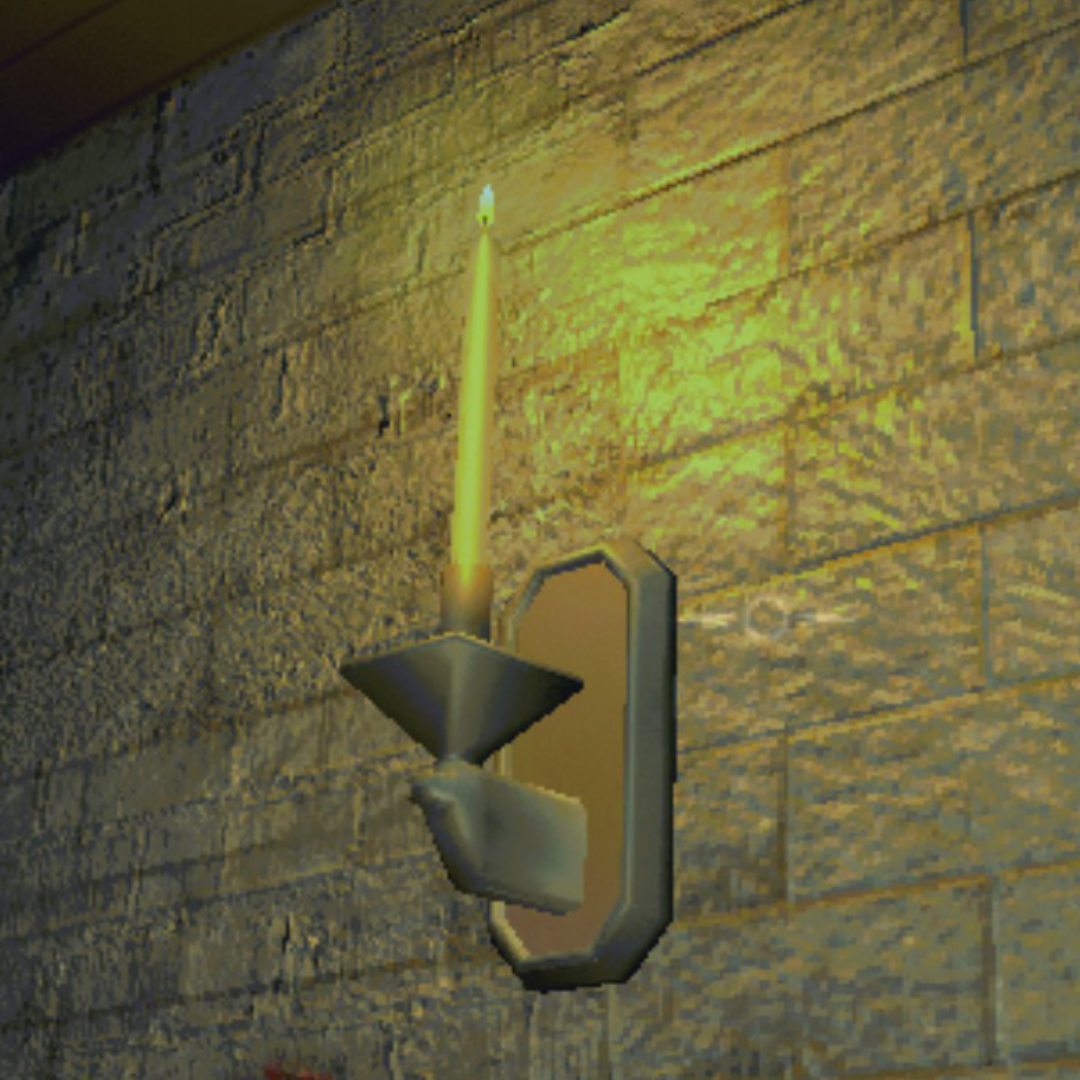
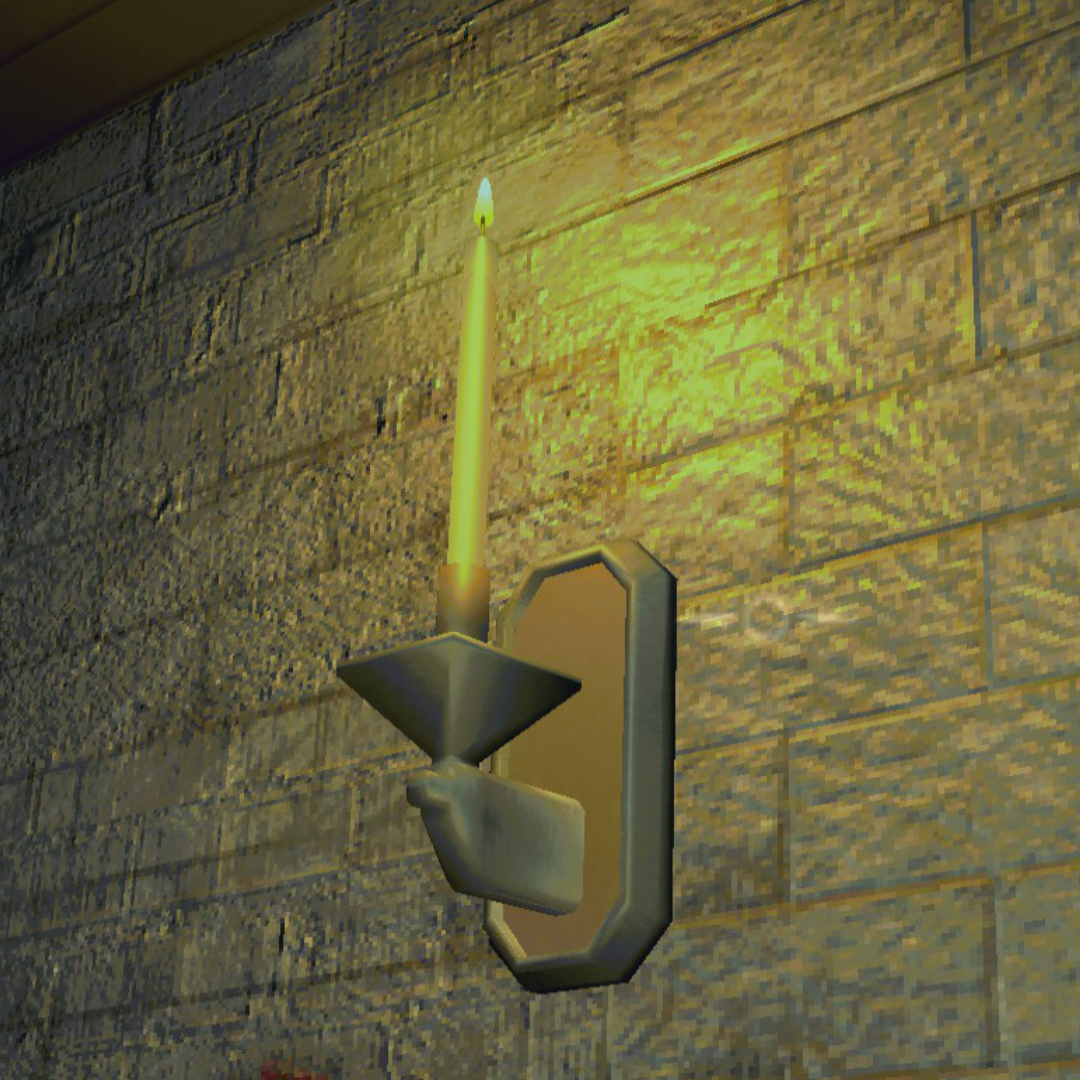
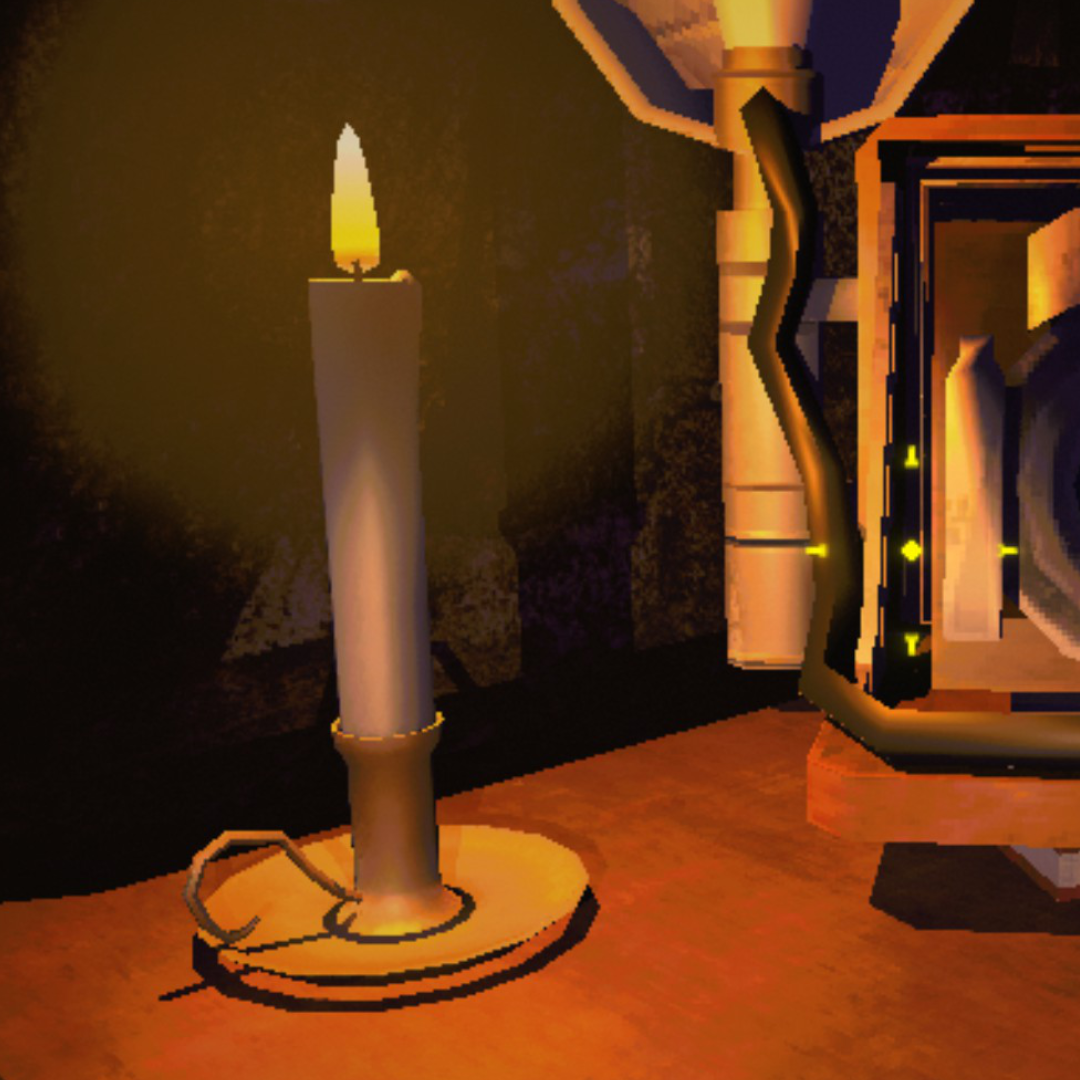
Brickwork, candlelight, and shadow edges all sharpen up. Look at the wall texture and the base of the candle.
Object Detail
| Vanilla | REPO Fidelity |
 |
 |
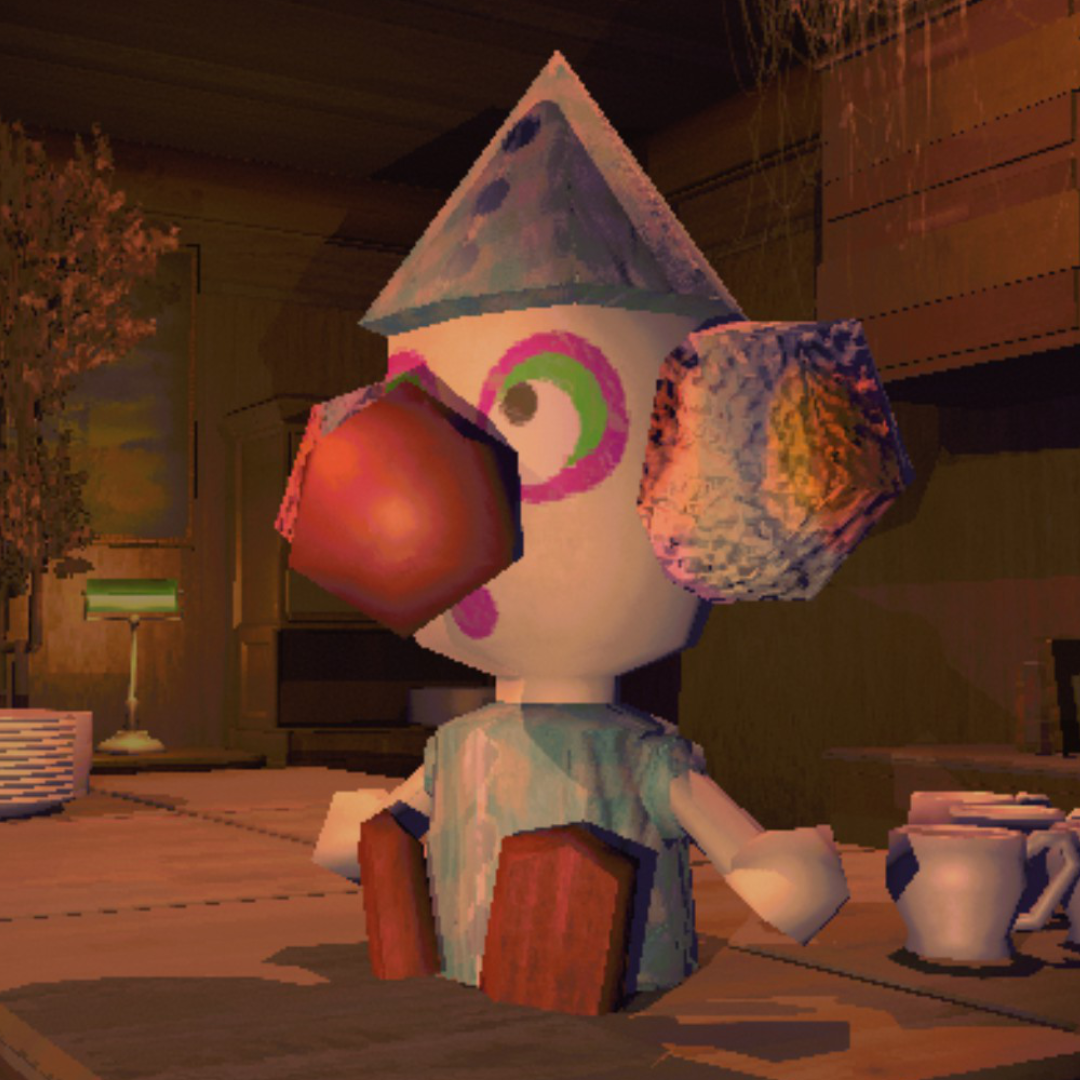
| Vanilla | REPO Fidelity |
 |
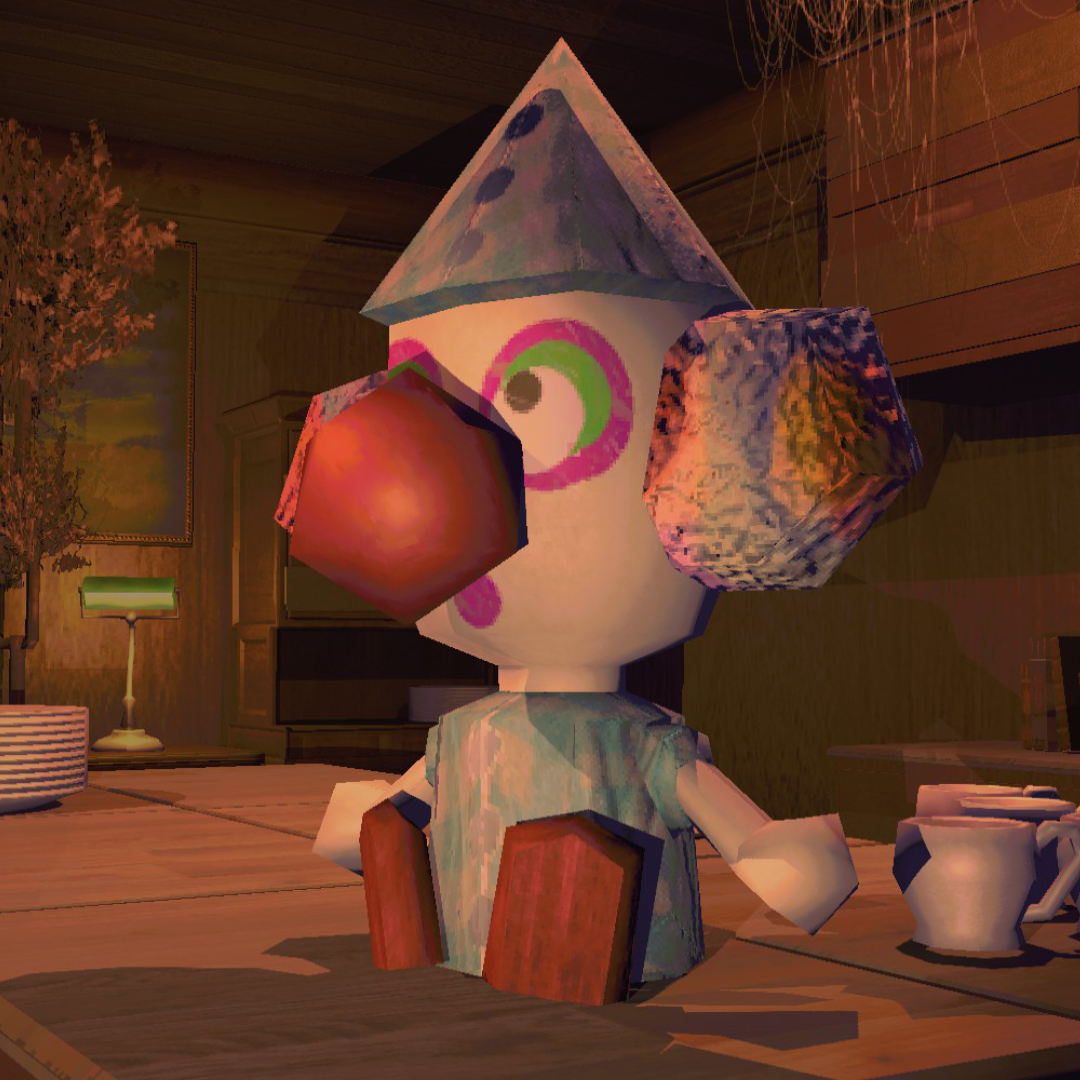 |
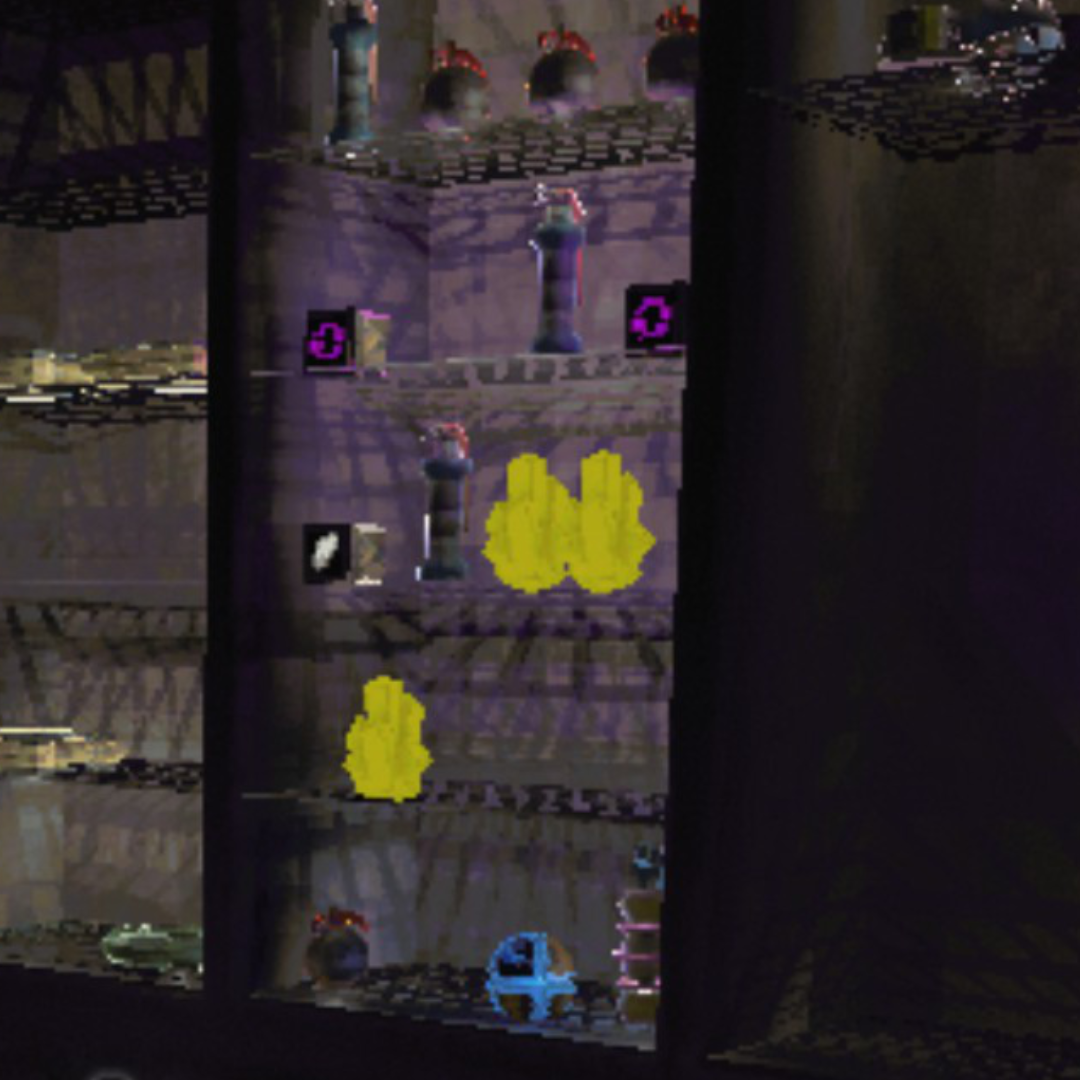
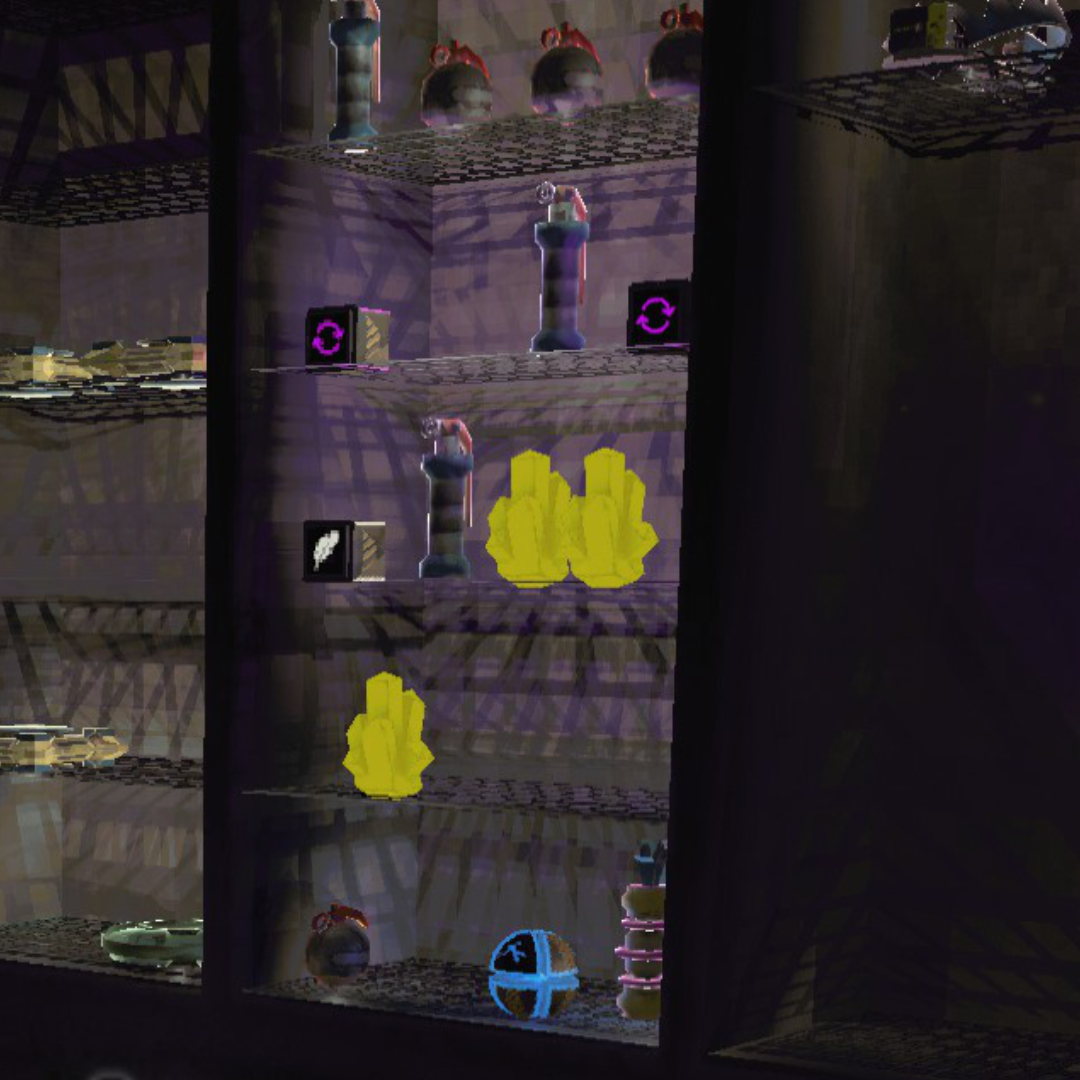
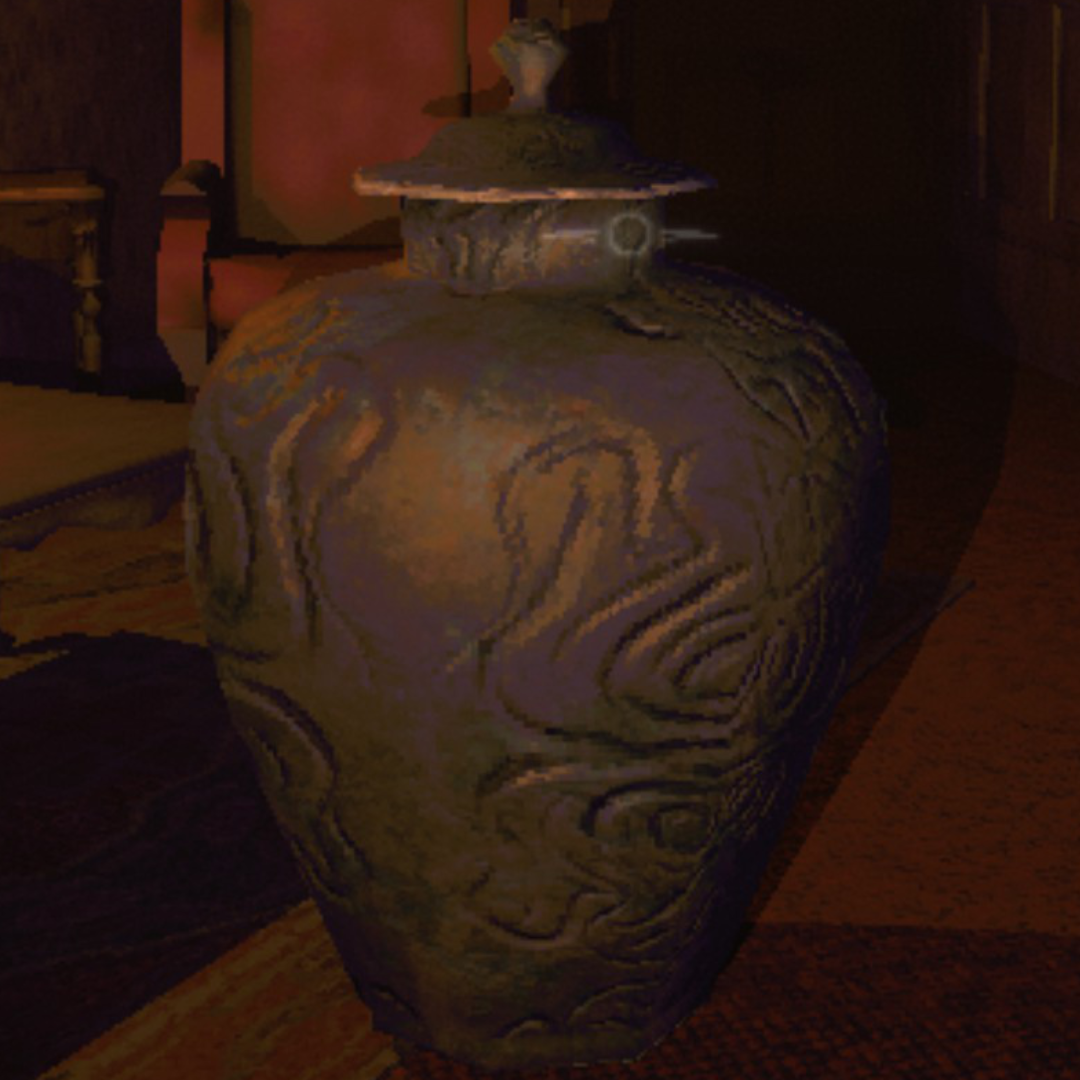
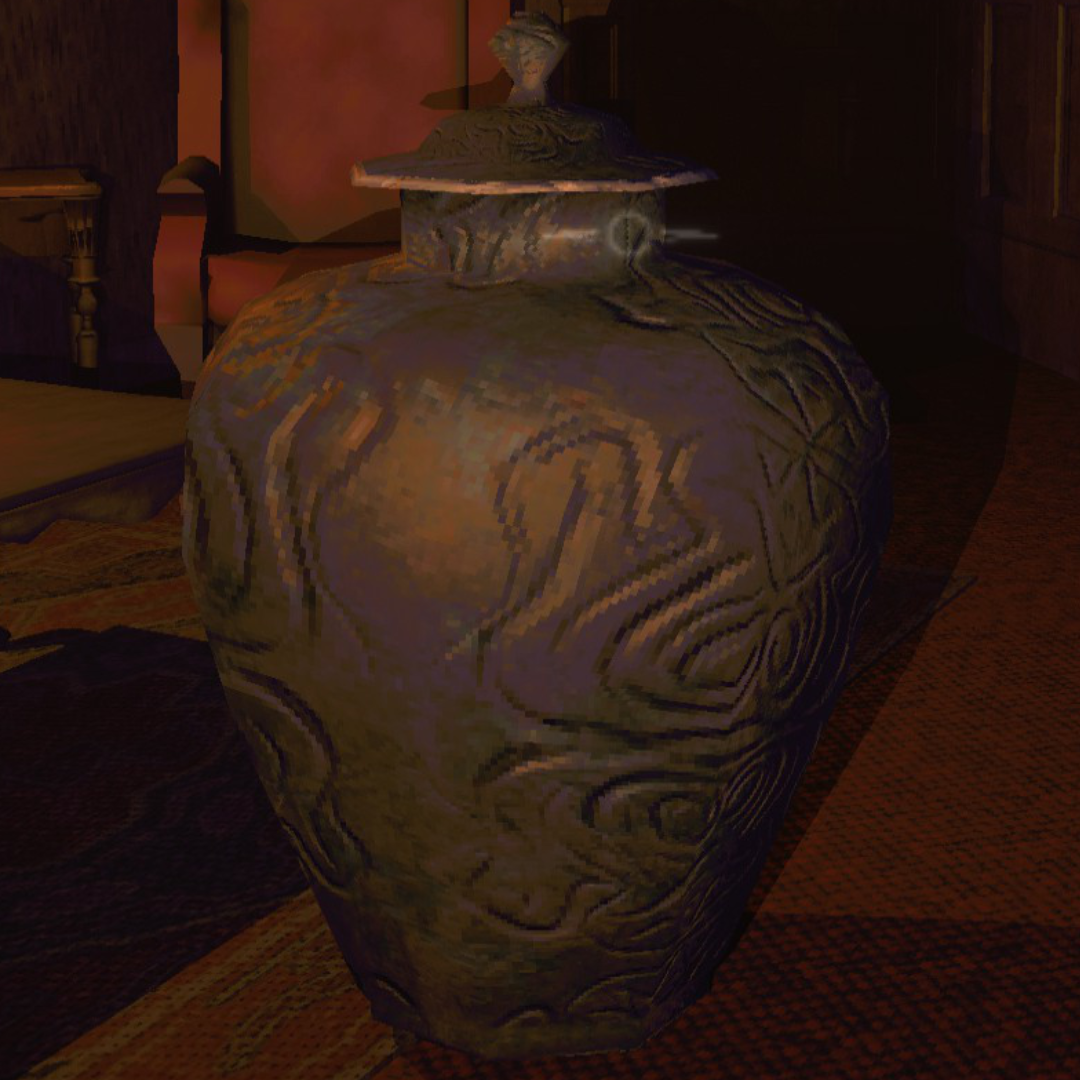
Surface detail on the vase and sharper edges on the clown figure. Shadows render properly instead of blocky artifacts.
Features
Upscaling & Anti-Aliasing
- DLSS — NVIDIA AI upscaling. At 100% render scale, runs as DLAA (native-res AA)
- FSR — AMD temporal upscaling, works on any GPU including Linux/Proton
- SMAA — sharp edge-based AA, no ghosting, works everywhere
- CAS sharpening — adjustable post-upscale sharpening
Quality Settings
- Shadow quality (Low through Ultra) and shadow distance (5–200m)
- Light render distance (vanilla caps around 30m)
- LOD bias, anisotropic filtering, texture quality
- Pixel light count (1–16 per object)
- Fog distance, draw distance
- Post-processing toggles (motion blur, chromatic aberration, lens distortion, film grain, bloom)
Performance Optimizations
- Reduces shadow caster count (up to 85% fewer shadow passes)
- GPU instancing on all materials (fewer draw calls)
- Cached physics queries (less garbage collection pressure)
- Disables unnecessary shadows on explosions, particle effects, animated lights
- CPU patches: EnemyDirector loop throttling, NonAlloc physics replacements, SemiFunc result caching, PhysGrabObject iteration fix, LightManager allocation-free cleanup
- CPU patches auto-enable based on frame time — active when your system needs them, dormant when it doesn't
- All optimizations scale with preset — Ultra keeps full visual quality
Smart Auto-Benchmark
- Runs on first launch, stores results in
autotune.json— separate from your settings - Re-runs automatically when the mod updates or your hardware/resolution changes
- Detects CPU vs GPU bottleneck — won't waste visual quality on settings that can't help
- "Auto" preset uses the benchmarked profile. Other presets are never touched by auto-tune.
- Re-run manually anytime from the settings menu
Presets
All presets adapt to your hardware. CPU-bound machines keep 100% render scale since dropping resolution wouldn't help FPS anyway. Potato through Medium use the game's native render system with zero pipeline overhead — upscalers only activate at High and above.
| Preset | Render Scale | AA | Shadows | Target |
|---|---|---|---|---|
| Auto | Benchmarked | Benchmarked | Benchmarked | Auto-tuned for your hardware. Re-runs on mod update or hardware change |
| Potato | 50% | Off | Low / 10m | Faster than vanilla. Cuts everything for max FPS |
| Low | 50% | SMAA | Low / 20m | Near-vanilla FPS with cleaner image |
| Medium | 75% | SMAA | Med / 30m | Big visual upgrade, no upscaler overhead |
| High | 75–100% | DLSS/FSR | High / 85m | Premium. Upscaler handles AA |
| Ultra | 100% | DLAA/FSR | Ultra / 150m | Maxed everything |
| Custom | Any | Any | Any | Tweak individually. Per-setting perf toggles |
Settings
Replaces the game's Graphics page. All vanilla display settings (window mode, VSync, max FPS, gamma) plus every mod setting. Preset selector or go Custom.
| Setting | Range | Default | Description |
|---|---|---|---|
| Preset | Auto–Custom | Auto | Quality level. Auto uses benchmarked profile |
| Upscaler | DLSS / FSR / Off | Auto | DLSS on NVIDIA, FSR on AMD/Intel, Off if CPU-bound |
| Resolution | Monitor-specific | Native | Output resolution. Filtered to your aspect ratio |
| Render Scale | 33–100% | 100% | Internal resolution before upscaling to selected resolution |
| Anti-Aliasing | SMAA / FXAA / Off | SMAA | Post-process AA (disabled when upscaler provides AA) |
| Shadow Quality | Off / Low / Med / High / Ultra | Varies | Shadow map resolution |
| Shadow Distance | 5–200m | Varies | Max shadow render distance |
| Pixel Lights | 1–16 | Varies | Per-object dynamic lights |
| LOD Bias | 0.5–4.0 | Varies | Level of detail distance |
| Texture Quality | Full | Full | Locked to full — R.E.P.O.'s textures are too small for mip reduction to matter |
| Anisotropic Filtering | Off / 4x / 8x / 16x | 8x | Texture sharpness at angles |
| Light Distance | 10–100m | 50m | Max light render range |
| Fog Distance | 1.0–1.1x | 1.0x | Fog end distance multiplier |
| Mod Toggle Key | F5–F10 | F10 | Disables mod entirely for vanilla comparison |
F10 (configurable) toggles the entire mod off for vanilla comparison — everything reverts including performance optimizations.
F11 runs the optimizer benchmark — measures vanilla vs GPU/GC optimizations vs full (GPU/GC + CPU patches). Results saved to optimizer_benchmark.txt.
Installation
- Install BepInEx 5
- Install MenuLib for the settings UI
- Drop this mod in
BepInEx/plugins/ - Launch — benchmark runs automatically on first level
DLSS DLL is bundled. No extra downloads.
Coming from REPO HD?
Remove it. REPO Fidelity does everything REPO HD does:
- Removes pixelation / upscales to native
- Anti-aliasing (SMAA, plus DLSS/DLAA for NVIDIA)
- Extraction point flicker fix
- Plus: DLSS upscaling, auto-benchmark, CPU-aware tuning, shadow optimization, full settings menu, performance presets, 15+ configurable quality settings
Compatibility
- Works alongside most mods — only conflicts with other render pipeline mods
- MenuLib required for settings UI (soft dependency — mod works without it)
- Singleplayer and multiplayer
- Windows and Linux (Proton)
Known Issues
- Switching presets rapidly can briefly flash a black frame
- Tiny object shadow removal can't be restored mid-level (requires level reload)
Report bugs on GitHub.
Contact
| Purpose | Where |
|---|---|
| Bug reports & suggestions | GitHub Issues |
| R.E.P.O. Modding community | Discord |

CHANGELOG
1.2.0
- Added CPU optimization patches — EnemyDirector loop throttling, RoomVolumeCheck NonAlloc, SemiFunc result caching, PhysGrabObject list iteration bugfix, LightManager allocation-free cleanup
- CPU patches auto-enable based on frame time — active when needed (>8ms), dormant on fast systems where Harmony overhead would cost more than the savings
- Added F11 optimizer benchmark — measures vanilla vs GPU/GC vs all optimizations with 2-pass averaging, writes
optimizer_benchmark.txt - Fixed auto-tune misclassifying high-FPS systems as CPU-bound — threshold now 95% above 120fps, 85% below
- Fixed auto-tune on Proton/DXVK — detects when CPU ceiling is below target refresh regardless of ratio
- Fixed CPU-bound auto-tune maxing GPU settings on weak GPUs — stepdown cascade now applies to both CPU and GPU settings when budget is tight
- Fixed divide-by-zero in CPU patch gate during scene transitions
- CPU-impacting settings step down before pure-GPU settings (fog, AF) in the auto-tune ladder
- Auto-tune unlocks FPS cap during measurement and restores it after
- Fixed DLSS motion vector warning on F10 toggle — upscaler disposed before camera depth mode restore
- F10 now restores vanilla pixelated resolution correctly
- F10/F11/auto-tune transitions use the game's glitch effect to mask settings switching
- Overlay rewritten — native HUD text with scanlines when in-game, OnGUI fallback in menus. Bottom-left, slide-up animation, smoothed FPS counter
- Added CPU and system info to startup log and benchmark results
1.1.2
- Rewrote CPU/GPU bottleneck detection — old method didn't work on D3D11, so every system was incorrectly tagged as GPU-bound. Now runs a two-phase benchmark to measure the actual bottleneck
- Fixed CPU-bound auto-tune trashing shadow quality for no gain — shadow resolution is GPU-only, so the CPU-bound ladder no longer touches it. Only reduces shadow distance and light count, and never below vanilla defaults
- Benchmark now shows a progress bar with percentage instead of raw frame counts
- Fixed DLSS not loading on some NVIDIA systems (driver store folder naming mismatch)
- Fixed DLSS showing as available on non-RTX GPUs (Quadro P4000, GTX series)
- Fixed items dropping when pulled from inventory with auto-hold enabled
1.1.1
- Fixed Auto preset stripping flashlight/explosion/particle shadows on high-end hardware — shadow optimizations now only kick in when the benchmark shows the PC actually needs them
- Fixed DLSS not loading on some NVIDIA systems (driver store folder naming mismatch)
- Fixed DLSS showing as available on non-RTX GPUs (Quadro P4000, GTX series)
- Fixed items dropping when pulled from inventory with auto-hold enabled
1.1.0
- Added resolution selector — shows resolutions matching your monitor's aspect ratio, from 720p up to native. Render scale works relative to this.
- Added "Auto" preset — runs a benchmark and stores results in
autotune.json, separate from your settings. Other presets are never touched. Re-benchmarks on mod updates or hardware changes. - Reworked presets — Potato and Low run at 50% through the game's native scaling (no render pipeline overhead, should beat vanilla FPS). Medium at 75% with SMAA. Upscalers only at High+.
- Fixed iGPU getting broken auto-tune results (upscaler Off + 50% was running through the full custom pipeline for no reason)
- Cut the upscaler path from 3 render textures down to 1. Non-upscaler presets use zero.
- Depth texture only generated when DLSS/FSR needs it — frees up bandwidth on iGPUs
- Fixed DLSS render scale slider locking to 100% after a preset switch
- Textures locked to Full — lowering them doesn't help in R.E.P.O., the textures are tiny
- FSR minimum raised to 50% (below that it falls apart)
- Debug overlay scales with resolution instead of using fixed pixel sizes
- Auto-tune button now sets preset to Auto automatically
- FPS counter skipped when debug overlay is off
1.0.0
- DLSS 4 Super Resolution + DLAA support (NVIDIA RTX, DLL bundled)
- FSR Temporal upscaling for any GPU (AMD, Intel, NVIDIA)
- CAS sharpening pass
- Anti-aliasing options — SMAA and FXAA (removed TAA to avoid temporal conflicts)
- Quality presets — Potato, Low, Medium, High, Ultra, Custom
- Auto-benchmark on first launch, targets monitor refresh rate
- CPU vs GPU bottleneck detection — adjusts the right settings for each
- Full graphics settings menu (replaces vanilla Graphics page)
- Shadow quality, shadow distance, LOD bias, texture filtering, texture quality
- Light distance, fog distance, draw distance controls
- Post-processing toggles (motion blur, chromatic aberration, lens distortion, grain)
- Per-layer fog culling for GPU savings
- CPU performance optimizations — NonAlloc physics, cached components, GC reduction
- GPU auto-detection (NVIDIA/AMD/Intel, VRAM, performance tier)
- F10 toggle for vanilla comparison (fully reverts all mod changes)
- Auto-tune can be triggered from the pause menu
- Vanilla display settings (window mode, vsync, fps, gamma) preserved in menu
- Fixed extraction point flicker
- Fixed black screen when switching presets mid-level
- Fixed flashlight shadows not disabling on Potato preset
- Fixed AA not applying correctly on preset switch
- Fixed auto-benchmark running during loading screens and main menu
