

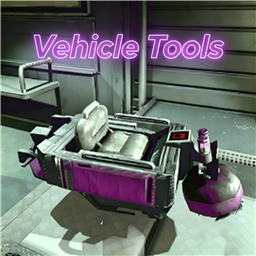
VehicleTools
Press F1 to open the vehicle toolbox and configure extended vehicle features. This mod mainly lets your friends ride on vehicles too, with extra cargo, jump, speed limit, and vehicle protection features.载具工具箱 / VehicleTools
REPO 游戏交流 QQ 群:824639225
支持 R.E.P.O. 最新 v0.4。
Scroll down for English ↓
💡 快速乘车/下车指南
为了防止玩家在推车、整理物资时误触上车,模组设计了高精度的防误触挂载逻辑,请按照以下方式乘车:
- 抓取中后部:用物理手套抓取车辆的中后部、两侧车厢栏板、或车尾部位(抓取车头或引擎盖属于驾驶区,无法上车)。
- 原地静止2秒:抓车后原地保持绝对不动 2 秒(或您在 F1 面板中设置的时间),即可自动被吸附上车。
- 乱动即作废:抓车等待期间,如果您发生了任何明显的走动或推车位移,本次计时将立即作废。若想再次上车,必须松开抓取键,重新抓车并保持静止。
- 如何下车:在布娃娃状态下,抓取一下车辆即可瞬间下车。
⚙️ 核心功能说明
按下 F1 即可打开载具工具箱,集中设置各种载具扩展功能。这个模组的主要用途是让好友也能坐上车,同时提供载货、跳跃、限速、车辆保护等辅助功能。
1. 👁️ 优化驾驶视角
- 驾车时视角高度平滑升高(提供2.2米开阔高视野),下车自动还原。
- 采用平滑插值过渡,杜绝瞬间瞬移,车辆行驶与颠簸时具备高水平防抖表现。
2. 👥 载人挂载系统重构
- 禁止载人:仅允许驾驶员上车,强力拦截其余乘客的乘车请求。
- 左右悬挂:前 5 位乘车玩家挂载在载具左侧外壁,后续挂载在右侧外壁,依次排开。
- 叠罗汉(默认):乘客挂载在车顶正上方,并垂直依次向上叠加,形成滑稽的叠罗汉效果。
- 头顶旋转:所有人悬挂在车顶并绕中轴均匀公转,每个人面向圆周外侧。
- 抓车后静止上车(防误触):抓取车身中后部或两侧车厢,并保持原地不动即可自动吸附挂载;单次物理抓取只有一次静止判定机会,抓车期间有任何相对位移本次抓取即宣告作废,必须放开重新抓车静止方可上车,彻底杜绝推车和拿取货箱物资时的误触。在布娃娃状态下再次抓车即可瞬间下车。
- 强制防卫蹲姿:乘车挂载状态下强制乘员每帧下蹲最底部,乘车姿态端正。
- 默认最多乘车人数为 10 人。
3. 🏎️ 载具限速与跳跃
- 双重限速拦截:可自定义调整最高限速值,采用物理层速度剪裁,默认最大限速已由旧版 45 提升至
55 km/h。 - 载具跳跃机制:支持按空格跳跃、空中连续跳跃、跳跃冷却调节以及跳跃后翻车保护,默认跳跃力为 40。
4. 🚛 载货车专属增强
- 库存限制调节:支持开启自定义库存价值限制(上限默认 50k)。彻底解决了修改限额超限后车子罢工不吸货,以及超载物品堵在吸附口导致车门反复抽风开关门的 Bug。
- 无视物品大小限制:大型物品也可强行放入载货车货箱。
- 吸取范围倍率:支持 1.0倍 - 10.0倍 范围调节载货车自动吸附货物的物理范围。
- 智能自动生成载货车:支持每局开局自动生成载货车(限主机/单机)。优先在场景内的**玩家出生点(SpawnPoint)**生成,防止车子刷出地图外的 Bug,并限制只在正式游戏关卡中生效。
5. 🏟️ 死亡竞技场与赛车模式防干扰(功能静默禁用)
- 自动场景感知识效:当检测到当前处于赛车比赛(Race)或死亡竞技场王冠赛(Crown/Arena)中时,Mod 所有的核心功能(限速、跳跃、挂载、刷车、传送等)会自动静默失效。
- 纯净原版竞技(F1仍可开启):物理与位置修改补丁全部跳过(完全回归官方原生物理规则),防坠崖及防爆传送保护在此期间不介入;但 F1 控制面板依然能在局内随时按键正常开启与查看。
6. 🎨 现代高对比度控制面板
- 高级交互滑块与实心亮绿方块复选框,精细描边分区,带一键重置。
- 配置项隐藏与自动持久化,快捷键组件支持左右箭头“切换式”软限制选择。
- F1 面板只管理运行时功能,模组总开关仅保留在游戏内模组菜单。
多人联机只需主机安装。若客机也安装了同样的模组,可通过网络实现参数同步。
兼容性
与其他载具限速或挂载类模组加载时可能有冲突提示,建议只保留 VehicleTools。
按键
| 按键 | 功能 |
|---|---|
| F1(可配置) | 打开 / 关闭车辆工具箱面板 |
| 空格键 (Space) | 载具跳跃 (需在面板中开启) |
配置
BepInEx/config/zichen.vehicletools.cfg,版本更新后自动重置。
| 分组 | 配置项 | 默认值 | 说明 |
|---|---|---|---|
| B.全局设置 | 模组启用 | true | 总开关 |
| B.全局设置 | 工具箱按键 | F1 | 呼出控制面板快捷键 |
English
A comprehensive in-game vehicle tool panel for R.E.P.O. Host-only installation required. If clients have the same mod installed, config parameters will sync automatically. Press F1 anywhere (including Main Menu, Lobby, Loading, In-Game, and Pause Menu) to open the control panel.
💡 Quick Start: How to Mount / Dismount
To prevent unwanted mounting during vehicle pushing or item handling, a precise anti-accident logic is implemented. Follow these steps:
- Grab Rear/Sides: Grab the rear bumper, tail cargo box, or side walls of the vehicle with your physics gloves (grabbing the front hood/front cabin is reserved for driving and won't trigger passenger mounting).
- Stay Still for 2s: Keep completely still for 2 seconds (or the time configured in the F1 panel) to auto-mount.
- Move to Cancel: If you move or walk during grabbing, the timer is instantly disqualified. To try again, you must release the grab key and grab it again while staying still.
- How to Dismount: While in ragdoll state, grab the vehicle once to dismount instantly.
Features
- Optimize Driving Camera: Smoothly raises camera height when driving with interpolation and high stabilization.
- Redesigned Mounting Modes:
- No Passengers: Only the driver is allowed to get on board.
- Sides: Mounts passengers on left/right outer walls.
- Totem (Default): Mounts passengers vertically stacked on top of the vehicle roof.
- Head/Top Rot: Mounts passengers above the roof, rotating while looking outwards.
- Still-To-Mount (Anti-Accident): Grab the rear/sides of the vehicle and keep still to auto-mount. Moving during grabbing instantly disqualifies the current session; you must release and grab again while staying still to mount, preventing unwanted mounting during pushing or cargo handling. Grab it again to dismount.
- Enforced Crouch: Automatically forces seated avatars into a crouch pose.
- Default maximum passenger count is 10.
- Speed Limiter & Jumping: Custom maximum speed limiter with physical speed clamping. Default maximum speed has been raised to 55 km/h (previously 45). Spacebar jumping, continuous jumping, and tumble immunity. Default jump force is 40.
- Cargo Truck Enhancements:
- Cargo Limit Customization: Set custom weight value limits (default 50k). Fixed native bugs causing vacuum failure when limits change and infinite door opening/closing loop when over-limit items block the inlet.
- Ignore Size Limit: Large items can be sucked into the cargo box without size checks.
- Sucking Range Multiplier: Support 1.0x to 10.0x range to expand cargo absorption areas.
- Cargo Truck Spawning: Spawns a cargo truck at the start of each level (host-only). Spawns safely at the level's SpawnPoint to prevent vehicles clipping through walls or falling off bounds, and is restricted strictly to active levels.
- Arena & Race Mode Feature Bypass: Automatically detects when a Race or Arena Match starts, and completely disables all physical patches (speed limit, jump, mounting, teleportation, spawning) to ensure fair play, while keeping the F1 control panel accessible.
- Modern High-Contrast UI: Standard toggle-style controls with top-left "Reset All" button. The F1 panel manages runtime features only; the master mod toggle remains in the in-game Mods menu.
Compatibility
Using other speed-limiting or mounting mods alongside VehicleTools may cause warnings or conflicts. It is recommended to use only VehicleTools.
Controls
| Key | Function |
|---|---|
| F1 (configurable) | Toggle control panel |
| Space | Vehicle jump (when enabled in panel) |
Settings
BepInEx/config/zichen.vehicletools.cfg — resets to defaults after version update.
| Group | Option | Default | Description |
|---|---|---|---|
| B.Global Settings | Mod Enable | true | Master toggle |
| B.Global Settings | Toolbox Key | F1 | Rebindable |