

Improve
A leveling system that awards stat points from your lifetime haul, with a square-curve cost and configurable difficulty for R.E.P.O.Improve
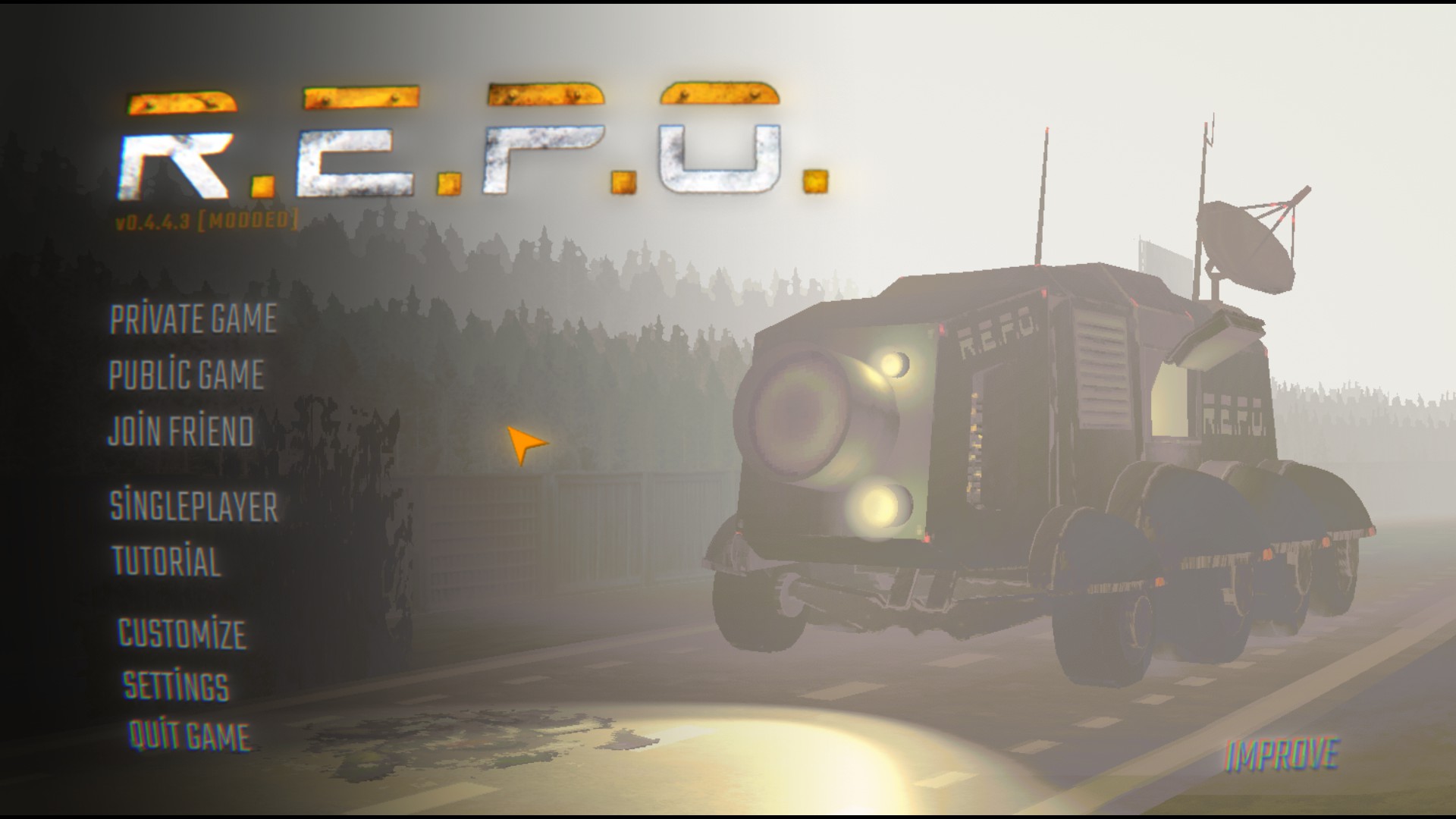
A BepInEx mod for R.E.P.O. that adds a haul-based leveling system with spendable stat points.
What This Mod Does
Earn stat points by accumulating haul across all your sessions. Spend points on any of the 13 character stats to permanently power up your character — even during an active save.
How Haul Tracking Works
Unlike other leveling mods that only count haul when you die, Improve captures your haul after every level. This means:
- Complete a level and extract 200K? → +200K added to your lifetime haul immediately
- Play another level and earn 300K? → +300K added
- Die on the next level? → No extra haul added (the level had 0 haul)
- Join a multiplayer session mid-run? → Only haul you participate in earning counts
This lets you level up during a save, not just after dying.
Leveling Formula
Haul to reach level N: baseCost × difficulty × N²
Your level is the highest N whose threshold your lifetime haul has reached — i.e. level = floor(sqrt(lifetimeHaul / (baseCost × difficulty))). Each level is a single threshold, not a running total: reaching level 4 needs the level-4 haul, not the sum of levels 1–4.
| Level | Hardest (×1.0) | Hard (×0.75) | Standard (×0.5) | Easy (×0.25) |
|---|---|---|---|---|
| 1 | 1,000,000 | 750,000 | 500,000 | 250,000 |
| 2 | 4,000,000 | 3,000,000 | 2,000,000 | 1,000,000 |
| 3 | 9,000,000 | 6,750,000 | 4,500,000 | 2,250,000 |
| 4 | 16,000,000 | 12,000,000 | 8,000,000 | 4,000,000 |
| 5 | 25,000,000 | 18,750,000 | 12,500,000 | 6,250,000 |
Each level awards 1 stat point to spend on any stat you want.
Difficulty Presets
| Difficulty | Multiplier | Description |
|---|---|---|
| Easy | 0.25 | Quick progression — great for casual play |
| Standard | 0.5 | Balanced (default) |
| Hard | 0.75 | Slower grind |
| Hardest | 1.0 | Full cost — for dedicated players |
Changing difficulty mid-game? The mod recalculates your level instantly. If you increase difficulty and end up with more spent points than your new level allows, the menu will warn you and lock further spending until you earn more haul or reset your stats.
Spending Stat Points
Open the Improve menu (available in main menu, escape menu, and lobby) to see two panels:
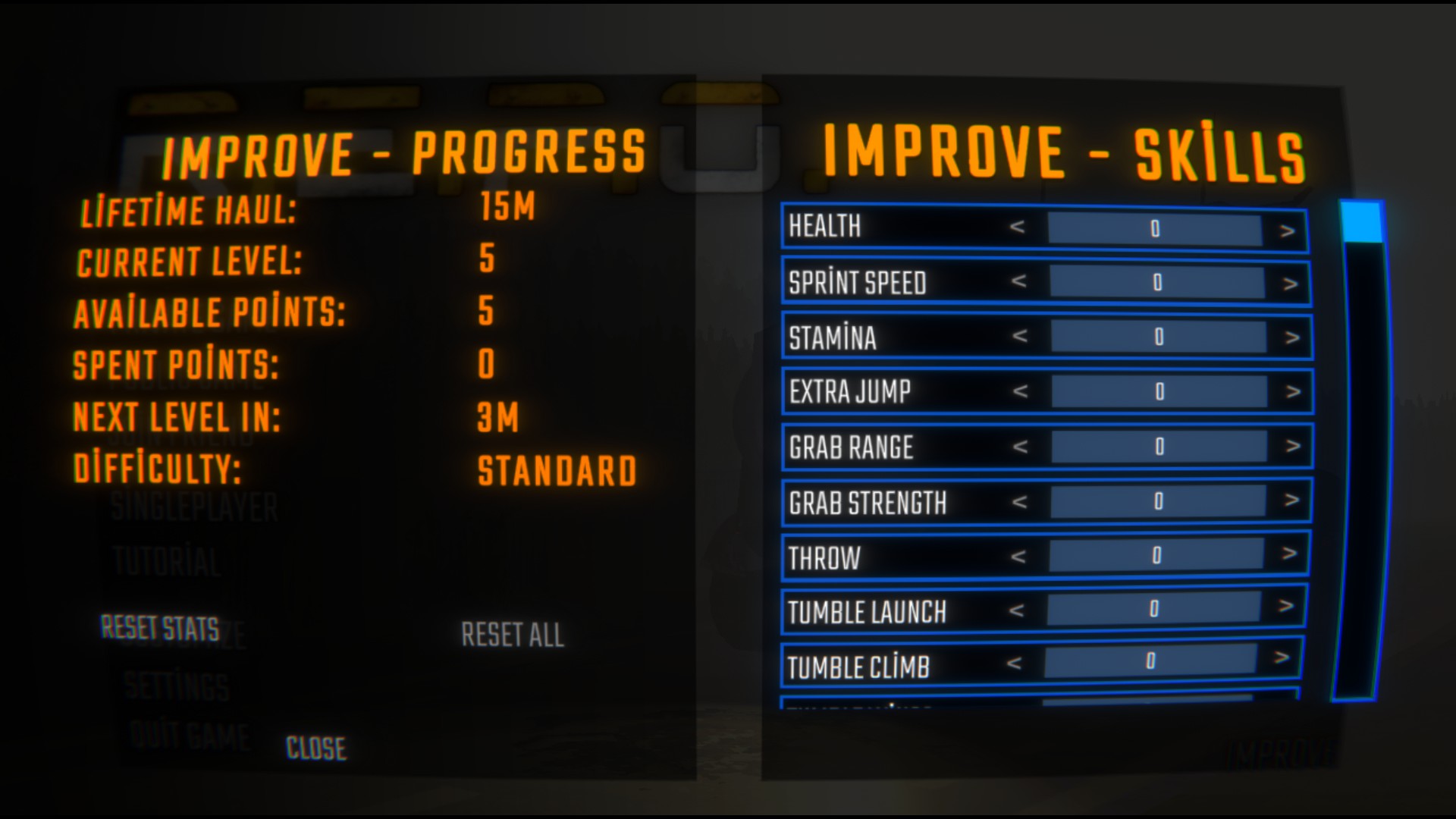
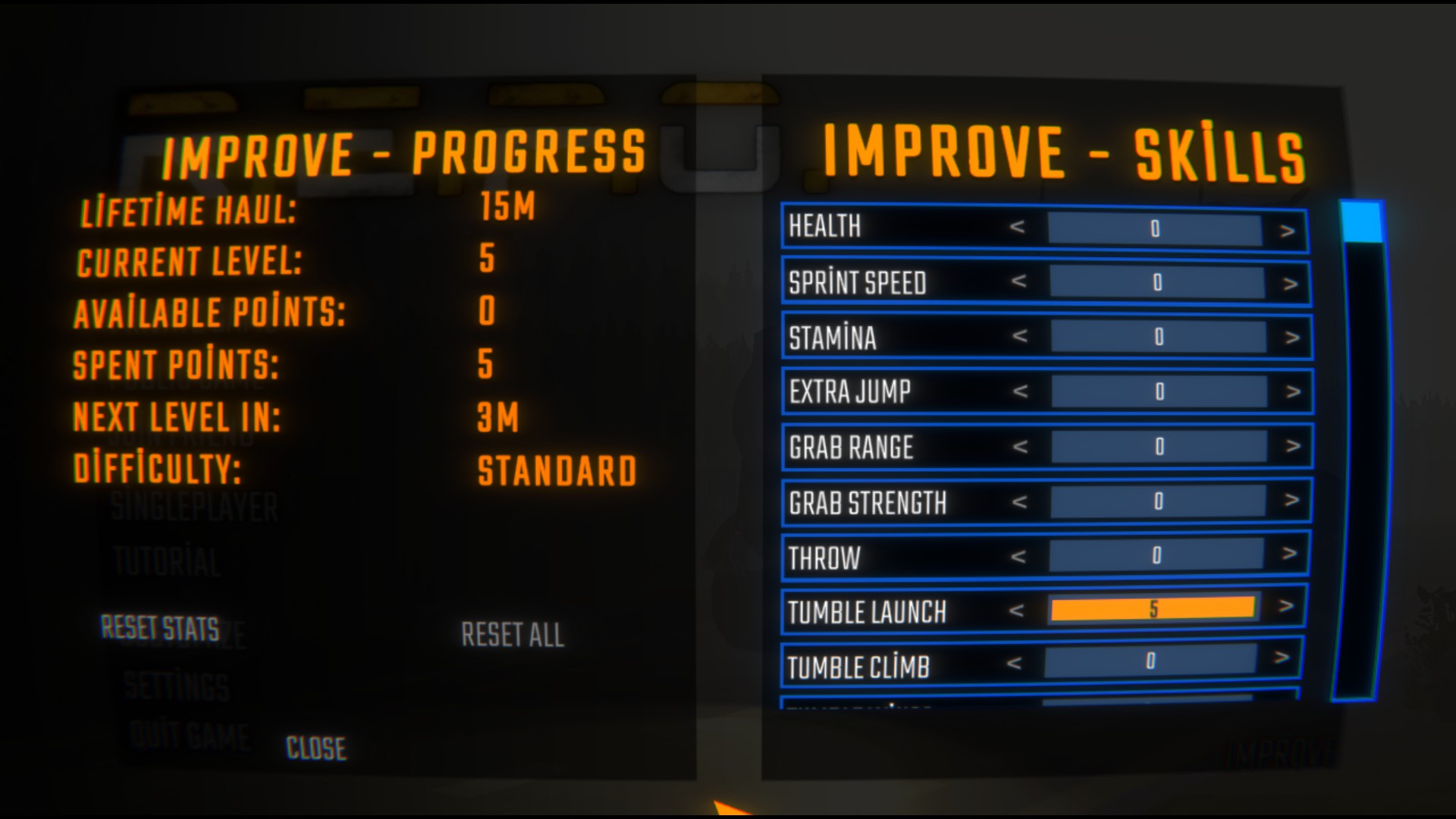
Before and after spending points — five allocated into Tumble Launch drops Available Points from 5 to 0.
Left panel — Progress:
- Lifetime Haul
- Current Level
- Available / Spent Points
- Haul needed for next level
- Current difficulty
Right panel — Skills:
- Sliders for all 13 stats (Health, Speed, Stamina, Extra Jump, Grab Range, Strength, Throw, Tumble Launch, Tumble Climb, Tumble Wings, Crouch Rest, Map Player Count, Death Head Battery)
- Overspent warning if difficulty was raised
Two Types of Reset
| Button | What it does | Keep haul? | Keep level? |
|---|---|---|---|
| Reset Stats | Reclaim all spent points | ✅ Yes | ✅ Yes |
| Reset All | Wipe everything | ❌ No | ❌ No |
When Stats Apply
Stats are applied a few frames after you spawn into a level, then continuously re-enforced by a watchdog (and again after each network sync) so they survive host/mod overwrites. This means:
- Your stat bonuses are active from the very start of each level
- Allocations are applied idempotently — never stacked twice, even across sync events
- Changing skill allocations in the menu takes effect next level, not mid-game
- Compatible with other mods that read stats later (like Character Stats)
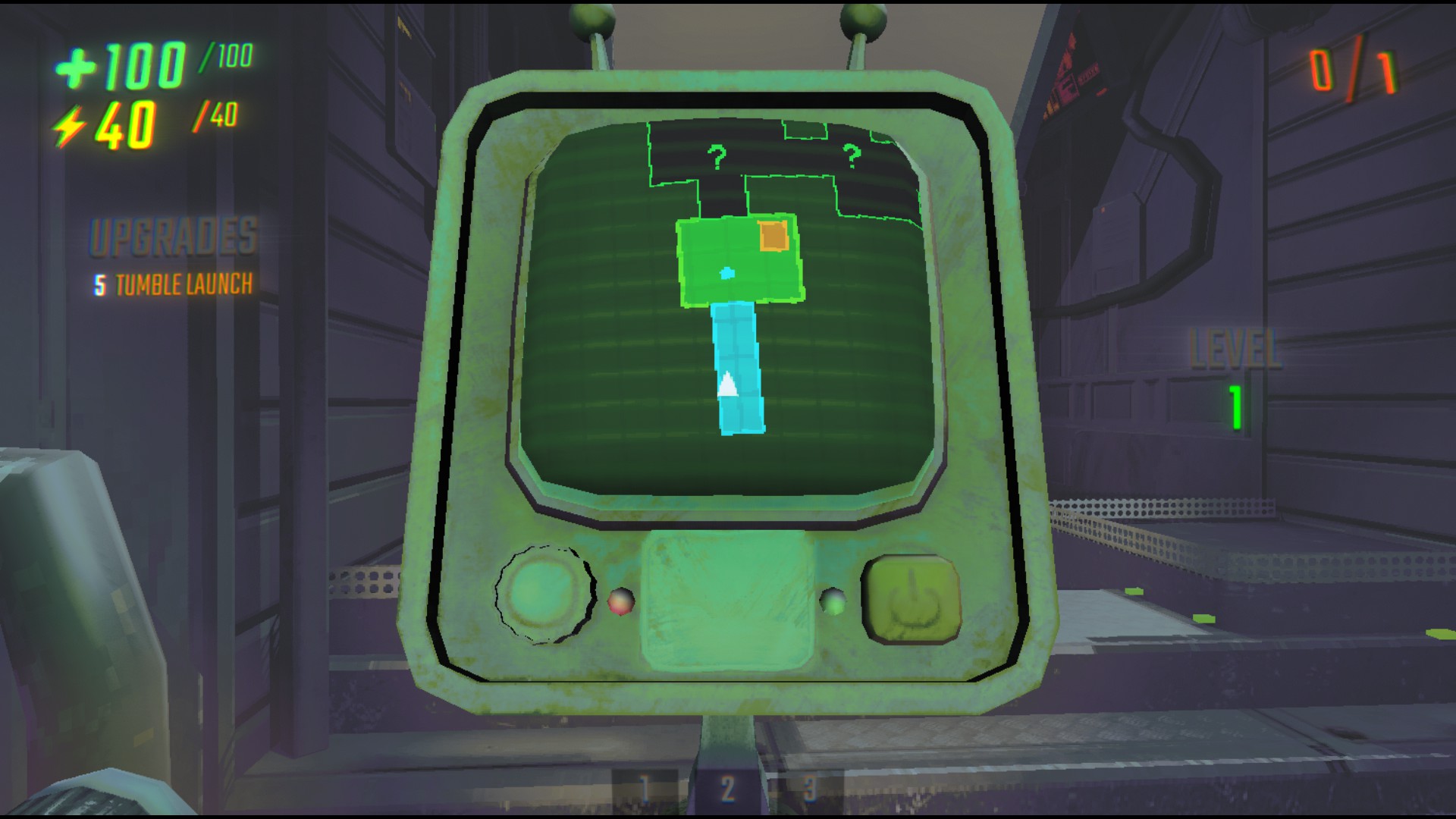
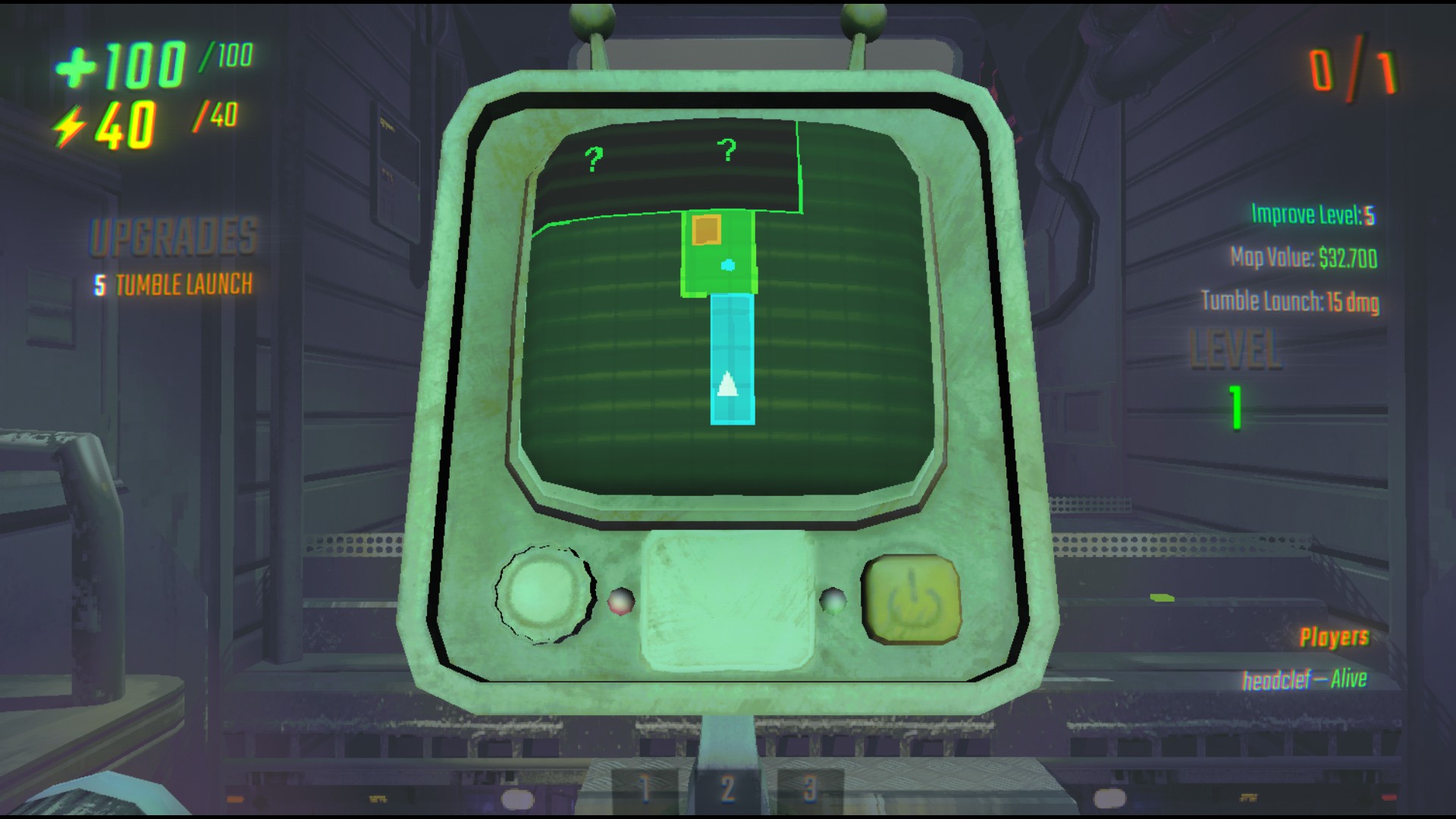
Your allocations take effect in-game: the game's own Upgrades panel shows the five Tumble Launch points, and (with the UI mod) the overlay shows your Improve level.
Your bonus never gets baked into the save file. Improve writes its bonus into your live stats at runtime, but strips it out the instant the game saves and restores it right after — so the
.es3save only ever stores legitimately purchased upgrades. This means the bonus can't stack on itself across save / quit / relaunch, and uninstalling Improve leaves no inflated stats behind.
Configuration
Settings are in BepInEx/config/headclef.Improve.cfg or in the in-game mod config menu:
| Key | Default | Range | Description |
|---|---|---|---|
| Difficulty Multiplier | 0.5 |
0.1–2.0 | Cost multiplier for leveling |
| Base Cost | 1,000,000 |
100k–10M | Base cost for the first level |
Save data is stored separately at:
%AppData%/../LocalLow/semiwork/Repo/REPOModData/Improve/save.cfg
Upgrading from 1.1.9 — the bridge setting moved
If you turned on Host-Simulated Stat Bridge in 1.1.9, you must turn it on again in Relay — it is no longer read from Improve's config.
1.1.9 carried its own co-op bridge and its own switch. 1.2.0 moves both into Relay, so that Berserk can use the same bridge without depending on Improve, and so that only one mod ever writes those stats (two would corrupt each other — see Relay's readme).
| 1.1.9 | 1.2.0 | |
|---|---|---|
| File | BepInEx/config/headclef.Improve.cfg |
BepInEx/config/headclef.Relay.cfg |
| Section | [Multiplayer] |
[Multiplayer] |
| Key | Host-Simulated Stat Bridge |
Enabled |
Nothing migrates automatically, and nothing warns you — the old key is simply not read any more, so a bridge you had switched on will silently stop working until you switch Relay's on. As before, it must be on for both you and the host.
The old [Multiplayer] section may linger in headclef.Improve.cfg; it is inert and you can ignore or delete it. Every other Improve setting is unchanged, and your save data, haul and allocations are untouched.
Requirements
- BepInEx 5.x installed for R.E.P.O.
- MenuLib — for the in-game menu.
- Relay — required as of 1.2.0. Improve will not load without it. Thunderstore installs it for you; if you install manually, install Relay too.
Installation
- Install via Thunderstore (recommended) — Relay and MenuLib come with it.
- Or manually: place
Improve.dllinto yourBepInEx/pluginsfolder, along withRelay.dlland MenuLib. - Launch the game — save file is created automatically.
- Open the Improve button in the main menu to start spending points.
- Playing as a co-op client and want Grab Strength, Tumble Launch, Throw or Tumble Wings to work? Turn on Relay's switch — see Multiplayer.
Multiplayer
- Each player tracks their own haul and stat allocations independently (client-side save). Your numbers are always your own — the host's allocations never mix into yours.
- Only haul earned during levels you participate in counts — no credit for joining a high-haul session midway.
- Safe in any lobby — Improve only ever boosts your own player, never anyone else's.
As the host or in single player, every stat applies normally. Nothing below matters to you.
As a co-op client
R.E.P.O. splits your stats by which machine reads them, and that split decides what a mod can do for you.
These nine work on their own — your game reads them from your own memory, so Improve just applies them:
Health · Sprint Speed · Stamina · Extra Jump · Grab Range · Tumble Climb · Crouch Rest · Map Player Count · Death Head Battery
There is a subtlety here worth knowing, because it looked like a bug for a long time: the host overwrites your upgrade values with its own copy at every scene change, and its copy only knows what you bought — it never learns about Improve. On top of that, your character reads those values exactly once, when it spawns. So simply writing your bonus back afterwards did nothing: the character had already read the old number and never looks again. Improve now applies your allocation straight to the live character instead, which is why these stats are felt from the first second of a level. This is all local — no networking is involved, and it happens whether or not you use Relay.
These four need Relay:
Grab Strength · Tumble Launch · Throw · Tumble Wings
The game computes these on the host, from the host's copy of your character — and that copy only knows your purchased upgrades. Your own machine is never asked. Worse, every message the game has for changing a stat is host-only by design, so a client cannot even ask. No client-side mod can make these four work, on its own, ever.
Relay is the way around it: your client tells the host what you should have, and Relay on the host applies it there. Improve needs no setting of its own — it just reports your allocations, Train's trained levels included. To use it:
- You and the host both need Relay installed (it comes with Improve).
- You and the host both set
BepInEx/config/headclef.Relay.cfg→[Multiplayer]→Enabled = true, or use the in-game mod config menu. - Against a host who has not done this, nothing happens and nothing breaks — you just keep vanilla behaviour for those four.
Relay ships off by default because an earlier version of this bridge broke multiplayer connect outright. Please read Relay's readme before turning it on — it explains exactly what went wrong, what changed, and why the switch exists.
Compatibility
- Works alongside other leveling mods (stats stack via
PunManager.UpdateStat) - Compatible with Character Stats, Agility, Constitution, Armor, Increase Tumble Damage, and other headclef mods
- Does not interfere with shop upgrades — your stat points add on top
Development
Project Structure
├── Improve.cs                      # Plugin entry point & config
├── SaveData.cs                     # Persistent save data & level calculations
├── StatEffectApplier.cs            # Co-op client — tops live components up to the full value
├── RelayReporter.cs                # Hands the host-simulated stats to Relay
├── ImproveMenu.cs                  # MenuLib UI — progress & skill panels
├── Patches/
│   └── ImprovePatch.cs             # Haul capture & stat application hooks
└── README.md
Building
dotnet build
License
This project is licensed under the MIT License — see the LICENSE file for details.
These mods (all) generated by using AI tools. If there's anything wrong use NexusMods to give a feedback, I use there more than ThunderStore.