

UI
Unified Tab overlay showing level info, map value, haul progress, combat stats, and player list for R.E.P.O.
| Last updated | a day ago |
| Total downloads | 590 |
| Total rating | 0 |
| Categories | Mods Tools Upgrades Weapons Levels Client-side Server-side |
| Dependency string | headclef-UI-1.1.1 |
| Dependants | 0 other packages depend on this package |
This mod requires the following mods to function

BepInEx-BepInExPack
BepInEx pack for Mono Unity games. Preconfigured and ready to use.
Preferred version: 5.4.2100

headclef-Improve
A leveling system that awards stat points from haul progression with doubling costs and configurable difficulty for R.E.P.O.
Preferred version: 1.0.1
headclef-CharacterStats
A read-only library that caches player character stats for other mods to use in R.E.P.O.
Preferred version: 1.0.0
headclef-IncreaseTumbleDamage
Scales tumble launch damage by upgrade level for R.E.P.O.
Preferred version: 1.1.0README
UI
A BepInEx mod for R.E.P.O. that adds a unified Tab overlay with level info, map value, haul progress, combat stats, and a player list.
What This Mod Does
Hold Tab during gameplay to see a clean info panel on the right side of your screen:
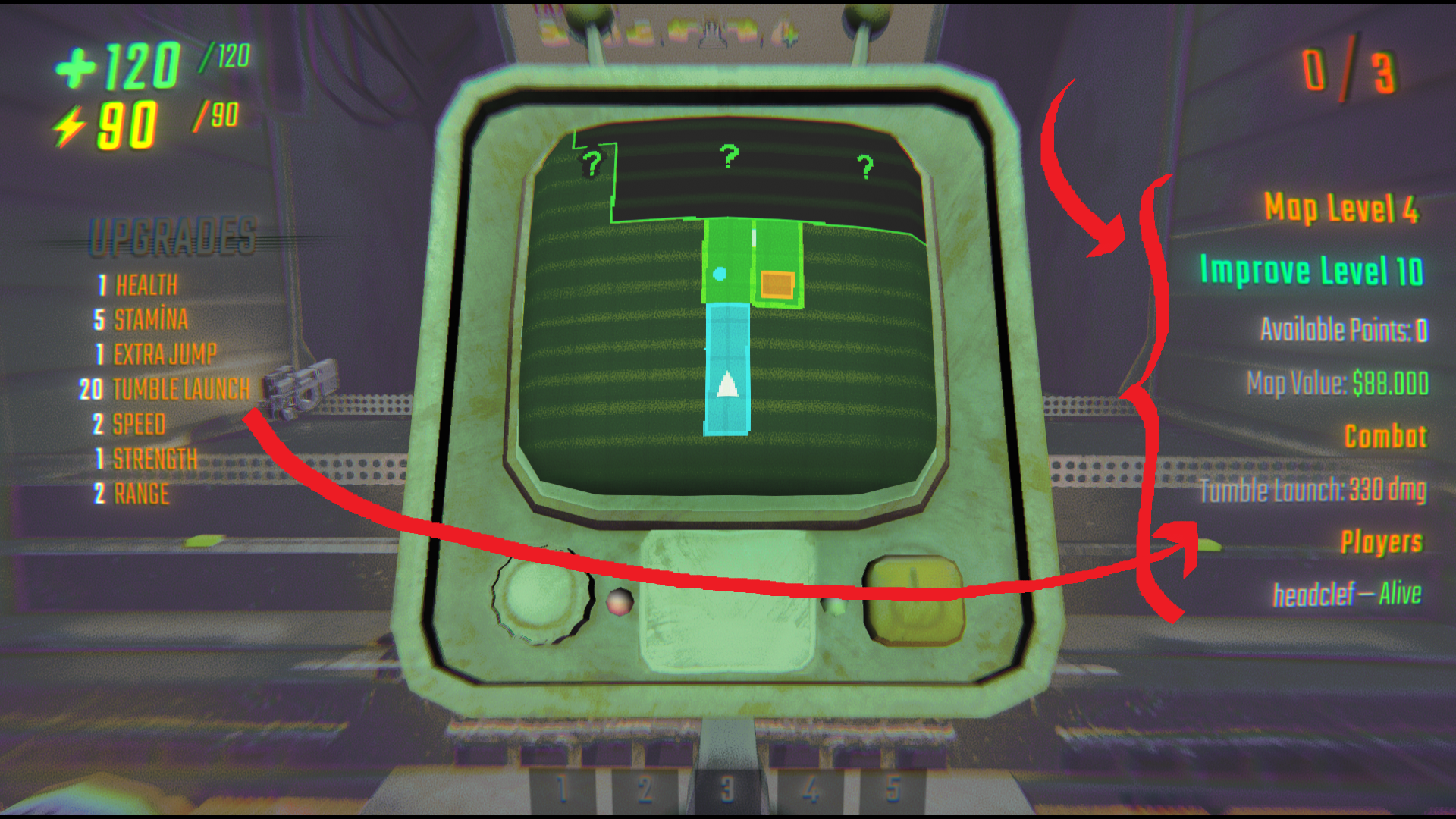
Level Info
- Map Level — the current level you're on (Level 1, Level 2, etc.).
- Improve Level — your current Improve mod level and available points (requires Improve).
Map Value
Tracks the total remaining dollar value of all valuable items on the current map. Updates in real time as items are broken, destroyed, or extracted.
Haul Progress
Shows your current haul versus the extraction goal with color-coded text:
- 🟥 Red — below 50% of goal
- 🟨 Yellow — 50–99% of goal
- 🟩 Green — goal reached!
Combat
Displays real-time combat information:
- Held weapon — name, ammo bars, and damage when holding a gun (supports bullet-based and laser guns).
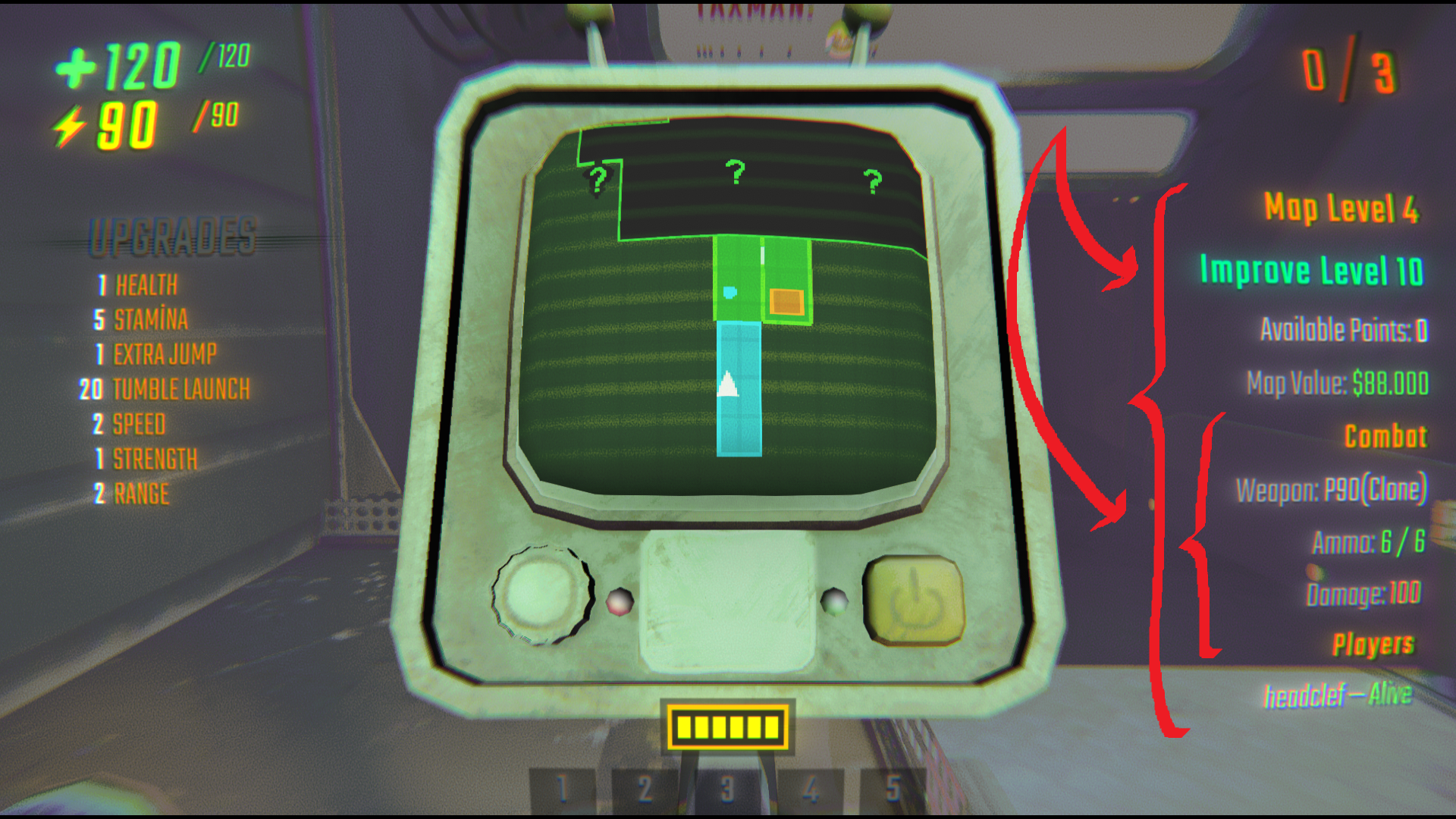
- Tumble launch damage — shows your tumble damage including scaling from Increase Tumble Damage upgrades and Improve stat points (requires Character Stats).
Player List
Lists all connected players with their current status:
- Alive (green)
- Dead (red)
Usage
Just hold Tab (the map key) during any level. The overlay appears on the right side of your screen and disappears when you release Tab.
The overlay also shows when the map is toggled open.
Requirements
- BepInEx 5.x installed for R.E.P.O.
Optional (soft dependencies)
- Improve — enables Improve Level and available points display.
- Increase Tumble Damage — enables tumble damage scaling display.
- Character Stats — provides accurate upgrade levels from all mods for combat info.
The UI mod works without any of the above — those sections are simply hidden when the corresponding mod isn't installed.
Installation
- Install via Thunderstore (recommended).
- Or manually: place
UI.dllinto yourBepInEx/pluginsfolder. - Launch the game — no configuration needed.
Multiplayer
- The overlay runs per-client — shows data available to your game client.
- Player list shows all connected players and their alive/dead status.
- Map value tracking and haul progress work the same in multiplayer.
Changelog
v1.1.0
- Added combat section — shows held weapon name, ammo, and damage.
- Gun damage reads from bullet prefab (bullet-based guns) and laser component (laser guns).
- Gun detection works for guns held in hand via PhysGrabber and scene-wide grabbedLocal fallback.
- Added Improve Level and available points display (soft dependency).
- Added tumble launch damage display with scaling from Increase Tumble Damage and Improve mods.
- Uses Character Stats API for accurate upgrade levels across all mods.
- All mod integrations are soft dependencies — UI loads and works without them.
- Reduced spacing between overlay sections for a more compact layout.
v1.0.0
- Initial release with map level, map value, haul progress, and player list.
Development
Project Structure
├── HeadclefUI.cs                   # Plugin entry point
├── MapValueTracker.cs              # Tracks remaining valuable item values
├── TabOverlay.cs                   # Tab overlay panel — rendering & input
└── README.md
Building
dotnet build
License
This project is licensed under the MIT License — see the LICENSE file for details.
