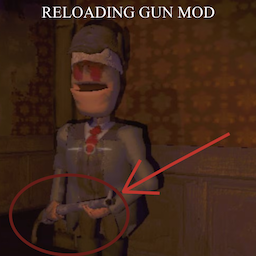
Hunter Enhancements Mod by PlusBlankPlus

Tired of the relentless, never-ending gunfire from the Hunter? Wish there was a bit more strategy involved, or perhaps just more configurable chaos? This mod enhances the Hunter enemy by adding ammo limitations, a reload mechanic, and an optional high-speed 'minigun' firing mode.
Features
-
Limited Ammo & Reload: The Hunter no longer possesses an infinite supply of shotgun shells. After firing, it must now take time to reload.
- Default Reload Time: 60 seconds (Configurable).
- Reload Behavior: While reloading, the Hunter can still aim and track the player, but cannot fire its weapon. It's vulnerable... or is it?
-
Hurt Reload Boost: Attacking the Hunter while it's reloading has consequences!
- Getting hurt makes the Hunter reload faster for a short period.
- Default Boost: 4x faster reload speed for 5 seconds (Configurable).
- Think twice before engaging a reloading Hunter unless you can finish the job quickly!
-
Configurable "Minigun" Mode: Unleash the fury!
- Optional Setting: Can be turned on/off via the configuration file (Default: Off).
- Rapid Fire: When enabled, the Hunter fires a burst of 10 shots rapidly at the target area instead of its standard firing pattern (Shot count configurable). Turns the shotgun into a temporary devastating suppression weapon.
Configuration
Fine-tune the Hunter's new behavior! After running the game once with the mod installed, a configuration file will be created at:
BepInEx/config/com.yourname.huntermod.cfg
(Note: Replace 'com.yourname.huntermod' with the actual GUID defined in your mod's Plugin.cs)
You can edit this file using any text editor. The available options are:
EnableMinigunMode
- Toggles the rapid-fire minigun mode.
- Type:
Boolean (true / false)
- Default:
false
MinigunShots
- Number of shots fired when Minigun Mode is active.
- Type:
Integer
- Default:
10
BaseReloadTime
- The standard time (in seconds) the Hunter takes to reload.
- Type:
Float (decimal number)
- Default:
60.0
HurtReloadMultiplier
- How many times faster the reload becomes when hurt (e.g., 4 means 4x faster).
- Type:
Float (decimal number)
- Default:
4.0
HurtReloadBoostDuration
- How long (in seconds) the faster reload speed boost lasts after being hurt.
- Type:
Float (decimal number)
- Default:
5.0
Installation
- Install BepInEx: Make sure you have the correct BepInEx pack installed for your game. See Dependencies below.
- Download: Get the latest release of this mod.
- Install using Mod Manager (Recommended):
- Use r2modman or Thunderstore Mod Manager. Click "Install with Mod Manager" on the mod page.
- Install Manually:
- Extract the downloaded zip file.
- Drag the
BepInEx folder into your game's root directory (where the game's executable is). Merge folders if prompted.
- Run Game: Launch the game. The configuration file should now be generated in
BepInEx/config.
Enjoy the enhanced hunt!