Weather Studio
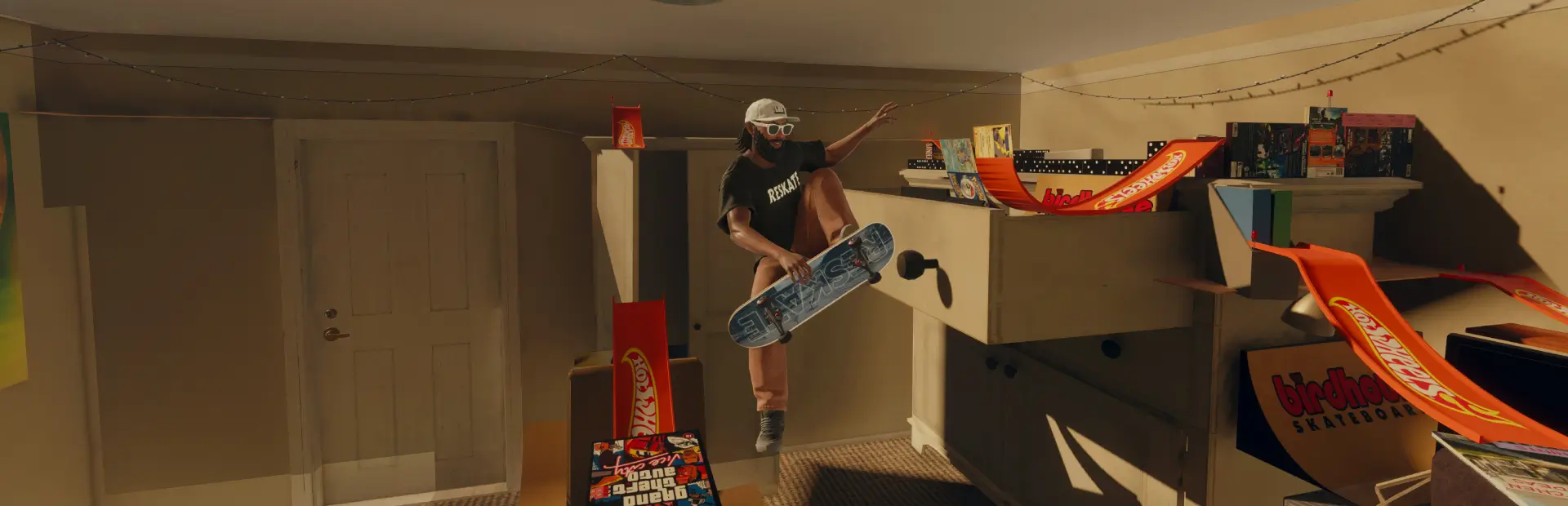
Live weather presets, independent sunlight and shadow controls, and cosmetic rain for ReSkate.Weather Studio
Shape the sky. Set the light. Find your weather.
Weather Studio brings live atmosphere, lighting and cosmetic rain controls to ReSkate. Build a look while you skate, then save your favourite combination.
Features
- Nine looks including Golden hour, Clear night, Misty morning and four distinct rain presets.
- Live fog, cloud opacity, sky brightness and wind sliders.
- Time-of-day selection, including map-authored weather day and weather night.
- Bright sun with fewer shadows, plus separate sunlight and shadow controls.
- Switches for sun glare, bloom, sunlight, shadow maps, cloud shadows, contact shadows, sky fog, exposure, film grain and vignette.
- Cosmetic rain with amount, speed, length, visibility, drift and shelter controls.
- Save up to 31 named presets. Load, update, rename or delete each one.
- Choose a saved preset to use at startup and across maps, or restore map defaults.
Install
Requires ReSkate 2.1.3 or later with plugin API 1.
- Open the ReSkate launcher and go to Mods.
- Find Weather Studio by ChocsTeam in the Thunderstore browser and choose Install.
- Enable Weather Studio, start the game and choose Turn on if ReSkate asks for plugin approval.
- Press your ReSkate menu key (default Insert), then select PLUGINS > WEATHER STUDIO.
ReSkate remembers approval for the installed plugin files and may ask again after an update. Weather Studio uses ReSkate's screen and input permissions to let you type and edit preset names.
For local ZIP testing, replace the files in your existing Weather Studio mod folder. ReSkate associates your saved presets with that folder's name.
Controls
Choosing a preset under Looks applies its weather and time together. Time of day updates to match, and you can adjust it separately afterward. Reapply selected look restores that preset's settings. Built-in looks replace the current Weather Studio adjustments and return lighting to the map. Rain at night uses the map's Night lighting and adds cosmetic rain. Maps without time layers keep their current lighting, and Weather Studio shows the reason.
In Atmosphere, use Sky & fog or Wind to narrow the controls. Moving a slider overrides its map setting. Restore default releases one adjustment or the whole section.
In Lighting → Sunlight, choose Bright sun, fewer shadows to enable outdoor light and direct sun while turning off shadow maps, indirect sun shadows and sun contact shadows. This can affect shadows from other lights, and some map shading can remain. Restore sun and shadow defaults releases the settings used by this option. Use Shadows, Glow and Image to tune individual effects.
Fog and lighting switches offer Map default, On and Off. Rain amount, visibility and drift are shown as percentages. A complete weather look takes a few seconds to settle.
My presets
Select Save new preset, type a name, then choose Save preset name. Use Saved preset to select a look and Load preset to apply it. Open Manage saved preset to replace its settings with your current look, rename it or delete it. Deleting requires confirmation.
Under Automatic loading, choose an All-map default to use when the current map is ready, at startup and after map changes. Select Off to stop automatic loading. Deleting the default preset also turns it off. An existing single saved look appears as Saved look and keeps its previous default setting.
Restore map weather and lighting restores the current map's atmosphere and switches off cosmetic rain. A selected default preset applies again on the next map.
License
MIT. Editable source is included in plugin/main.lua.