
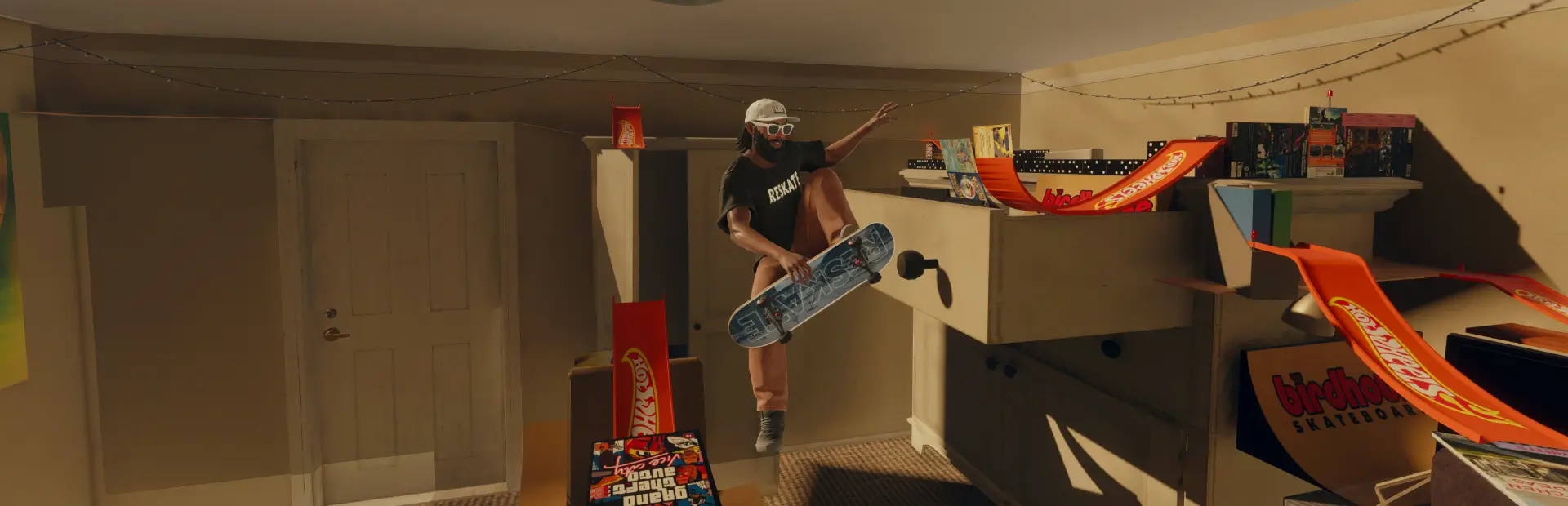

FTP Black Tee
Adds an FTP black tee - small white FTP logo on the chest, large FTP print across the upper back.FTP Black Tee
A black tee with a white FTP logo.
- Front — small FTP on the chest
- Back — large FTP across the upper back

Install
Extract the FTP_Black_Tee folder into your ReSkate mods folder:
<ReSkate>\Mods\FTP_Black_Tee\
The default location is:
C:\Games\Skate\Mods\
Launch ReSkate and the mod is picked up automatically. To equip it, open the character's clothing and select the tee on the top slot.
If it does not show up, open the Mods tab in ReSkate Studio and make sure
FTP_Black_Tee is ticked in the load order.
Uninstall
Delete the FTP_Black_Tee folder from Mods\ and relaunch.
Notes
Built with ReSkate Studio from the native
Own_TopShirt_Gen_TshirtOverLongsleeve_00001 cosmetic. The base mesh, fit,
stitching and sleeves are the game's own — only the base colour texture is
replaced, so it will layer normally with whatever longsleeve you have equipped.