Absorb and Balance
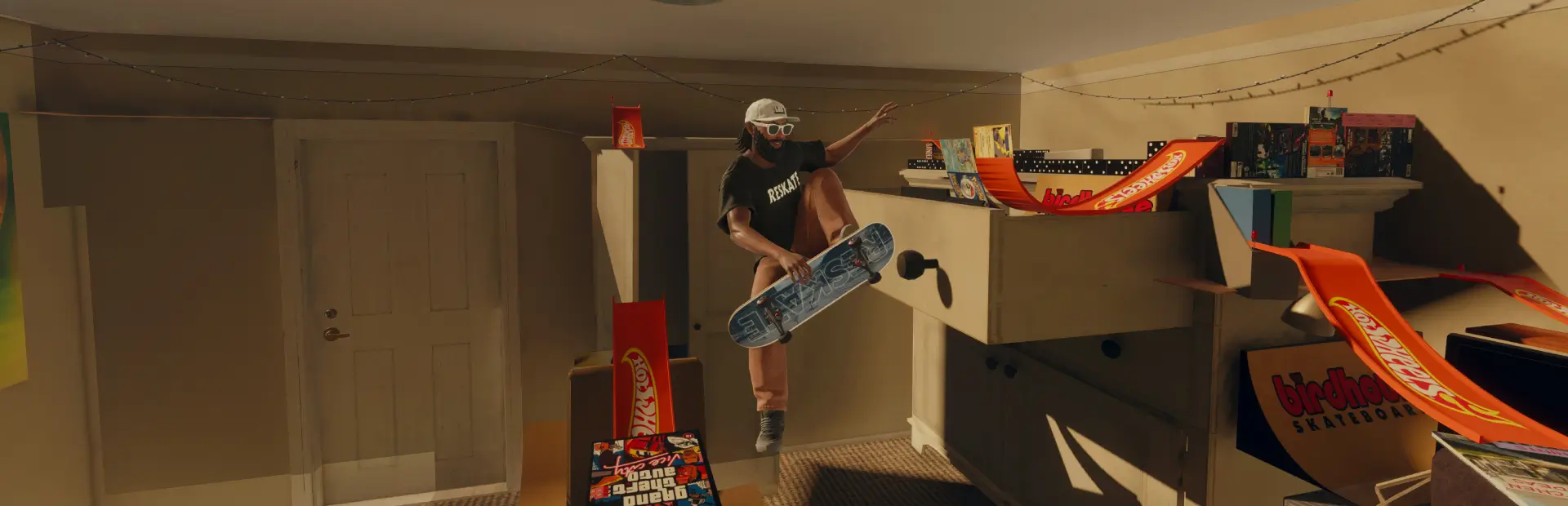
Feel the weight of every landing. Clean rollaways, dozens of procedural Sketchy reactions including one-foot saves, and visible weight shifts in grinds and manuals.Absorb & Balance
By Ninel — version 1.3.85
Feel the weight of every landing. Ride away clean, absorb a hard impact through the knees, or save a sketchy landing on one foot. Dozens of procedural reactions take their cues from your speed, board angle, and momentum.
- Landings blend from clean rollaways to deep knee bends, arm counterbalances, and one-foot saves.
- Grinds and slides show your weight shift. As you lean and correct, the board tweaks and the skater moves with it.
- Manuals let you balance on one axis or in any direction, with separate control options for steering.
Landings
Press RB, LB or F before touchdown. The actual touchdown decides the result:
- Clean plays a dedicated grounded recovery, adapted to drop height and stance.
- Sketchy uses one of 80 procedural recovery profiles, selected from impact, speed loss, board alignment and slope.
- Too Early, No Absorb and Too High request a wipeout.
Hard impacts compress the legs and fold the torso. On small drops with enough sideways drift, the front foot can slip while the rear foot stays on the board. The skater counterbalances, then blends back into their rolling stance. A new trick or drop takes over as the recovery fades.
Presets
| Preset | Absorb range | Timing window | Clean zone | Balance | Vert absorb |
|---|---|---|---|---|---|
| Realistic | 0.8–4.5 m | 180–30 ms | 35% | Circle | On |
| Medium | 1.5–6 m | 220–35 ms | 50% | One axis | On |
| Fun | 2–8 m | 360–80 ms | 70% | One axis | Off |
Custom settings remain saved. Height and timing zones are adjustable; heights support metres and feet.
Controls and display
Open Insert > Plugins > Absorb & Balance. Tweak, Absorb, Grinds, Manuals and Display have separate tabs.
- Enable grinds, manuals and board tweak independently.
- Balance with LB/RB or the left stick, using one axis or a circle.
- Manual stick balance supports left/right or up/down, with the corresponding steering choice.
- Grind friction, body movement, HUD position, circle opacity and the ASCII cat are adjustable.
- Ctrl + H toggles the HUD.
For directional XInput vibration, run tools/Demarrer-vibrations.pyw. The relay stops vibration when requests expire.
Optional board setup compatibility
Try Truck Tightness and Wheel Size by OrdinaryCoconut for custom trucks and wheels. Install it through ReSkate's mod manager or its official Thunderstore page to receive the author's updates.
In Compat., enable Enable compatibility. Absorb & Balance reads the companion's active truck spring and steering tuning every two seconds. Looser trucks increase drift slightly; the steering effect of truck settings and wheel clearance changes how quickly you can correct. Changes are capped at 15% and apply to grinds and manuals. The wheel diameter itself is not exposed. If the companion holds the skater pose for ride height, Sketchy uses a shorter impact-driven animation through ReSkate’s clip player. The integration falls back to normal balance when the companion does not hold those tuning values. mods.read only checks whether the companion is enabled.
Installation
Install through the existing Ninel / Absorb_and_Balance Thunderstore package, or extract the ZIP into ReSkate/Mods/Ninel-Absorb_and_Balance. Keep files at the package root and reload the plugin after an update.
Requires standard ReSkate. No modified runtime is needed. The settings.write permission temporarily suppresses native sketchy recovery while Absorb handles a landing; it does not change the saved gameplay preference.