Slow Flip Tricks
Hold the flick for a slow flip trick. No double or triple flips while it's on. Set how slow. Formerly No Double Flips. Needs ReSkate 2.1.4 or newer.Slow Flip Tricks
Hold the flick and your flip trick turns slowly. No double or triple flips while it's on: a held flip comes round once. Let go quickly and your flips are the game's, as ever.
Formerly No Double Flips. If you have that installed, remove it: this does everything it did.
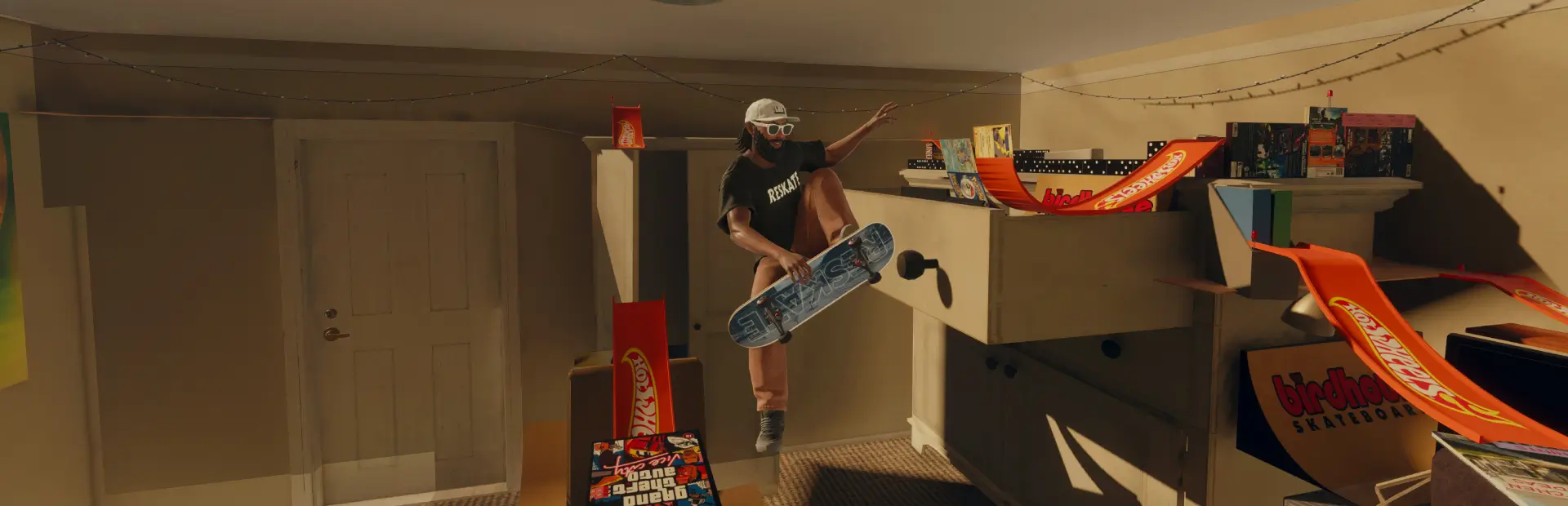
Mod off (top: a held flick off a ledge turns a 1440 flip) against Slow Flip Tricks at x0.35 (bottom: one slow 360 flip), off the same ledge, in sync:
Needs
ReSkate 2.1.4 or newer. This mod changes how fast a flip turns, which plugins can only do from 2.1.4, and its page uses 2.1.4's buttons. On an older ReSkate the page says to update, and your flips stay the game's.
ReSkate asks you to approve the plugin the first time it loads.
How it works
- Hold the flick after you pop and the flip turns at the slow flip speed (x0.35 to start with).
- No doubles or triples. In the game, holding the flick keeps the board turning: a double, a triple, more. With this mod on, a held flip turns slowly enough that it comes round once before you land. Turn the mod off to double and triple flip again.
- Optional on/off button: the mod is on all the time unless you set a controller button or keyboard key on the page. Press it to turn the mod on and off while you skate, or pick hold to use to get slow flips only while it's held. A sound says when it turns on and off, a different one for each.
- A quick flick (let go within 0.15 s) is left alone and turns at the game's speed.
- Manuals still work straight off a flip: a stick pushed into a manual after the flick goes to the game as normal.
- Kickflips, heelflips, 360 flips, varials, hardflips, shuvits and nollie impossibles all slow down.
Settings
In the menu's PLUGINS section, under Slow Flip Tricks. Every setting explains itself on the page, and RESET SETTINGS puts them all back as they started.
| Setting | Choices |
|---|---|
| Slow Flip Tricks | ON (default): held flips turn slowly, once; no double or triple flips. OFF: the game's own flips, doubles and triples included; the settings below do nothing |
| Slow flip speed | how fast a held flip turns: quick picks X0.20, X0.35 (default), X0.50, X0.75, X1.00, or the slider from x0.05 to x1.00. x1.00 is the game's speed. The slower, the surer it stays a single flip |
| Button | none to start with (the mod is simply on). SET BUTTON, then press a controller button or a keyboard key; you can set one of each. CLEAR removes them. R3 and L3 work only this mod (R3 then no longer changes your camera height); any other button or key still does its usual thing too. You can't hold R3 while flicking the right stick, so for holding pick LB, RB or a key. A key recorded in SETTINGS > CONTROLS (under PLUGINS, Slow Flip Tricks on/off) still works for press on, press off |
| Press / hold | shown once a button or key is set. PRESS ON, PRESS OFF (to start with): press it to turn the mod on, press again to turn it off. HOLD TO USE: slow flips only while you hold it, and a flip you started holding it stays slow to the landing |
| Sound / message | PLAY SOUND / NO SOUND and SHOW MESSAGE / NO MESSAGE (both on to start with): a sound when it turns on, a different one when it turns off. The message is for press on, press off only |
| After you let go | STAY SLOW (default): a flip you held stays slow until you land. SPEED BACK UP: it goes back to the game's speed when you let go |
| Off the pop | SLOW FROM THE POP (default): slow from the moment you leave the ground. SNAP, THEN SLOW: a split second at the game's speed first |
The page also shows whether double and triple flips are on or off right now.
Your settings are kept between sessions. They start fresh if you're coming from No Double Flips.
Console
| Command | What it does |
|---|---|
slowflips |
shows the settings |
slowflips on / slowflips off |
slow flips and no doubles, or the game's own flips back |
slowflips speed 0.35 |
sets the slow flip speed, 0.05 to 1 |
slowflips keep on / slowflips keep off |
stay slow after letting go |
slowflips pop on / slowflips pop off |
slow from the pop |
slowflips sound off / slowflips message on |
the sound and message when it turns on and off |
slowflips button lb / slowflips button shift / slowflips button none |
sets the button (r3, l3, lb, rb, a, b, x, y, up, down, left, right, back, start) or key (a-z, 0-9, f1-f12, space, shift, ctrl, alt, tab), or removes both |
slowflips mode press / slowflips mode hold |
press on, press off, or hold to use |
Known issues
- At x1.00 a long hold can still double. What keeps a held flip single is its slow speed: at the game's own speed there's time for a second turn. x0.35 stayed single in testing; the closer to x1.00, the more likely a double. The page warns when you pick x1.00.
- Regular impossibles turn at full speed. Nollie impossibles slow down; regular ones don't yet.
- The game may hurry a slow flip just before you land, so on a short drop it can come round faster at the end.
- Multiplayer: a host with boosts turned off, or a running throwdown, stops the slowing until it's over. Whether other players see your flips slowed hasn't been tested.
- Tricks replaced in ReSkate's Animation Studio may not look slowed. If a mod in the Animation Studio swaps one of your flip tricks for its own animation, and that animation brought its board along, the board you see follows the animation's flip, not the slowed one. The trick still takes as long as before; only what's drawn differs. Tricks it doesn't replace slow down as normal. Not yet tried in game.