
You are viewing a potentially older version of this package. View Latest Version
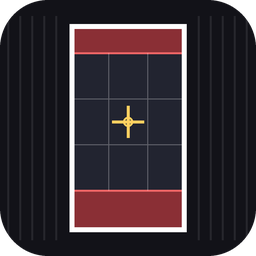
StoryFrame
9:16 Instagram Story frame overlay for lining up replay editor shots.Edited · Nov 11, 2026
ClipFrame
A simple 9:16 framing overlay for the replay editor. Line up your shot so the clip fits a phone screen and Instagram Videos and Story exactly, with nothing important hidden behind the Story UI.
What it does
- Draws a centred 9:16 frame over your screen and dims everything outside it, so you can see exactly what will end up in the clip.
- Shows the Instagram Story safe zones: the red bands at the top and bottom mark where the profile bar and reply bar cover the video.
- Optional rule-of-thirds grid and centre cross for composing the shot.
- Scales to any resolution and keeps the exact 9:16 ratio.
It only draws a guide on your screen. It does not change the game or what gets recorded.
Install
- Download the zip and unzip it into your ReSkate
Modsfolder so you end up withMods\storyframe\. - ReSkate picks new plugins up automatically. If it does not show, restart the game.
Controls
| Key | Action |
|---|---|
| F4 | Show / hide the overlay |
| F3 | Cycle the guides |
The guide modes cycle in this order:
- Frame only
- Frame + safe zones (default)
- Frame + safe zones + thirds grid
- Frame + safe zones + thirds grid + centre cross
Both keys can be rebound on ReSkate's Binds page.
How to use it
- Open the replay editor and press F4.
- Move the camera so your skater sits inside the bright frame, ideally in the middle band between the two red zones.
- Keep the trick, the board and any text or tags out of the red zones.
- Press F4 again to hide the overlay before you record.
Tuning
Open plugin/main.lua in any text editor. The values at the top control the layout:
TOP_SAFE(default0.14): share of the frame height covered by Instagram's top bar.BOTTOM_SAFE(default0.20): share covered by the reply bar at the bottom.ASPECT(default9 / 16): change it to4 / 5for a feed post or1 / 1for a square.
Troubleshooting
- Nothing shows: check
logs/ReSkate.logfor lines starting with[storyframe]. - F3 or F4 does nothing: another mod or the replay editor may be using the key. Rebind it on the Binds page.
- Safe zones look off: Instagram changes its layout from time to time. Adjust
TOP_SAFEandBOTTOM_SAFEto taste.
Credits
Made by Leigh.