
You are viewing a potentially older version of this package. View Latest Version
StoryFrame
Framing overlay for the replay editor: Story, Reel, 4:5, square, 4:3 and 16:9 frames with safe zones.StoryFrame
A framing overlay for the replay editor. Line up your shot so the clip fits a phone screen, a Story, a Reel or a feed post exactly, with nothing important hidden behind the app's own buttons.
What it does
- Draws a centred frame in the shape you pick and softly dims everything outside it, so you can still see the replay editor UI.
- Formats: Story 9:16, Reel / TikTok 9:16, Portrait 4:5, Square 1:1, Classic 4:3 and Wide 16:9.
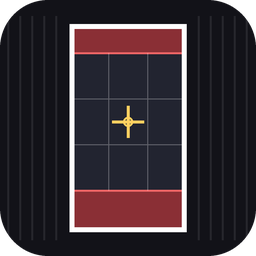
- Safe zones: red bands show where the app's profile bar, caption and buttons cover the video (9:16 formats).
- Optional rule-of-thirds grid and centre cross for composing the shot.
- Shows the frame size in pixels each time you change something.
- Key legend on both sides of the frame lists every key and its options, with your current choice highlighted.
- Scales to any resolution and keeps the exact ratio.
It only draws a guide on your screen. It does not change the game or what gets recorded.
Install
- Download the zip and unzip it into your ReSkate
Modsfolder so you end up withMods\storyframe\. - ReSkate picks new plugins up automatically. If it does not show, restart the game.
Controls
| Key | Action |
|---|---|
| F4 | Show / hide the overlay |
| F2 | Cycle format |
| F3 | Cycle guides |
| F5 | Cycle dimming: Light, Medium, Dark, Off |
All keys can be rebound on ReSkate's Binds page.
Guides cycle in this order: frame only, then safe zones (default), then thirds grid, then centre cross.
How to use it
- Open the replay editor and press F4.
- Press F2 until you reach the format you are posting to.
- Move the camera so your skater sits inside the bright frame, in the clear area away from the red zones.
- Press F4 again to hide the overlay before you record.
Settings
Open plugin/main.lua in any text editor. The values at the top let you change:
START_FORMAT,START_DIM,START_GUIDES: what the mod starts on.SHOW_BADGE: turn the small ratio label in the frame corner on or off.SHOW_KEYS: turn the key legend on the sides of the frame on or off.FORMATS: the safe-zone percentages for each format, or add your own format.DIMS: how dark each dim level is.
The safe zones are estimates and apps change their layouts from time to time, so adjust them to taste.
Troubleshooting
- Nothing shows: check
logs/ReSkate.logfor lines starting with[storyframe]. - A key does nothing: another mod or the replay editor may be using it. Rebind it on the Binds page.
- Overlay too dark or too light: press F5 to change the dim level.
Credits
Made by Leigh.