
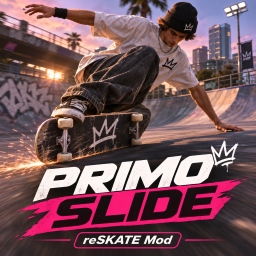
PrimoSlides
Primo slides for skate.: tip your board onto its rail while rolling or mid-flip, slide with edge friction, a scrape sound and limited steering, then crouch and pop any trick out of it. Primo trick list and optional HUD tile.Primo Slides

Note From Dev
Yo I was playing Sessions and I couldn't primo slide consistently, So I made my own version in ReSkate with it's new capabilities.
Please take the time to figure out the controls. you can primo kickflip into another primo etc. Just have a play around, your figure it out!
What's Included
Custom Audio
Custom Hud - (Togglable)
Trick name in Ingame Hud
Heavily Customisation. (Turn off and on hud, Turn off stationary Primo. Control Friction. Hold to toggle and Toggle button) And so much more
Tested and working perfectly.
You may experience bugs but the primo slide works perfectly.
Primo slides for skate. on ReSkate. Tip the board onto its rail while rolling or mid-flip, slide on it with heavy edge friction, limited steering and a board-scrape sound. Then bend your knees and pop any trick to flip out from the rail. Client-side Luau plugin. It makes no memory patches and permanently changes no game settings.
Install
- Mod manager / ReSkate launcher: install the package. It lands in
Mods/PrimoSlides. - Manually: close the game and put the
PrimoSlidesfolder inMods. The path must beMods/PrimoSlides/reskate-plugin.json, besideplugin/andsounds/. Keep only one copy enabled.
Enable it in ReSkate and approve its permissions:
- input and input.write: read L3 and hide it from the game; limit steering while you're in Primo.
- board: draw the board on its rail.
- skater.read, skater.control and skater.animation: speed, the edge friction and the body lift.
- events.skater, events.physics and events.tricks: the pop, landings, physics timing and trick names.
- audio: the scrape.
- overlay: the optional HUD tile.
- hud: ticker names.
- menu and storage: the Insert menu page and your saved settings.
The settings page is Insert > Plugins > Primo Slides.
How to Primo
| Action | How |
|---|---|
| Enter while rolling | Tap L3 while riding (1 m/s or faster by default). The board tips onto its rail with a knock and starts to scrape. |
| Enter in the air | Tap L3 after takeoff, and land in Primo. |
| Catch Primo from a trick | Tap L3 during a flip. Primo starts as your right stick returns to centre, so you land in it. |
| Balance | The left stick still steers, but only lightly (15 %, smoothed). The board keeps its line. |
| Bend your knees | Pull the right stick as you would to set up a trick. Primo stays on: the board stays on its rail and keeps sliding, and nothing ends it but your pop, even if you slow to a stop. |
| Flip out | Pop any trick: ollie, nollie, kickflip, heelflip, shove-it, varial, 360 flip, hardflip and so on, including switch and fakie. The board leaves the ground from its rail and rolls back to its wheels during the flip. There's no reset. |
| Leave | Tap L3 again (or release it in Hold mode). It eases back to riding at the same speed. |
Below the minimum speed, entry is refused and the status line says why. Grinds, bails, respawns, teleports, map changes and pausing all hand the board back to the game. Rolling off a ledge keeps Primo, so you land in it.
⚠️ Please read: this is not a true Primo
Primo Slides is a gameplay feature built on top of skate.’s existing systems. It is not a real simulation of a primo, and it isn’t an official or native skate. mechanic.
The board only looks like it’s on its rail. Mods can change how the board is drawn, but not the board’s actual physics. Underneath, the game still treats your board as riding on its four wheels, with normal collision. There’s no real edge balance or edge contact. The slide is made by tilting the board visually, adding extra friction and limiting your steering, all layered over normal skating. Primo itself scores no points. Mods can’t add new tricks to skate.’s trick list or scoring. The tricks you pop out of Primo still score as normal. The Primo trick list and the HUD tile belong to the mod, not the game. Ticker naming is experimental and may not show on every trick. Animations aren’t custom. Foot placement is approximate and the body pose is a simple lift, so some poses and angles won’t look perfect. Multiplayer: hosts may block the friction effect.
PS: I have no experience in mod making this was an idea that came to me after playing sessions:. I vibe coded it with moderate knowledge and tested it. To anyone with an idea or vision. in this day and age with the power of vibe coding you really can make anything you can think of.
Thanks for reading.
-Wax