Dynamic Camera
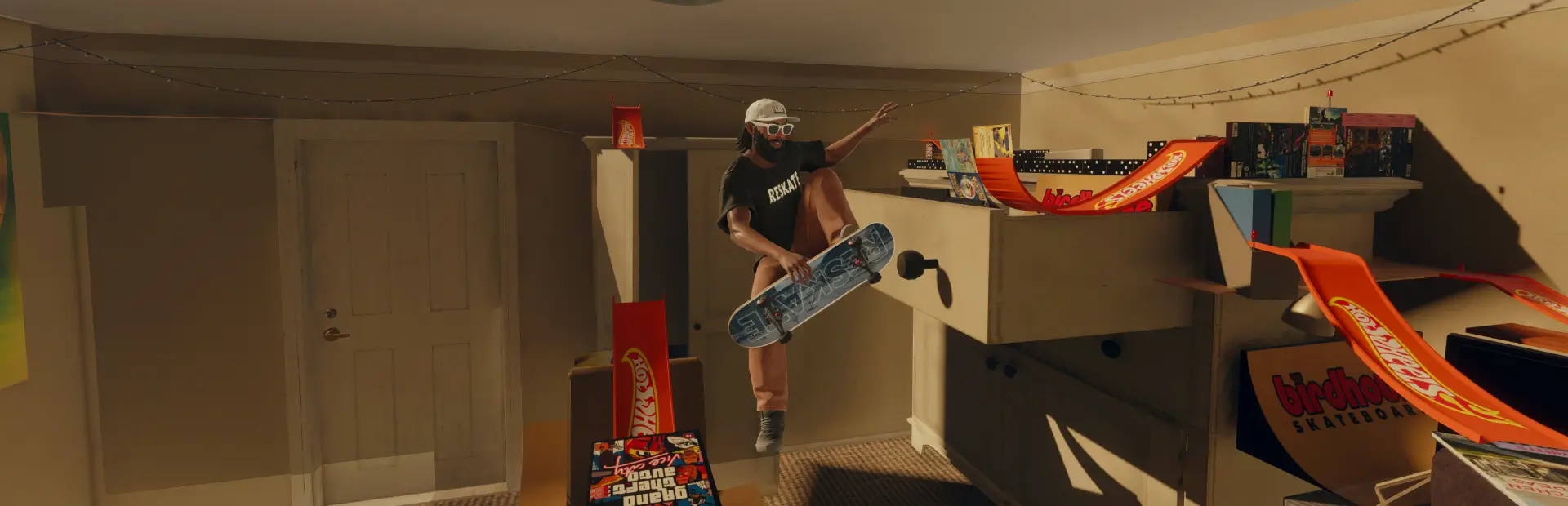
Dynamic Camera for ReSkate: a Skate 3 style riding camera that follows your movement, turns for tricks, moves in for manuals and grinds, rises in big airs and shakes on landings. Tunable in the menu, with presets.Dynamic Camera
Dynamic Camera is a camera plugin for ReSkate that adjusts the view while riding, performing tricks, landing, and moving off the board.
The camera follows your movement with adjustable lag and speed response, turns during tricks, moves closer for manuals and grinds, and adjusts its framing during big airs. Landing effects add screen shake and a brief impact bounce. Speed-based effects include camera rumble and FOV changes.
Off the board, you can use an Orbit or Shoulder camera controlled with the right stick. The game's own camera is used in menus and the Replay Editor.
Every settings is adjustable to your liking, if you have tweaked the presets that feels good to you, feel free to share them in the Dynamic Camera threads.
Installation
Install using one of the following methods:
- ReSkate launcher: Open GET MODS, search for
Dynamic Camera, and install it. - Thunderstore / r2modman: Download the mod and install it as you would any other ReSkate mod.
- Manual installation: Copy the
Dynamic_Camerafolder containingreskate-plugin.jsoninto<game>/Mods/.
Enable the mod in the mod list and start the game.
Open the ReSkate menu and go to PLUGINS → Dynamic Camera to configure it. Settings are applied immediately and saved automatically. A fresh installation uses the built-in Default preset.
The settings are organised into PRESETS, CAMERA, FOLLOW & MOVEMENT, TRICKS & CLOSE-UPS, AIR & LANDING, CAMERA EFFECTS, OFF THE BOARD, and ADVANCED.
Controls
- Settings → Binds → PLUGINS: Configure the Dynamic Camera controls.
Ctrl+Shift+D— Toggle the camera on/off.Ctrl+Shift+S— Switch shoulder side.Ctrl+Shift+V— Switch between Orbit and Shoulder off-board views.
- R3: Switch between Low and High camera views, when enabled in the settings.
- Double-click R3: Switch between Orbit and Shoulder off-board views.
You can rebind or clear the plugin controls in the game's Binds menu.
Console commands
The following console commands are available:
dyncam 0|1|toggle, dyncam_angle, dyncam_shake, dyncam_fov, dyncam_shotfov, dyncam_shoulder, dyncam_side, dyncam_log, dyncam_dump, dyncam_presets
The corresponding s3cam command names are also supported.
Presets
Presets are JSON files stored in the plugin's data folder:
Mods/.reskate_plugin_data/Dynamic_Camera/presets/
Use Open preset folder to access them. Manage presets... lets you save, load, rename, delete, and import presets.
The built-in Default preset is the baseline configuration. Reset to defaults restores it.
Preset files use the same format as the Dynamic Camera DLL version, so files can be transferred between the two versions.
Settings do not transfer automatically from the DLL version. To migrate them, export a preset from the DLL version and import it into the plugin. DLL presets are stored in:
%LOCALAPPDATA%\ReSkate\Dynamic Camera Presets
Off-board camera
The OFF THE BOARD tab controls the camera while walking, running, bailing, and landing from a hippy jump.
The default Dynamic mode keeps control of the view when you leave the board. Transitions between riding and walking use the Board / foot transition time setting.
Camera styles
- Orbit: A camera positioned behind and above the player, with a default distance of 2.8 m.
- Shoulder: A closer over-the-shoulder view.
Selecting a style loads its settings, which you can adjust independently.
Camera settings
- Distance, Height, Look height, Horizontal offset, and Field of view: Adjust the camera framing.
- Follow smoothing and Turn smoothing: Control how smoothly the camera follows movement and turns.
- Level with the body: Reduces camera movement from steps and stairs.
- Bobbing strength: Adjusts the walking bob.
- Recentre after: Turns the camera behind the player after movement when the right stick is not being used. Set to
0to disable automatic recentring. The camera does not recentre while standing still. - Match walking to the view: Estimates the game's hidden camera direction and gradually adjusts the off-board view to align walking direction with the screen. This feature requires a gamepad.
- Bail distance: Adjusts framing to keep the player visible during bails.
Press R3 to recenter the camera behind the player. Double-click R3 to switch between Orbit and Shoulder; each style retains its own settings.
Selecting Game instead of Dynamic restores the game's off-board camera through a smooth hand-back transition.
Logging and diagnostics
Enable logging with the console command:
dyncam_log 1
Detailed diagnostics are written to:
Mods/.reskate_plugin_data/Dynamic_Camera/diag/camera_log.txt
Event messages and a once-per-second summary are also written to the ReSkate log.
Disable logging when you no longer need diagnostic output.
Credits and licence
Adapted from research into the Skate 3 camera, including SK8-ENGINE and skate-3-rust-engine, and from Dynamic Camera for ReSkate by chipeu.
Licensed under the GNU General Public License v3.0. See LICENSE for details.