
You are viewing a potentially older version of this package. View Latest Version
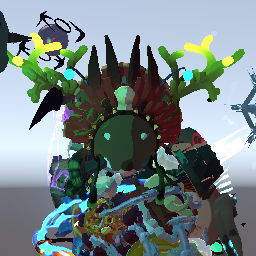
A mod/tool to simplify process of item display placement for item/character developers.

You need to have an item display (default or character-specific), which you will edit and replace its values in code when you have done.
First of all, you need to enter special scene where everything happens. This can be done by pressing F2.
You can search for a model by localized name, body object name or model object name.
By default only models that are visible in logbook are included in list, but you can include everything from BodyCatalog by toggle Inlude all bodies from BodyCatalog.

You can search for an item/equipment by name.
Each item display can be enabled/disabled by clicking on corresponding checkbox. Only one equipment display can be enabled at a time, so if you enable new equipment old one will be disabled.
Click on a gear to start/end item display placement (All changes will be lost when you disable item display, so be careful with that).
Enable all - enable all item displays for current model (except equipment)Disable all - enable all item displays for current model (inluding equipment)
Click on a row with item display prefab name to start edit it.

You can type in values in corresponding fields to see how item display will look on a character.

Or you can use Unity-like item editing on the scene:

White circle will rotate object around to camera view axis.

Gray cube in center will scale all axes simultaneously.

When you placed your item where you want you can copy values for that position to paste these values in your code.

CopyValuesPresicion determines how much digits after . should be copied.
Copied values will look something like that:
childName = "Head",
localPos = new Vector3(-0.0007F, 0.1699F, 0.028F),
localAngles = new Vector3(332.5399F, 359.8748F, 0.0883F),
localScale = new Vector3(0.7228F, 0.7228F, 0.7228F)

Fast Coefficient - camera movement speed multiplier when holding SHIFTSlow Coefficient - camera movement speed multiplier when holding CTRLToggle fade when you are close to objects.
Toggle TimeScale between 0 and 1.

Editing space:
Global - move/rotate object in world coordinatesLocal - move/rotate object in object local coordinatesEditor mode:
Move - move object along axis.Rotate - rotate object along axis.Scale - scale object along axis, or along all axes.Scaling is always done in local space.
F2 - Enter ItemDisplayPlacementHelper sceneF - Toggle fadeT - Toggle timeW - Select object movement modeE - Select object rotation modeR - Select object scaling modeX - Toggle object editing space (Global/Local)RightMouseButton - Hold and move mouse to look aroundMiddleMouseButton - Hold and move mouse to move cameraMouseWheel - Scroll to zoom in/out.CTRL - Hold to slow down camera movement speedSHIFT - Hold to speed up camera movement speedIf you have a feature in mind that would be good to have in this mod feel free to ping @KingEnderBrine in RoR modding discord.
1.2.0
1.1.1
Tab navigation between IDR input fields.1.1.0
Model animator parameters which will give you a little bit more flexibility on testing how your idrs looks.1.0.2
1.0.1
1.0.0
