
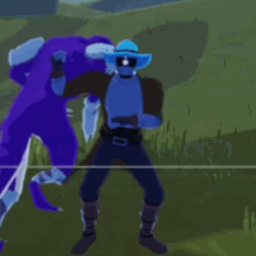
HUDGifAnimation
Animated GIF overlay in top-left HUD cornerHUD GIF Animation
Displays an animated GIF overlay in the top-left corner of your HUD during gameplay (100% adjustable now).
Features
- Supports any GIF with any frame count and timing
- Configurable position (X/Y coordinates)
- Adjustable scale
- Only shows during active runs
- Minimal performance impact
Installation
Install with r2modman or Thunderstore Mod Manager.
Configuration
After first launch, edit the config file at BepInEx/config/com.moetus.hudgifanimation.cfg:
[Position]
X Position = 10
Y Position = -80

[Appearance]
Scale = 1.0
Adjust these values to reposition or resize the GIF overlay.
How to Use Your Own GIF
- Find a GIF you want to use
- Go to ezgif.com/split
- Choose your GIF file and click "Upload"
- IMPORTANT: Change "Split options" to "Output as PNG"
- Click "Split into frames!"
- Click "Download frames as ZIP"
- Replace
gif_frameslocated at: -AppData/Roaming/r2modmanPluslocal/RiskOfRain2/profiles/DesiredProfile/BepInEx/plugins/HUDGifAnimation/plugins/HUDGifAnimation/with a blank folder of the same name - Extract the ZIP contents to:
AppData/Roaming/r2modmanPlus-local/RiskOfRain2/profiles/DesiredProfile/BepInEx/plugins/HUDGifAnimation/plugins/HUDGifAnimaion/gif_frames/
- IMPORTANT: Make sure the folder is named exactly
gif_frames - The mod will automatically detect all frames and their delays
Notes
- A placeholder GIF is included as an example
- GIF size in corner is based on your GIF's resolution (placeholder is 512x512)
- Frame delays are read automatically from the filenames
- Use the Scale config option to make oversized GIFs smaller
- Transparent backgrounds work great!