
Mackysoft SerializeReferenceExtensions
Unofficial Runtime Redistribution of Mackysoft's SerializeReferenceExtensions PackageWhat this is
This is an unofficial redistribution of Mackysoft's SerializeReferenceExtensions package, I was given explicit permission to redistribute the runtime portion of his package for modding capabilities.
Mackysoft cannot provide official support or compatibility guarantees for Thunderstore distributions or specific modding environments.
If you're a Risk of Rain 2 Player, this package does nothing on it's own, other packages may depend on it however.
For Developers
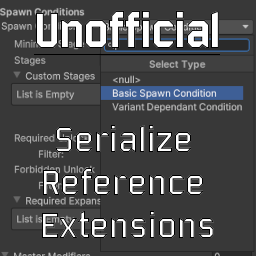
SerializeReferenceExtensions improves the workflow of using Unity's SerializeReference attribute, allowing for the selection of subclasses via a selector and a dropdown.
This Thunderstore Package contains exclusively the runtime DLL aspect of SerializeReferenceExtensions, if you wish to develop a mod utilizing SerializeReferenceExtensions it is best done by using the unity editor and explicitly adding the package thru the Unity Package Manager.
More information on how this is done can be found in the Readme of the github repository.
License Notice
MIT License
Copyright (c) 2021 Hiroya Aramaki
Permission is hereby granted, free of charge, to any person obtaining a copy of this software and associated documentation files (the "Software"), to deal in the Software without restriction, including without limitation the rights to use, copy, modify, merge, publish, distribute, sublicense, and/or sell copies of the Software, and to permit persons to whom the Software is furnished to do so, subject to the following conditions:
The above copyright notice and this permission notice shall be included in all copies or substantial portions of the Software.
THE SOFTWARE IS PROVIDED "AS IS", WITHOUT WARRANTY OF ANY KIND, EXPRESS OR IMPLIED, INCLUDING BUT NOT LIMITED TO THE WARRANTIES OF MERCHANTABILITY, FITNESS FOR A PARTICULAR PURPOSE AND NONINFRINGEMENT. IN NO EVENT SHALL THE AUTHORS OR COPYRIGHT HOLDERS BE LIABLE FOR ANY CLAIM, DAMAGES OR OTHER LIABILITY, WHETHER IN AN ACTION OF CONTRACT, TORT OR OTHERWISE, ARISING FROM, OUT OF OR IN CONNECTION WITH THE SOFTWARE OR THE USE OR OTHER DEALINGS IN THE SOFTWARE.
Original Readme from Github
Unity SerializeReferenceExtensions


This library provides an Inspector dropdown (SubclassSelector) for fields serialized by Unity's [SerializeReference].

Key Features
- Select a concrete type for
[SerializeReference]fields via dropdown. - Search candidates with a fuzzy finder.
- Collection support (
T[],List<T>, etc.). - Nested type support.
- Customize type display name/path with
[AddTypeMenu]. - Supports
CustomPropertyDrawerfor selected subtypes. - When switching types, restore previous values by matching property names (JSON-based).
- Context menu utilities:
- Copy & paste managed-reference values
- Clear / reset managed-reference values
Generic support improvements on Unity 2023.2+
- Supports variance matching (
in/out) for generic interfaces (covariance / contravariance)
Requirements
- Unity 2021.3 LTS or later (officially supported).
- Unity 2023.2 or later is recommended when you use generic field types (see “Generic support” below).
See below for the reason for the limitation of versions less than Unity 2021.3. https://blog.unity.com/engine-platform/serializereference-improvements-in-unity-2021-lts
📥 Installation
Install via .unitypackage
Download any version from releases. https://github.com/mackysoft/Unity-SerializeReferenceExtensions/releases
Install via git URL
Open Package Manager → “Add package from git URL…”, then input:
https://github.com/mackysoft/Unity-SerializeReferenceExtensions.git?path=Assets/MackySoft/MackySoft.SerializeReferenceExtensions
To pin a version, append #{VERSION}:
https://github.com/mackysoft/Unity-SerializeReferenceExtensions.git?path=Assets/MackySoft/MackySoft.SerializeReferenceExtensions#1.7.0
Install via Open UPM
Or, you can install this package from the Open UPM registry.
More details here.
openupm add com.mackysoft.serializereference-extensions
🔰 Usage
using System;
using UnityEngine;

public class Example : MonoBehaviour {

	// The type that implements ICommand will be displayed in the popup.
	[SerializeReference, SubclassSelector]
	ICommand m_Command;

	// Collection support
	[SerializeReference, SubclassSelector]
	ICommand[] m_Commands = Array.Empty<ICommand>();

	void Start () {
		m_Command?.Execute();

		foreach (ICommand command in m_Commands) {
			command?.Execute();
		}
	}

	// Nested type support
	[Serializable]
	public class NestedCommand : ICommand {
		public void Execute () {
			Debug.Log("Execute NestedCommand");
		}
	}

}

public interface ICommand {
	void Execute ();
}

[Serializable]
public class DebugCommand : ICommand {

	[SerializeField]
	string m_Message;

	public void Execute () {
		Debug.Log(m_Message);
	}

	public override string ToString () {
		return m_Message;
	}
}

[Serializable]
public class InstantiateCommand : ICommand {

	[SerializeField]
	GameObject m_Prefab;

	public void Execute () {
		UnityEngine.Object.Instantiate(m_Prefab,Vector3.zero,Quaternion.identity);
	}
}

// Menu override support
[AddTypeMenu("Example/Add Type Menu Command")]
[Serializable]
public class AddTypeMenuCommand : ICommand {
	public void Execute () {
		Debug.Log("Execute AddTypeMenuCommand");
	}
}

[Serializable]
public struct StructCommand : ICommand {
	public void Execute () {
		Debug.Log("Execute StructCommand");
	}
}
Customize field labels
Set UseToStringAsLabel = true to use the selected instance's ToString() result as the field label:
[SerializeReference, SubclassSelector(UseToStringAsLabel = true)]
ICommand m_Command;
For example, DebugCommand above returns its message from ToString(). The option also applies to individual array and List<T> elements. Null references and mixed values in a multi-object selection keep the default field label.
Copy and paste managed references
Right-click a managed-reference field or an individual collection element and choose Copy. The copied snapshot remains available across script reloads during the current Editor session. To preserve unresolved reference data, copying null fields is disabled on objects that contain missing managed-reference types.
- Paste Values Only copies matching serialized fields into the existing destination instance. It preserves the destination type and reference identity, and keeps destination fields absent from the copied data. The copied value and destination must both be non-null.
- Paste Type and Values creates an independent instance of the copied type when that type is assignable to the destination field. It also works with an empty destination. Copying a null reference and using this command clears the destination.
Copy and paste operate on one selected object at a time; the commands are disabled when multiple objects are selected. They apply to a single managed-reference property, including a nested field or collection element. Copying a whole regular [SerializeField] parent or an entire collection is outside these commands.
Generic support (Unity 2023.2+)
Unity 2023.2+ supports generic type instances for SerializeReference fields more reliably.
SerializeReferenceExtensions also enhances type discovery for generic base types.
Examples:
- Generic interface as base type:
[SerializeReference, SubclassSelector] ICommand<int> cmd;- Show candidates that implement
ICommand<int>(including variance rules if applicable)
- Abstract generic base type:
[SerializeReference, SubclassSelector] BaseCommand<int> cmd;- Show candidates derived from
BaseCommand<int>
Note: Candidate types shown in the menu still follow “Type > eligibility rules” below.
Type discovery & eligibility rules
The dropdown list is built by:
- enumerating candidate types, then
- filtering by eligibility (intrinsic) and compatibility with the field base type
1. Candidate type eligibility (intrinsic rules)
| Rule | Eligible | Notes |
|---|---|---|
Top-level public type |
✅ | Internal / non-public top-level types are not listed |
Nested private type |
✅ | Supported (useful for encapsulated implementations) |
Nested public type |
✅ | Listed like other candidates |
abstract |
❌ | Cannot be instantiated |
generic type (open or constructed) |
❌ | See “Generic support” (base type generics are supported, but generic candidate types are excluded) |
derives from UnityEngine.Object |
❌ | Unity SerializeReference limitation |
[Serializable] is applied |
✅ | Unity SerializeReference requires serializable types |
[HideInTypeMenu] is applied |
❌ | Explicitly hidden from menu |
2. Compatibility rules (base type vs candidate type)
| Field base type | Support | How compatibility is checked |
|---|---|---|
| non-generic interface / abstract class | ✅ | baseType.IsAssignableFrom(candidateType) |
| generic base type (Unity 2023.2+) | ✅ | candidate must implement/derive from the same generic definition and match type arguments (supports variance for in / out) |
| generic base type (Unity < 2023.2) | ⚠️ | Unity engine limitations may prevent correct serialization of generic instances |
Unity serialization constraints
Unity does not allow UnityEngine.Object types, including MonoBehaviour and ScriptableObject, in SerializeReference fields. Its SerializeReference documentation also excludes value types. Boxed structs may work in some scenarios; if you rely on them, verify serialization on your target Unity versions and prefer classes when possible.
✉ Help & Contribute
If you have a question, first check Q&A and existing Issues. If you cannot find a solution, open a new issue.
If you feel that my works are worthwhile, I would greatly appreciate it if you could sponsor me.
GitHub Sponsors: https://github.com/sponsors/mackysoft# Markdown File