

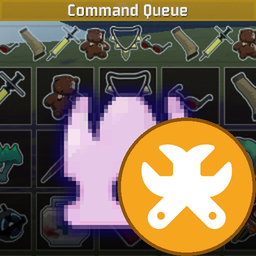
CommandQueueIconFix
Extension for CommandQueue: fixes white item-icon squares after the game update, without replacing or bundling the mod itself. (AI-generated; not fully tested with other mods.)CommandQueue.IconFix
CommandQueueIconFix (1.0.0) — Companion extension for CommandQueue: fixes the "white squares" that appear in place of item icons after the game update. The base mod is neither replaced nor bundled — a soft dependency on com.kuberoot.commandqueue is declared instead.
⚠️ Disclaimer: This mod was AI-generated and has not been fully tested alongside other mods. Conflicts or unexpected behavior when combined with third-party plugins are possible.
Extension for CommandQueue — fixes the white item-icon squares introduced by the October 2026 game update (buildid 25921972) without bundling or replacing the mod itself; it declares a soft dependency on com.kuberoot.commandqueue and repairs its runtime behavior.
What happened
The game update moved pickup icons to async/Addressables loading:
PickupDef.iconSprite is now often null until the reference resolves, while the
game's own UI uses AsyncImage + AssetReferenceT<Sprite>. Any mod that assigns
Image.sprite = pickupDef.iconSprite directly (e.g. the CommandQueue item grid)
shows white squares, and the old Resources.Load of the lock icon returns null.
What it does
-
Icon backfill — at run start it resolves every pickup icon through the new public API (
PickupDef.GetIconAODR(true)→WaitForCompletion()) and writes the resulting sprite back into the publicPickupDef.iconSpritefield. Any code reading that field afterwards (CommandQueue included) then gets a valid sprite. -
UI repair pass — locates the scoreboard container that CommandQueue creates (
CommandQueueContainer) and for any item button whose Icon image is still empty assigns the correct sprite: available items get their icon (button order is recomputed with the same public APIs the game and the mod use), locked buttons get the unlock/lock icon loaded viaLegacyResourcesAPI.
Everything uses only public game APIs — no IL patching, no method detours. On game builds without the async icon pipeline the plugin feature-detects and stays completely idle. It is also idempotent: alongside a CommandQueue that already has official support it simply finds nothing to fix.
Requirements
- BepInEx 5 + HookGenPatcher (same set as for CommandQueue)
- CommandQueue ≥ 1.7.0 installed (soft dependency — the plugin loads without it, but then has nothing to fix)
Install
- Thunderstore Mod Manager: just install
Rewanit-CommandQueueIconFix— TMM pulls in CommandQueue itself if it's missing. - Manual: copy the
CommandQueue.IconFixfolder into<game>\BepInEx\plugins\.
Verify
Start a run, open the scoreboard (Tab) → Command Queue tab: item icons must
render; locked items show the lock icon. Logs: <game>\BepInEx\LogOutput.log
— search for CommandQueue.IconFix ("Backfill done: …").
Crossed-wrenches glyph: Font Awesome Free 6.5.2 by Fonticons Inc. — icons licensed under CC BY 4.0 (https://fontawesome.com/license/free).