

BetterQueue
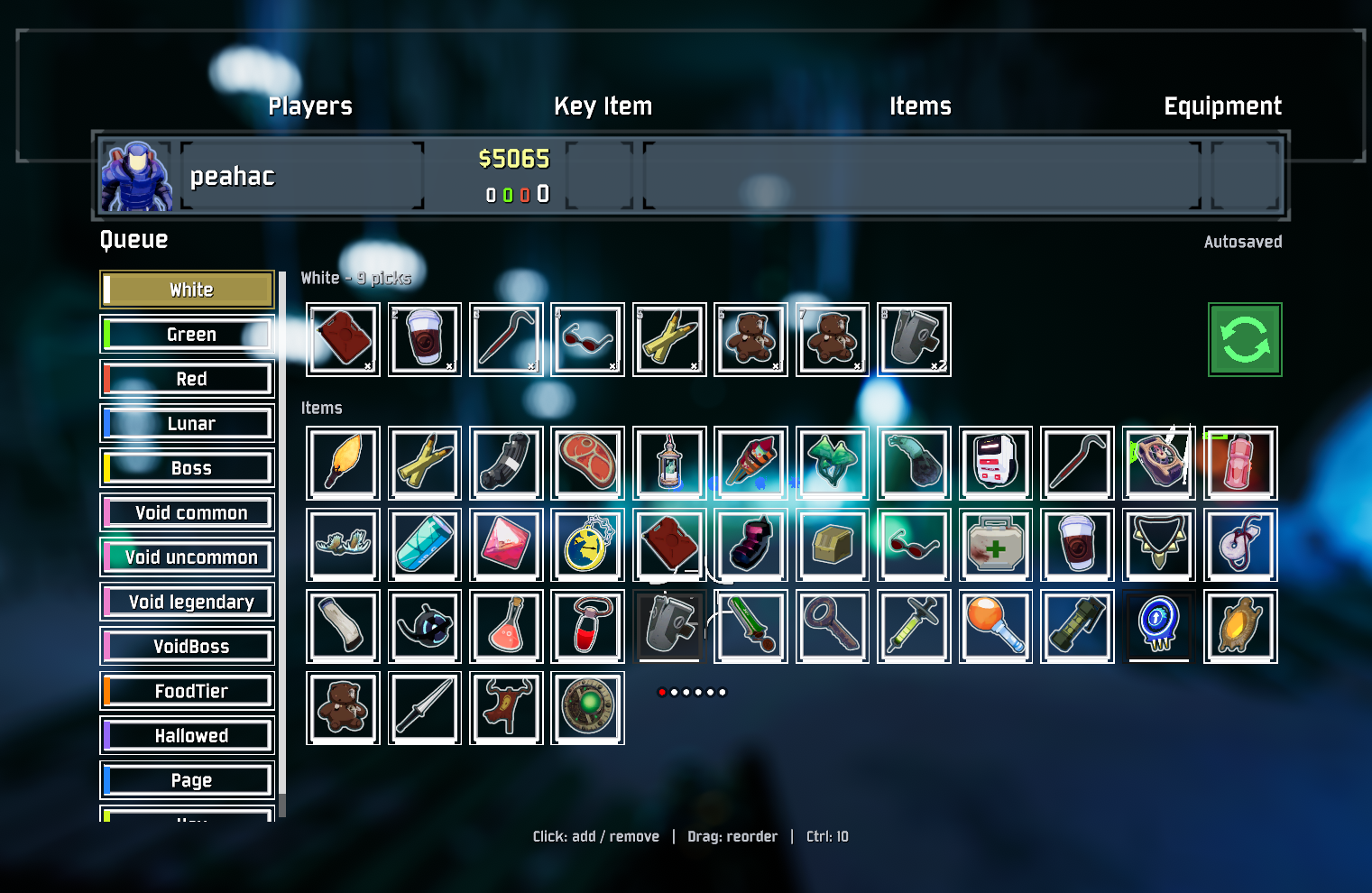
Autosaved survivor Command builds with a native-styled lobby and Tab scoreboard editor. Scrollable category sidebar, queue-row loop icon, drag reorder and optional LookingGlass tooltips.Better Queue
Plan your Artifact of Command build before a run, then let Command cubes pick the items for you. Each survivor gets a separate saved build.
Get started
- Install with Gale, r2modman or Thunderstore Mod Manager. It needs BepInExPack and HookGenPatcher. Disable other Command queue mods to avoid conflicting picks.
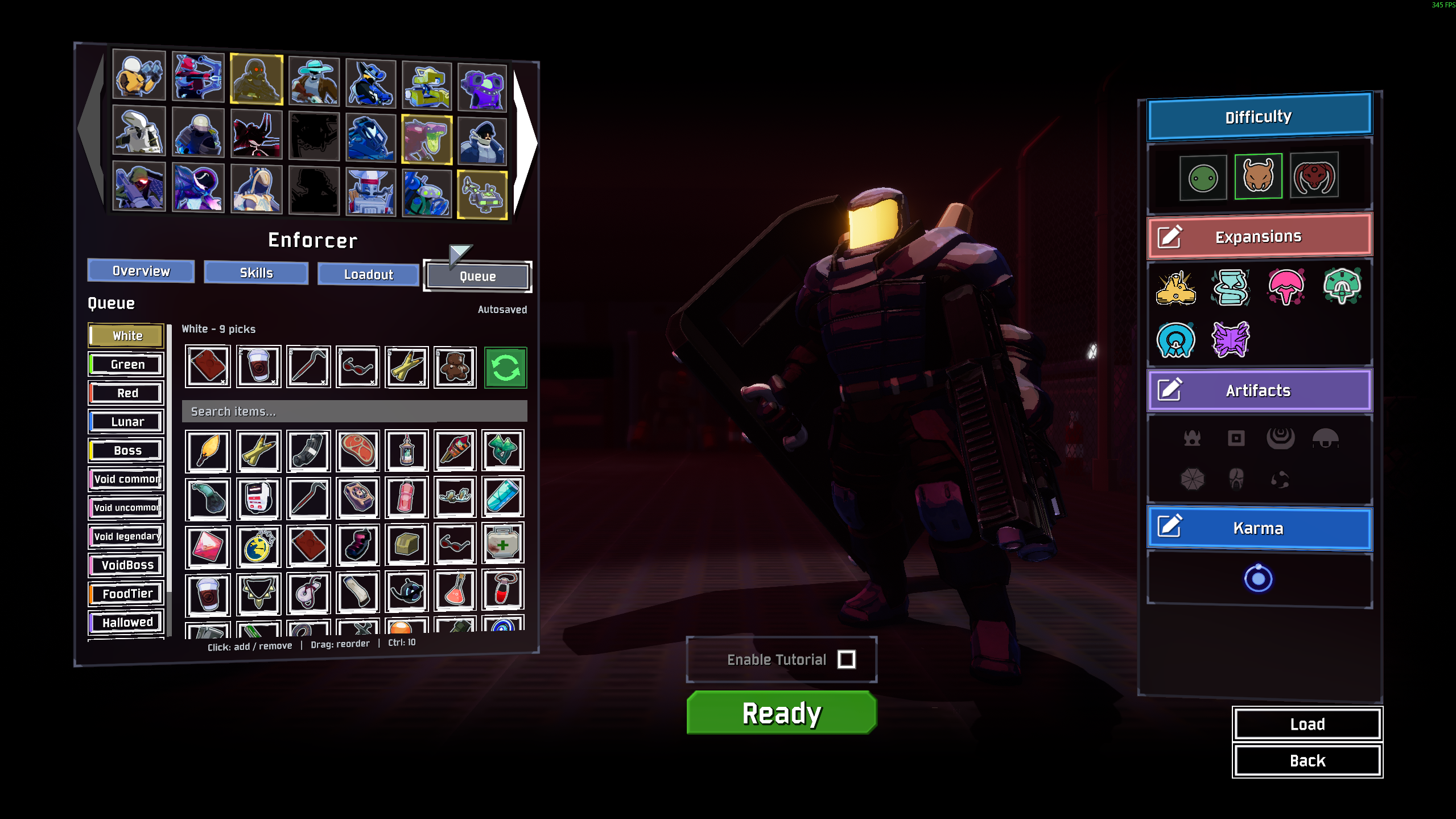
- Select a survivor and open Queue, just after Loadout. Choose an item category and add the items you want. Changes save automatically.
- Start a run with Artifact of Command enabled. Compatible Command cubes follow your queue. Open the scoreboard with Tab to edit it during a run, or use F7 to toggle it.
Without the artifact, you can still plan builds, but this mod does not turn ordinary drops into Command cubes.
Controls
| Where | Action |
|---|---|
| Item list | Left-click adds one; right-click removes one from the last planned stack. |
| Queued items | Left-click removes one; right-click adds one. Drag to reorder; nearby items slide to preview the new position. |
| Either item row | Hold Ctrl to change ten at a time. |
| Loop button | Toggle repeat for that category. Green means on. |
| Lobby editor | Search items by name. The in-run editor has no search field. |
Dragging shows an item under your cursor. Drop outside the queue or close the panel while still dragging to cancel.
Each category advances separately. Items you collect during a run update its progress without using up your saved build for the next run. Equipment and temporary/rental items keep their normal pickup behavior.
Compatibility and settings
LookingGlass is optional. When installed, its detailed item tooltips appear here too. Other mods' items appear through the game's item catalog.
Each player controls their own queue through the game's normal Command selection messages. Better Queue does not require a custom server protocol. Split-screen is not supported.
Settings: BepInEx/config/modwright.betterqueue.cfg
Saved builds: %LOCALAPPDATA%/Modwright/BetterQueue/<profile-id>/BetterQueue.plans.json (Windows). The profile ID belongs to your local RoR2 player profile, so importing a shared Gale profile does not replace your build. The exact path appears in the game log.
On first use, existing builds migrate from BepInEx/config/BetterQueue.plans.json. That file remains an export/backup copy; subsequent imports cannot overwrite the local save. Both copies keep a .bak.
You can turn automatic picking or the scoreboard editor off and change the F7 shortcut. Existing survivor builds in CommandQueue.saves.json import on first launch; the original file stays intact.
For developers
Build with .NET 9 and PowerShell 7:
dotnet build src/BetterQueue/BetterQueue.csproj -c Release
dotnet run --project tests/BetterQueue.Tests -c Release
pwsh ./scripts/package.ps1
The ZIP goes in dist/. See technical notes, publishing and the changelog for details.
New code uses Apache-2.0. Adapted CommandQueue integrations retain their MIT notices. See credits and licenses.