You are viewing a potentially older version of this package. View Latest Version
BeltSkins
An extension of ButteredLillys Skin Manager to allow you to change your belt texture!Installation Instructions
- Install MelonLoader
- Run Game
- Drop "Mods" and "UserData" Folder in to Rumble Source Directory
- You can change the Main, Normal, and Metallic textures in the UserData folder
- Run the Game and enjoy the mod
Belt Skins Mod
Description
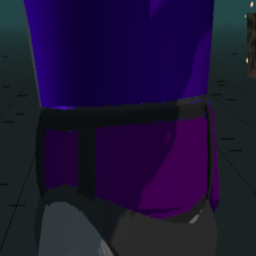
Belt Skins is an extension of ButteredLilly's Skin Manager that allows you to customize the appearance of belts in the game. With this mod, you can modify the texture, normal map, and metallic properties of belts, giving you full control over their visual style.
This mod is client-side only, meaning only you can see your custom belt. Other players, even those with the mod installed, will not be able to see your customized belt.
You can change the color for each belt rank inside of its corresponding folder. This will only change the color of the opponents belt, not yours. Your's will be changed based on the textures outside of any of the folders.
Features
- Customize the texture of belts in the game
- Modify the normal map of belts for enhanced visual detail
- Adjust the metallic properties of belts for different finishes
- Full control over the visual style of belts
- Different textures for each opponents belt rank
Usage
- Install the mod following the installation instructions above
- Navigate to the UserData folder in your Rumble Source Directory
- Modify the Main, Normal, and Metallic textures as desired
- Save your changes and start the game (or load into another scene) to see the updated belt skins
- Yes, I know you can't see your own belt, this is really just for matches and stuff.
Have fun!