ReplayMod
Full replay engine for RUMBLE with recording, buffering, playback controls, and mod extension support.Replay Mod
Replay Mod is a replay and animation system for RUMBLE VR. It records gameplay into a Brotli-compressed binary format and allows replays to be viewed in-game.
It can be used for:
- Match analysis
- Animation and cinematic capture
- Debugging gameplay behavior
- External analysis or tooling using the provided replay format
Multiplayer Maps In Single Player is highly recommended for this mod in order to
maneuver through the replays correctly.
How to use
Recording
You can start recording in two ways:
- Automatic: Enable
Auto Record MatchesorAuto Record Parksin the mod settings. - Manual: Hold the custom hand gesture for 3 seconds. You'll hear a clicking sound along with a corresponding VFX when a recording starts.

Doing the gesture again will stop and save the recording.
Replay Buffer
If enabled, the replay buffer continuously records the last few seconds of gameplay.
- The duration of the buffer can be configured in the mod settings.
- To save the current buffer, press both buttons on the controller side you've selected.
- A pop sound and a haptic vibration (if enabled) will play when saved.
Replay Table
The Replay Table appears near the region selector in Gym.
- Use the left/right arrows to scroll through saved replays.
- Hold the Load button under the replay name to load into it's map and view the replay.
- Replay names and metadata display according to the formats defined in:
UserData/ReplayMod/Settings/MetadataFormatsUserData/ReplayMod/Settings/AutoNameFormats/
These use tag-based templates. Tags are documented in the files themselves.
Crystals
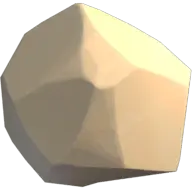
Holding the Crystallize button on the side of the Replay Table will turn the currently selected replay into a physical crystal
- Crystals can be held and placed anywhere in the Gym.
- Throwing a crystal back onto the table will select the replay it contains.
Playback Controls
While a replay is playing, you can toggle the playback panel by doing the following gesture:

This opens a control menu with:
- A timeline that shows current time and total duration
- You can scrub through the replay by dragging your finger along the timeline
- Playback speed controls:
+0.1,-0.1,+0.1,+1
- Play / Pause toggle
- Stop replay
- Exit scene
This panel can also be punched to toggle it off.
Alternatively, you can also do this gesture to toggle pause:

Timeline Markers
The timeline will show markers at key moments. These markers can be toggled individually in the mod settings:
- Red: Large Damage
- Black: Match Ended
- Purple: Round Ended
- White: Manual Marker
POV Mode
You can view the replay from any recorded player's perspective:
- Tap the POV button on the Playback Controls to open the player selector.
- A slide-out panel will appear with a list of players
- Tap a player to switch to their perspective
You can also toggle Hide Local Player to remove your avatar while viewing through a player's POV.
The legacy camera must be enabled for POV mode to work.
Replay Settings Panel
Once a replay is selected, a second panel appears with tools for managing the file:
- Timeline and duration display
- The timeline here also can be dragged with your finger when the replay is loaded
- Rename button (with keyboard input)
- Copy path button
- Delete button
- Favorite button
And while a replay is playing:
- POV Button (see above)
- Hide Local Player
- Open Playback Controls
Replay Explorer
When no replay is selected, a File Explorer is shown, allowing you to view multiple replays at once.
The top of the panel displays the current path, and below it is a list of replays and folders inside your
Replays Directory.
Opening a folder will add a .. entry at the top of the list, which allows you to move up a folder.
At the bottom of the panel, two buttons let you switch between pages of entries.
Developers
The replay format is documented here The documentation for the API is found here An example mod for using the API is written here
Tools:
Credits
ERROR - Development of ReplayMod
TacoSlayer - UI design help, logo design, and design feedback
Blank - Help with the binary format, GitHub workflow, and design decisions
MatsuNoKi - UI feedback and design decisions
ContagiousPow - UI design feedback, testing, and other design decisions
Kurama - UI feedback
Cxntrxl - UI feedback
UlvakSkillz - Code reference from MultiplayerMapsInSingleplayer
Dr.Rock - Lots of testing
Testing
Thanks to everyone who helped test ReplayMod and report issues:
boxyk9, Roydaboy27, Dr.Rock, MatsuNoKi, ContagiousPow, iListen2Sound,
Footi, Lemmi05, @pple, WillNinja08, Peanut, BlueEyedFox, Fjm12, Pep,
Hudnimynini, Yiak65, Grand, ChimmyTv, Alexderus117, and BIVN
Third-Party Libraries
- Concentus (Opus codec implementation) BSD licensed - see ThirdPartyLicenses.txt