You are viewing a potentially older version of this package. View Latest Version
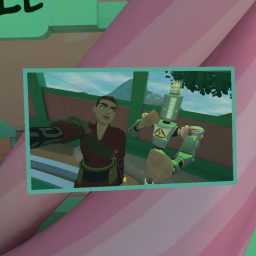
This mod allows you to customize your play area with framed pictures.

Simply drop the images you want into UserData/RumblePhotoAlbum/pictures, and press the "Spawn picture" button on the Gear Market. The picture will be prompty delivered to you via the Mail Tube! You can then grab and reposition the picture as you like, and even resize it by grabbing it with two hands.

The configuration is saved in a json file, and each scene gets its own configuration. The only scene that cannot have framed pictures is the Loader.
The park also features a copy of the Mail Tube and the "Spawn picture" button.
For multiplayer maps, there can't be extra stuff on the arena, so you'll have to experiment by manually editing the json file...
You can print photos from your Rock Cam!
After taking a photo, press the "Print photo" button on the top of your cam, and a printed version will be spawned, attached to the camera!
If you press move the photo and press the button again, an older photo will be printed, until you run out of photos to print. But if you take a photo in the meantime, it will print the most recent photo again.
You don't have to stay in the same scene to print, you can do it at any moment. The image file is copied to the UserData subfolder, so it's available in the stash for all scenes.

Any time the mod configuration in ModUI is saved, all the pictures are reloaded. You can experiment with the color and size options to get the best fit for you while you're at it!
In the configuration file, there are two sections for each scene: the "album", where all the picture positions are, and the "stash", where you can have either file names (then we'll search in the pictures folder), or a full path! Image files that are in the pictures folder but not in the stash are automatically added to it.