Health Display With Font

What is this
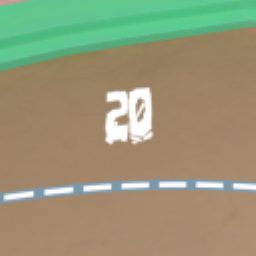
This mod currently adds a number above your health bar that shows your HP in a custom font.
Instructions
- Install MelonLoader
- Run RUMBLE without mods
- Drop Mods from .zip into RUMBLE's installation folder
- Drop UserData from .zip into RUMBLE's installation folder
- Play RUMBLE!
Add your own font
- Install Unity Hub
- Go to Installs, Install Editor, Archive, Download Archive, 2022 (depends on current Rumble version), All versions, 2022.1.13f1 (or whatever the current Rumble version is), and install.
- In Unity Hub, go to Projects, New Project, change the editor version at the top, select 3D (Built-In Render Pipeline), and create the project.
- Follow this video until 1:10.
- The folder 'mynewbundle' should be named 'fontbundle' instead.
- Go into the folder and put your .ttf or .otf inside. Make sure the name is either 'font.ttf' or 'font.otf'.
- Follow this video until 2:22. Any steps in the video performed on 'ThreeCapsules' should be performed on your font file. Make sure that whenever the video uses 'mynewbundle', you use 'fontbundle'.
- Copy the file named 'fontbundle' with no file extension; paste it into RUMBLE's UserData\HealthDisplayWithFont folder.
Help And Other Resources
Get help and find other resources in the Modding Discord
Included font credit