You are viewing a potentially older version of this package. View Latest Version
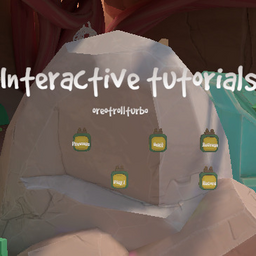
InteractiveTutorials
A mod that lets you record, share and play in game tutorialsINTERACTIVE TUTORIALS
To install the mod
-
drag all the folders into your RUMBLE folder
-
download clonebending and Rumble Mod UI
-
In the gym there should now be a new "console" close to the pose ghost
-
There is an introduction tutorial you can play. Should be selected by default on startup, just press the "Play" button
-
The "Oreo's basics" pack has some basic beginner tutorials you can check out :)
To record tutorials
- Once you press the "Record" button, a message will show up on your screen saying "Lights" then "Camera" and finally "Action" , once the last one has disappeared, recording has started.
- To end the recording you press the "Record" button again (It's text should have changed to "Stop Recording" to signify that you're stopping a recording).
- NOTE: Your clone will be able to press buttons when being played back.
- You can play the recording back by pressing the consoles "Refresh" button and finding "MyRecording"
- The recording will be saved under
UserData/InteractiveTutorials/MyRecording - Feel free to rename the folder to whatever you want, a new one will be created when you record again. If you don't rename the folder the next recording will overwrite its data
- Within the new folder there should be a JSON file called "tutorialInfo.json", open it and fill out the details.
What said JSON looks like:
{
  "name": "The tutorials name",
  "belt": "Belt colour in caps ie: WHITE, RED, GREEN etc.",
  "creator": "Your name/alias",
  "description": "A description of the tutorial, it doesnt have to be short the text box can handle long strings of text"
}
If you have any issues you can reach out in the Rumble moding discord @oreotrollturbo