
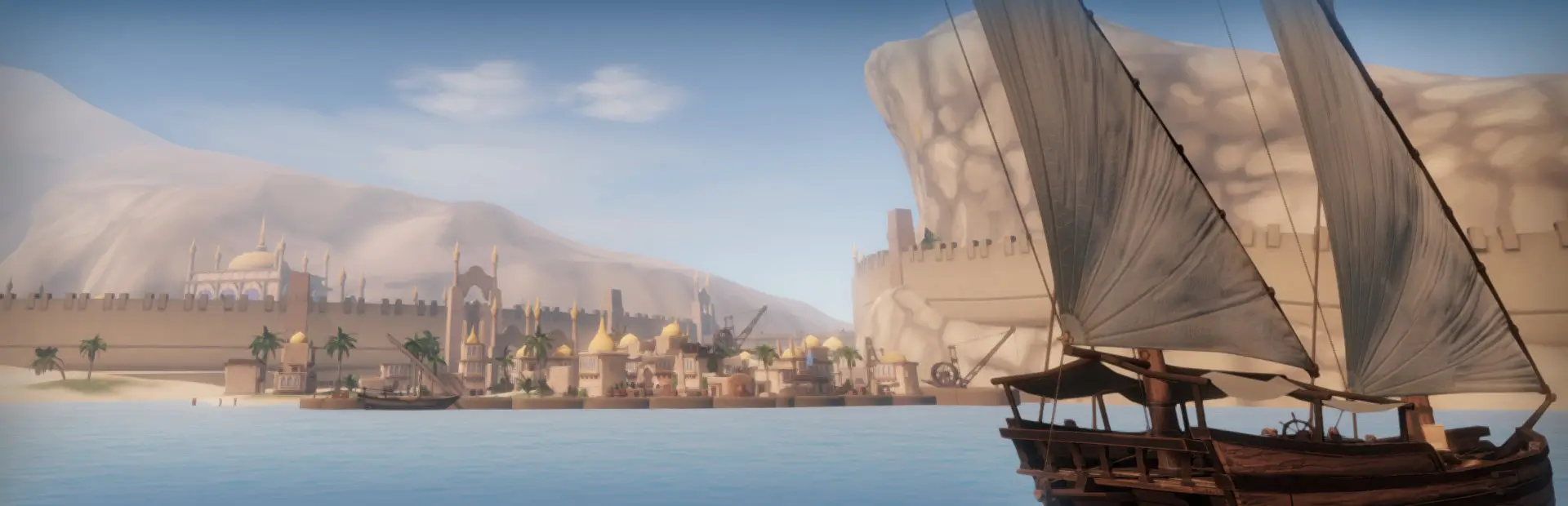

EconomyOverhaul
Expands Sailwind's economy with port production, competing traders, dynamic demand, cargo missions, damage, and loans. Supports installation mid-save; Good Time causes market overproduction.Disclaimer: This mod is made with ChatGPT 6.0 Astra and Opus 5.5
Good time mod will cause market to overproduce under this mod!
Recommend mod
- Mooring Line Fix: For seized ship to properly moored at the port
- Keevi Fixes: Alternative for fixing mooring line, also comes with other QoL changes
- Postal Expansion: For rep grind
Mod goal
- Make Sailwind's economy bigger and more robost, and add risk when trading by adding cargo water damage, price intransparency, NPC trader competition and loans.
- Early game will likely be harder with less price info, more NPC trader to compete, and lack of rain cover on small boat. but do provide you leverage option so you can take the risk to progress.
- This mod didn't solve the late game economy problem that is money too easy to come by, in fact it might be more severe since Larger economy = more goods to sell.
- Feature list:
- Goods are separated into 4 category, have differnt price curve and mission reward.
- Cargo mission gets more variety, some need to you transport alot, some need you fast. Difffernt rep and gold reward.
- Increase all port's production and demand, separate port into 4 levels, and make it grows overtime(no visual change)
- Dynamic demand events, creating more variety and profitable trade route, but NPC trader will compete with you.
- Visible trading ship trading in the world, increase the sense of competition and make world more alive.
- Tradebook QoL change: allow bulk trading, loading into/selling from cart service
- Ship renting, Cargo loaning and Ship/house loaning system, replace the not-working vanilla reputation price discount.
- Water damage and Fragile goods system, provide more stragety decision for cargo placement and shipment.
- Wood plank for repairing boat on voyage, canvas tarp for covering goods from rain, wood poles for tying canvas or fending your ship to help you deal with water damage and fragile goods.
- Reputation plays a bigger role, it will affect price availability, interest rate and credit limit and currency exchange rate.
- Currency exchange rate now affect by actual import/export between region, instead of random flucutation. Weaker currency need to pay more to buy same goods.
Install and uninstall
- This mod can be add mid-save, it will run initialization when it detect it's your first time installing this mod. Your market stituation will be changed.
- In configurator, there is a button for uninstall the mod, it will wipe the modded market, remove all item and mechanic added by this mod and stop progressing market.
- After clicking the uninstall button in Configurator, you can save and quit game. Next time you load into save it will be vanilla market.(price report date need time to recover)
Port Capacity and Port production
- All ports is separate into 4 tiers. Each tier have differenct port capacity, which affect their cargo hold capacity, production speed and demands.
- Bigger the Port Capacity, more trade goods will be available, production/consumption will be faster.
- Tiers assigned as following:
- T1 Port (200 capacity): Gold Rock City, Fort Aestrin, Dragon Cliffs
- T2 Port (150 capacity): Oasis, Happy Bay, Kicia Bay, Chronos
- T3 Port (100 capacity): All other port
- T4 Port (50 capacity): Al'ankh Academy, Alchemist Island, Albacore Town, Aestra Abbey, Sanctuary, On'na
- For reference, Vanilla 3 main cities is at 100 capacity, all other port is 50 capacity)
- Background trader would contribute to port capacity, thus every port will grow in capacity overtime.
- The maximum port capacity they can grow is double the default amount
- All port got their production/demand value redo. Production/consumption is overall much MUCH faster than vanilla. There will be more available goods around, and port consume trade good faster.
Cargo Mission Change
- Cargo mission now separate into 4 category Staples, Consumer Goods, Industrial, Luxury
- Staples got very high cargo quantity, more rep but not many gold reward.
- Consumer goods high cargo quantity, little bit more rep, still not many gold.
- Industrial got normal cargo quantity and rep reward, but more gold than vanilla.
- Luxury got less cargo quantity, much higher gold reward but little less rep reward.
- All Cargo mission now reward Port Capacity, amount depends on cargo category. It will be shown in mission UI.
- Industrial mission good now unlock at rep 1, luxury mission good unlock at rep 2. They will have shorter delivery time.
- After rep 3, each category unlock their special modifier.
- Staple: Bulk mission. Cargo quantity double. Gold, Rep reward double, and port capacity reward increased.
- Consumer goods: Pristine mission. If cargo is undamage by water(require 0 water damage), Gold and Rep reward double. See below for water damage mechanics.
- Industrial: Rush mission. Shorter delivery time. Double gold and port capacity reward increased.
- Luxury: Pristine and rush mission. Can be stack if you're lucky. Same reward as above.
- At Rep 3, there will be 50% chance to apply mission modifier to mission. At rep 4 it's guarantee to have 1 mission in each category to have mission modifier.
- Each category will only have 1 modified mission present.
- Since luxury category have 2 modifier, they will get at 2 mission with modifier, or if it stack, 1 stack mission.
- Fragile cargo mission (see below for fragile cargo) will receive another x2 reward bonus. Tools have 50% chance to spawn as fragile mission cargo.
- Tools from trade good is never fragile.
- Cargo mission can now be assign to every port, if the route is profitable enough.
Dynamic demand event
- There will always be 5 dynamic demand event in game. Each with a pair of demanding port and producing port
- Demanding port and producing port is picked randomly, only island that won't get pick is chronos and safforn
- Demanding port will have large deficit of certain good, it's corresponding producing port will have a surplus of this good.
- Demanding port and producing port won't nessassry be in same region. It could be in differnt region.
- Tavern sailor will now tell you about these event, if you treat him things.
- You won't get repeat info from tavern sailor, unless you already know all 5 of it and there isn't new one popping up yet.
- Background Trader will prioritize to complete these event when they know about it and when they can reach both destination.
- Event will be consider complete when the deficit is less than -20% of port capacity. A new event will spawn on the next day.
- An opening event is deemed expired after 30 days, and a new event will be created next day. The demand/surplus it create will stay, but trader will no longer prioritize it, it will only be moved by profit again.
- Event will try to cycle all availble port and goods atleast once before choosing port that already get the event once.
Trader, price infomation and tavern rumor change
- Background trader amount is increase to accommodate for increase production/demand, and it's no longer background, you can see it sailing in the world.
- Visible trader can be toggle off in configurator, it's cost more performance.
- Current NPC trade fleet
- Small local trader: Each region 7, FFL 2. Move at 5 knots. Stop at port for 2.5h.
- Regional small boat, 5 Default rigging and 2 special rigging.
- Dhow: Topsail gaff sloop.
- Cog: Caravel.
- Kakam: Single square longship.
- Medium Local trader: Each region 1. Move at 5.5 knots. Stop at port for 5h.
- Sanbuq: Single big lateen
- Brig: Carrack without jibs and stays
- Junk: Junk gaff schooner.
- Heavy local trader: Aestrin only, 2 boat. Used for transporting heavy cargo. Move at 4.5 knots. Stop at port for 24h.
- Brig, 3 masts Schooner with dirty sail.
- FFL-EA trader: it trade between FFL and EA, only 1. Move at 6 knots. Stop at port for 6.5h.
- Junk, All junk square, blue lantern.
- Happy Bay trader: It trade between Happy bay and Aestrin/EA region/Oasis/Mirage Mountain. Move at 6.5 knots. Stop at port for 7h.
- Brig with junk sail. Carry EA lantern.
- Regional long range trader: Each region 3, always trade to/back to home region. Move at 7 knots. Stop at port for 8h.
- All use regional medium default rigging.
- Independent long range trader: total 9. Trade as they like. Move at 8 knots. Stop at port for 12h.
- All 9 ship have it's own rigging.
- Sanbuq: Topsail cutter, Double Fin sail, high gaff schooner.
- Brig: Brigantine, Snow, Polacre
- Junk: Ketch cutter, Xebec, Junk carrack.
- Chronos Trader: Trade between 3 main city and Chronos. Move at 8.5 knots. Stop at port for 24h.
- Regional big ship. Aestrin Chronos trader use brig with fully rigged sail plan.
- Total 51 boat, compare to vanilla's 36 boat
- Small local trader: Each region 7, FFL 2. Move at 5 knots. Stop at port for 2.5h.
- Current NPC trade fleet
- All trader speed is faster, but wait in port longer.
- On trader's deck they will show the one cargo they carry the most, so you can take a guess what they are shipping.
- Between traders there is no collision, but they will collide with player ship.
- They use simplified physic, so they will still sail in iron with their square blow back and move differently on water than normal ship
- Their speed will be affect by wind strength and directions.
- Tavern sailor now will prioritize to tell you latest depart ship with more precise time and ship infos.
- Price infomation you can receive now tied to reputation
- Rep 0: no price info
- Rep 1: Only get info from 2 of the small local traders
- Rep 2: Get infos from 4 small local trader, medium/heavy trader and FFL-EA trader.
- Rep 3: Get infos from all small local trader, Regional long range trader, Happy bay trader.
- Rep 4: Get infos from independant trader. When you reach rank 4 at 1 region, it gives you 3 boat's infos. So you need to reach rep 4 at 3 regions to get all 9.
- Rep 5: Get infos from Chronos trader.
- Every port now will collect all the price it recieve during the day, and update it one time at midnight
- It means both you and trader will get a slightly delayed price, aside from the reputation limit.
Trade good category, distribution and price change
- All trade good's produce number is redistribute. This mod try to stay as close to vanilla as possible, keep the regional/port special trade good identity.
- Trade goods category mentioned in cargo mission UI will decide their consumption numbers for each tier of port.
- For example: Grains and Rice are Staples. It have very big demands everywhere. On the other hand Silk belongs to luxury goods, the demands will be biggest in T1 and T2 city. T3 and T4 city will care less.
- Add production chain logic to increase certain demand for port that produce certain goods.
- For example: Tools need iron, copper, lumber and rubber. Thus Tool producing port will have increased need for these things. Sculpture need marble, wine need sulfur, sausage need meats, meats need salt...etc.
- Add local/foreign goods category. Low tier town prefer to consume local food, while bigger port will demand more foreign food.
- Add Mining port demand alcohol. Miners need alcohol to numb their feelings to work in mine/quarry.
- Each trade goods category also affect their price curve.
- Staples: Lower price range, more stable price, you can sell/buy alot of goods and price don't move too much, unless there are severe deficiet or overstock, profit is limited.
- Grain, Rice, Meat, Common fishes, fruit, water belongs to this
- Consumer goods: Smaller stable price range, price will incease/drop faster than Staples price curve, got a higher profit margin than Staples.
- Alcohol, Cheese, Orange, Special fish(Tuna, eels, northfish), Goods, Medicine, Nails, Salt, textile material belongs to here
- Industrial goods: Liner price curve, predictable price change
- Metals, tools, logs, lumber, sulfur, rubber belongs here
- Luxury: Similar to vanilla price curve, overall most profitable, but price will drop sharply when the demand is not strong. Biggest price range.
- Non essential food and item, gold, gems, silver
- Staples: Lower price range, more stable price, you can sell/buy alot of goods and price don't move too much, unless there are severe deficiet or overstock, profit is limited.
Trade book change
- You can access to trade book start at rep 0 now.
- Add Bulk trade QoL option. The price will be calcualated as you buy it 1 by 1
- Press Alt and hover over buy/sell/loan will do 5 cargo at a time
- press Ctrl do 10 cargos, shift do 20 cargos.
- Change how trade good spawn so bulk trading can work
- Add a toggle option in trade book to make bought/loaned cargo directly goes into cart, you will need to hire cart service first
- Cart Transportation fee will be 10x if using this function
- Same toggle option can be used to sell cargo directly from cart also, but transportation fee will be 20x.
Taking Loan
- 2 Loan added, Respondentia Loan (Cargo loan) and Bottomry Loan (Ship Loan)
- This system is used to replace the Reputation discount in vanilla. Since it don't work on trade book purchase anyway.
- There is still retail discount (buying things from vendors), raise with your reputation.
- This WILL make buying trade good from vendor cheaper, but it's respawn time is increase to 10 real life min.
- Add bankruptcy button in trade book. It will reset your currency and reputation in that region to 0, all your debt and loan will be clear at that region.
- For Bottomry loan, your pledged ship will be taken away.
- If you still renting ship, you need to return the rented ship first.
- Add Loan tab in Log menu. It record your current loan amount in each region, and each region's credit limit and interest rate.
- Under loan tab there is also a bankruptcy button that will bankrupt you in all region. I'm not sure when you will need it but i will leave it here.
- Repaying loan now give you small amount of rep. It's a percentage of current reputation needed, so you always have some progress.
Respondentia Loan (Cargo loan)
- Unlock at local rep level 1.
- Loan button added in trade book UI, you can buy trade goods without spending your money, instead you spend your credit to get the cargo.
- Interest will be paid, along with the principal, when you sell the loaned cargo. There is no time limit when you need to sell the cargo.
- Higher the reputation, the more credit you can get, and lower the interest rate.
- Each region will have separate credit limit and interest rate, according to your reputation.
- If your profit can cover both principal and interest, you will recive the local currency
- If your profit cannot cover all, the debit amount will be taken from the currency you loan.
- If you don't have enough money in loan currecny to pay back the debt, it will goes to negative money. While under debt you cannot do any action that will spend money until you make it positive again.
- You will also receive reputation penalty, depends on your debt amount.
- If your ship sink, your Respondentia loan will be canceled, but your local reputation will reduce by 2. And there will be a 7 day cooldown that you cannot take loan again.
- If you have dangerous water mod, your loaned good seize by pirate will be count as sinking.
- Dangerous water compatibility: If you cargo got seized by pirates, you don't need to pay back loan, as historical.
- Following condition will force you to payback loan right away in loaning currency
- Cargo despawned from you leaving too far away
- You open the sealed cargo
- You sacrifice the cargo to the cat
Bottomry Loan (Ship Loan)
- Unlock after rep 1 and you owned more than 1 ship
- You can pledge your ship moored in the port for double amount of your ship's value in the currency you want. Interest rate and repayment due day is affect by local reputation.
- Access burrowing in Currency Exchange box, at top right corner will add a "Bottomry" button to enter new UI.
- It will list out all the ship you moored in current port, money you will get, interest rate and due days.
- Two option to pay back loan:
- Goes to any currency exchange box, use bottomry UI to pay back your loan. Repaying at box in non-lending region will charge extra 10% interest.
- Remote repayment button in Loan tab of Log. You will need to pay double interest with this option.
- If you fail to pay back the loan. They will take all your money first, if there is not enough, they will sell your boat, if after ship is sold there is still debt, your coins goes negative.
- You can buy your ship back later, if you have enough funds again.
- If you pay later then due day, each day will increase your interest by 10%, at 10 days it will be double interest.
- At 11 days if you still haven't pay the loan back. You will be forced teleport to your other ship if you are onboard of siezed ship. Your pledge ship will goes back to where it is sold, and you're force repay your debt.
- You can pledge one ship to several region to get cash, and you can pledge multiple ship at once. (please be responsible to your finance).
- If your ship sink, the loan will be canceled. You can keep your ship. But your lending region reputation will reduce by 2. And there will be a 7 day cooldown that you cannot take loan again. You cannot pledge sinked ship to get loan anymore.
- Since house count as ship, house can be used for bottomry loan, too. (House loan in sailwind, yeah)
Renting Ship
- Unlock after Rep 3.
- You can rent any ship that you haven't bought yet. The rent button will be on top of buying ship UI.
- 20% of ship value for deposit. Daily rent will be 5% of ship value. Deposit will be return after you return the ship.
- When you want to return your ship, sail it back to where it was tied before, moored the cleat and return option will pop out on ship.
- When you're on ship, the return cleat will be highlighted in red. You need to tied to both cleat for the return option to show up.
- Aside from the daily rent, you also need to pay for repairing fee and cleaning fee. It will charge double of the fee compare to shipyard if you didn't do it there before you return it.
- If you rent small boat, prepare to pay for some additional fee since there is no shipyard.
- Broom to clean ship can reduce the cleaning fee. It's possible to not paying anything if you REALLY clean your ship well.
- If you have plank, you can use it to repair ship (see below)
- Rented ship can enter shipyard, but can only use repair and clean option. You cannot change the rigging and hull.
- There is no time limit for renting, but every 20 days there will be a repayment to pay all accumulated daily rent. Taken directly from your money.
- If you don't have enough money for payment(you need to pay in the currency you loan), rent will be forced terminated and you need to payback everything. You will be teleport back to your other ship if you're on rented boat.
- If you don't have enough money to pay back, your currency will goes into negative. Same as Respondentia stituation.
- You cannot pledge rental ship at the region you rent it for Bottomry loan, but you can pledge it at other region. (please be responsible to your finance)
- If you default bottomry loan on rent ship till they want to seized your ship, the debt will be on you and you won't have ship to pay them, so you pay all from yourself. Also you need to pay for rent.
- If you sink your rental ship while it was pledged. Bottomry loan won't be canceled since they will find out you're a scam, and they won't let you rent that ship anymore.
Cargo water damage (CAN BE TOGGLE OFF IN CONFIGURATOR)
- Most of the cargo will now receive water damage when they are soaked in water, under rain, or drop into sea.
- Trade goods that is not affect by water damage:
- coconuts, gems, iron, gold, copper, tools, sculptures, logs, nails, marble, silver, sulfur, rubber.
- Water damage from soaking in water will start when cargo soaked 15% of it's height in water
- This means make cargo stand on narror side will make it less vulnerable to water damage.
- Trade goods that is not affect by water damage:
- Add water damage hint text for all water vulnerable trade good, when point at it will show current water damage level.
- It start from 0%, progress to 100%.
- This hint text can be toggle off in Configurator
- Cargo that receive water damage will receive price penalty. For mission cargo, it also affect reputation.
- This effect start at 10% water damage, so you have some buffer.
- Loan principal and interest won't get discount, pay up sucker
- Liquid cargo (All alcohol and water) also receive water damage, but won't get their price reduce until 100% water damage. When at 100% water damage, liquid cargo lose value.
- You can still drink 100% water damage alcohol and water, you will be fine.
- When water level in ship pass 5% of the cargo height, it will count as soaked and start damaging the cargo.
- This means smaller cargo is more easily to get damage, also this means you can avoid this by elevated the cargo.
- Water level over 5% don't increase damage rate. Soaking damage rate is fixed.
- After 10% of water damage, your cargo will start having water stain, that's your visual cue that your cargo start decreasing value.
- Water damage will also deepen your cargo's crate color.
- Wetted cargo can be dried. As long as it's water damage is below 80% (include 80%). It can be dried back up to 20%
- 20% water damage will result in 90% good price
- Trade good using luxury curve can only be dried up to 50% (60% of good price)
- Liquid cargo cannot be dried. So don't let it reach 100%.
- Drying requires you to place cargo under open sky. Under full open sky and clear weather, every in game day will dry 30% of water damage.
- If the cargo is covered by something on top of it partially, it will still dry, but slower.
- Fully covered cargo (either by other cargo, or by the ship structure) will not dry.
- Cargo that have water touching it but below it's 5% height will also not dry.
- Rain will damage uncovered cargo. Partially covered cargo still get rain damage, but at slower speed.
- If you are on small ship that don't have many hull structure to provide cover. Put things on top of cargo to cover it also work.
- The speed that cargo get damage is tied to rain intensity. Inside the storm and at the outskirt of storm will have diffent water damage rate.
- Water damage from rain and soaked water will stack.
- Water damage will only count when ship is near you, so you don't need to worry far away cargo on your other ship become wet
Fragile Cargo (CAN BE TOGGLE OFF IN CONFIGURATOR)
- Gem, Marble and Sculpture is consider fragile cargo.
- Fragile cargo will receive damage whenever ship receive impact damage. Normal wearing damage won't affect it.
- Each percent of damage reduce it's value (and rep if it's mission cargo) accordingly. So a 50% damaged cargo is at 50% value and rep reward.
- Damage cargo cannot be repair, and cargo that reach 0 health will lose all it's value, unlike water damaged cargo.
- Tools have chance to be spawn as fragile cargo in cargo mission.
Wood plank for repairing
- Wood plank item is added so you have another way to counter the water damage.
- You can aquire wood plank in 2 way
- Unbundle Lumber trade good, which gives you 128 plank.
- Buy Wood Plank Bundle from Kicia bay furniture vendor. After unbundle it gives you 8 plank.
- To fix the hull, attach the wood plank at any part of the hull, and start hammering it.
- Each plank need 20s real life time to hammer. If the ship is already caulked with oakum, hammering time reduce by half.
- A reminder that oakum lose 12% each day, remember to fill it up.
- Plank needed to fix 1% damage is related to shipyard repair fee.
- When aquire plank from lumber, it will roughtly be same cost as repairing in shipyard
- When aquire plank from Wood Plank Bundle, it will be 1.6x the shipyard repair cost.
- Currently most expansive hull - Jong, need 20 plank to fix 1% damage.
- Plank fixing fee is calculated with 1x lumber price, so if lumber become more expensive/cheaper, it will change your repairing fee.
- If you remove the plank, it's hammering progress will be reset
- If the lumber is wet, you will get less plank, depends on how wet it is.
Canvas pack for rain shelter
- Canvas pack now sold at every vendor that also sell oakum
- When holding the pack, you can aim at ship's fixed surface and line(shroud/stay), or any item you hammered on board, press R to set the corner of the tarp, you need to set 4 corner.
- If you misclick, drop the pack will reset the set corner.
- All 4 corner need to be either on land or on ship.
- If you unnailed the item that is tied to tarp, it will drop and goes back to canvas pack.
- To take off the tarp, go to one of the corner and press R. You will get the canvas pack back.
- Tarp will act like full cover, protecting it from rain, but also prevent it from drying. Partial cover/drying work like before.
- Tarp have 10 in game days lifespan, it will become darker overtime, on 10th day, it will be torn and stop provide cover.
- Taking out the torn tarp won't produce the canvas pack.
- Tarp in Canvas pack won't progress their lifespan, you can keep it forever
- Tarp you left on other ship will still progress their lifespan, remember to take it down if you want to go sail other ship!
- You can repair tarp by using another canvas pack. Hold the canvas pack, aim at 1 of the corner and press R.
Wood pole
- Sold beside canvas pack, as a 4 poles bundle
- Press Q/E to increase/decrease pole length. It can be attached like lantern hook onto surface.
- Pole will be attached at where you aim, scrolling mouse wheel will rotate at the attached point.
- Holding Q while scrolling will rotate left/right instead.
- After nailed, it can be use to attach tarp (don't have to be attaching, just nailed will do)
- Wood pole can support tarp after nailed, so you can make tent/bimini like structure
- If unnailed the pole, the tarp will be drop or become unsupported.
- All wall attachtable item can attach to nailed wood pole, including other wood pole
- If nailed the item on wood pole, when you pick up the wood pole it will stay on the pole.
- If you didn't nail the item, it will be drop when picked up
- When there is item nailed on the pole, you cannot change it's length.
- Press H while holding a wood pole to switch to bracing mode, under this mod you can push the ship, fending and punting.
- To push, just treat the tip of the pole as extension of your hand, still press F to push.
- To fend, aim the pole at any surface, when it touch something it will automatically fend for you.
- At 8m long (longest length for a single pole), you can stop a ship running at 6 knots toward the solid things.
- To punt, aim your pole at sea bed and press F like you push the ship.
- Under bracing mode, pressing F won't drop the pole, pressing T (throw button) still drop it.
- If you nailed a pole on another pole, the extra length can be used for push/fend/punt also.
Currency mechanics change
- Gold lion is now anchored currency. It tied to interal value numbers of items directly. So you can always buy things in same amount of gold lions
- FX(foreign currency exchange) rate is increase to 5% at rep 0, down 0.5 % per reputation level. Rep 10 will be 0.1% fee.
- Selling goods/currency for gold when incur double FX fee. Spending gold to buy currency/goods is free of FX fee.
- Whenever you buy things in currency, it will strengthen said currency, cause it's exchange rate to go up. For selling it have opposite effect.
- Buying/sell with gold lion don't change anything
- So Export -> currency value goes up. Import -> currency value goes down.
- The Amount of currency rate change will scale with the money spend/received
- Background NPC trader also produce above effect, but at much smaller scale.
- Above currency effect by export/import change is to replace the vanilla currency rate random fluctuation mechanics, so you at least have some way to interact with it.
- Currency rate change caused by spending/recieving money are updated daily, instead of instant change
- Direct currency exchange still cause rate to change immediately.
- Currency rate WILL change the price of the good, but at a delayed rate and it's a gradually change. So there is some window you can engage with FX rate shenanigan.
- This also means loaning got some advantages, since actual repayment will be cheaper in terms of currency value, unless NPC trader decide to fuck you up.
- Currency rate will also affect all the things that you pay with non Gold lion currency.
- 5 Days Historical FX rate chart is added in currency exchange UI
- Pressing Shift can increase the exchange quantity option by x1000.
- Exchange quanity limit is remove, the bulk exchange rate will be calculated as if you exchange 1 by 1.
Chronos change
- Chronos now have it's own reputation, use GOLD LION as their local currency. This mean they loan in Gold lion too.
- They only have 1/2 of the Gold lion exchange fee, so it's cheaper to accquire Gold lion in Chronos.
- Chronos need double the rep to level it up. Aside from level 10, which is same as other reputation.
Vanilla mechanics changed
- Pushing cargo quantity over port capacity no longer stop production/consumption. Consumption will remain at max speed, and production will accerlate in deficit instead of stop producing.
- All price now calculate against port capacity, instead of fixed capacity of 100
- Game now only run market initialization once at new save, instead of everytime you load in game.
- Chronos and FFL special trade good can be bought anywhere, if any NPC trader bring it out.
- Market will now produce once per day, instead of 1.x day.
Configurator options
- Water damage: toggle on/off. Default on
- Water damage hint: show when pointing at cargo. Default on
- Cargo Cover ratio: show when pointing at cargo. Default off
- Fragile cargo damage: Toggle on/off. Default on.
- Fragile cargo hint: default on.
- Tarp Wearing: make tarp wear across 10 days. Default on.
- Visible Trader: toggle on/off.
- Uninstall preparation: Click this before you remove this mod mid-save.