
FroggosAtmospherics
Realistic ocean, sky and lighting: photographed skies, golden-hour sunsets, rolling waves with reflections, swimming and diving, a real sun path and better shadows.Froggos Atmospherics
A realistic ocean and realistic skies and lighting for Schedule I (IL2CPP / MelonLoader): rolling waves, reflections, swimming and diving, photographed skies, golden-hour sunsets, and better shadows. The sea calms right down at night.
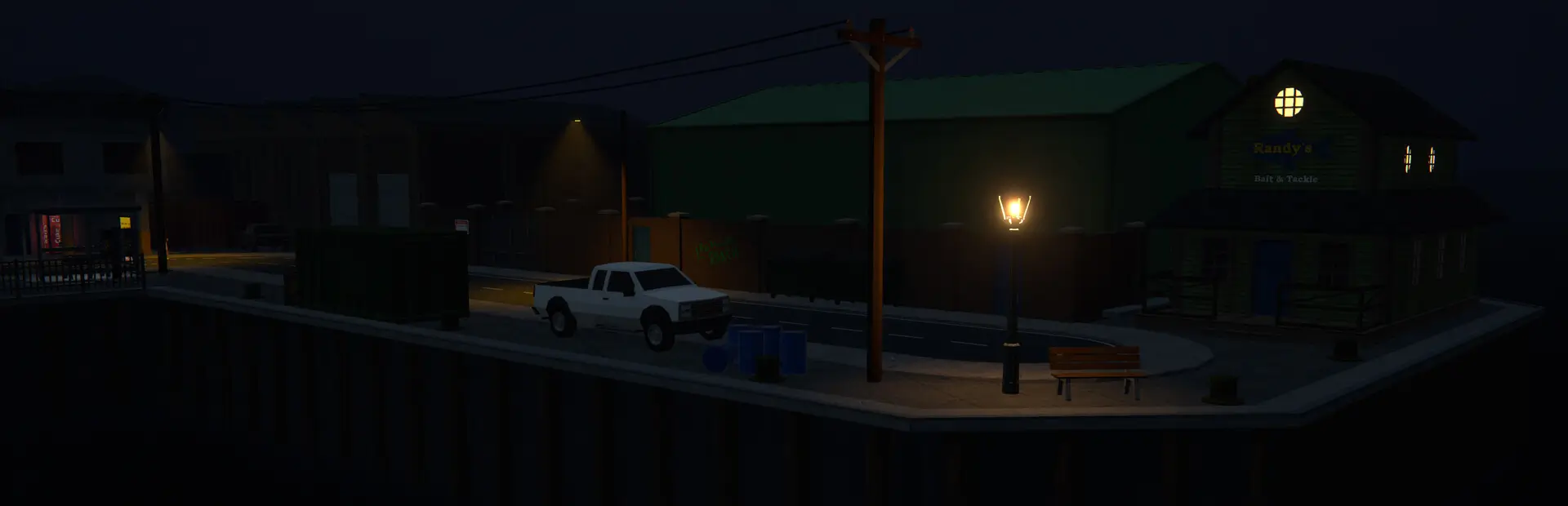
Screenshots
| Sunrise | Day |
|---|---|
 |
 |
| Sunset | Night |
 |
 |
Sky and lighting
Layered on top of the game's own day/night cycle and weather, so rain and overcast still look like rain and overcast.
- Photographed skies: real sky panoramas for sunrise, day, sunset, overcast and night replace the game's sky, graded for the game. They blend with the time of day and the weather, turn so their bright side follows the sun, and the clouds slowly drift. A sun disc and moon sit where the game's sun and moon are, and the sky shows in the water's reflections.
- Sunrise: soft pastel blue with peach and pink light, a pale gold glow around the sun.
- Sunset: deep indigo overhead, clouds lit gold and orange with purple-grey shadows, a burning horizon, then a red afterglow and the pink Belt of Venus opposite the sun.
- Night: stars and the Milky Way.
- Sun path: the sun crosses the sky on a tilted arc, highest to the south (50 degrees at noon), instead of straight overhead. Shadows fall at an angle all day and stretch out long at sunrise and sunset. Sunrise and sunset happen at the game's usual times.
- Real sunlight colour: deep orange at the horizon (about 1900 K) through golden hour to neutral white high in the sky (6500 K). Low sun is dimmer.
- Ambient light and haze take the sky's colour: cool blue shade against warm evening sun, distant haze matching the horizon.
- Shadows: sharper, softer-edged sun shadows that reach further. Clear sun casts crisp, strong shadows; cloud makes them soft and faint.
Rough times (in-game)
| Sky | Time |
|---|---|
| Sunrise | about 05:40 to 06:30, fading into day by 07:50 |
| Day | 07:50 to 18:10 |
| Sunset | about 19:30 to 20:20, at its most dramatic just before the sun sets |
| Night | 21:00 to 05:00 |
Overcast weather swaps in a grey sky at any time of day.
The ocean
- The flat sea is replaced with a wave-animated surface: a Gerstner swell of up to eight waves, from long 46 m rollers down to 2 m chop, travelling with the wind. Crests sharpen, troughs flatten, long waves move faster than short ones, like real deep water.
- Colour: dark navy water with real variety: crests catching teal-green light, troughs sinking to navy, steel-blue steep faces, and large drifting patches of cobalt, navy and teal. Sunlight glows teal through the crests when you look towards the sun. Whitecaps on the bigger crests.
- Reflections: buildings, the sky, the sun and street lights mirror in the water, sharp at grazing angles and clear looking straight down, broken up by the waves. Plus refraction and caustics on the sea floor.
- Shallow water calms the waves: they shrink towards beaches and die at docks, walls and under piers instead of rolling through them.
- The wave mesh follows you, finest around you and spreading out to the horizon 2.5 km away.
- Built on the game's own Stylized Water 2 shader, so it matches the game's lighting.
Day and night
| Time | Sea |
|---|---|
| Day | A moderate swell of about a metre |
| From 8:00 PM | Calms over 1.5 in-game hours |
| Night | Almost flat, slow and glassy: sharp reflections of the lights |
| From 5:30 AM | Picks back up |
Sleeping or skipping time eases the sea over a few seconds instead of snapping.
Swimming
Walk or jump into the sea: instead of the screen fading and warping you back to shore, you swim.
| Input | What it does |
|---|---|
| Move | Swim (flat at the surface, where you look under water) |
| Sprint | Swim 50% faster |
| Jump | Swim up. At the surface, next to a dock, wall or rocks: climb out |
| Crouch | Dive |
| Look down + forward | Dive from the surface |
- You float with your head bobbing on the actual waves.
- Under water: blue-green fog (dark at night), a tint and muffled sound. Let go of the keys and you drift back up.
- The sea floor is solid. Dive down to 18 m. Swim more than 300 m from where you got in and a current pushes you back.
- Vehicles that drive into the sea are still recovered by the game as before.
Other players see your avatar in the water but without a swimming animation. Everyone sees their own waves (the swell isn't synced between players).
Graphics quality
Everything follows the game's own graphics quality setting:
| Quality | Sky | Ocean | Shadows |
|---|---|---|---|
| Low | The game's own sky | 4 waves, 96-vertex mesh | 2048 px, 2 cascades, 90 m |
| Medium | 2048 px photo skies | 5 waves (128), colour variety, whitecaps | 2048 px, 3 cascades, 120 m |
| High | 2048 px photo skies | 6 waves (160) | 2048 px, 3 cascades, 120 m |
| Ultra | 4096 px photo skies | all 8 waves (192), finest detail near you | 4096 px, 4 cascades, 150 m |
The shadow column is ShadowQuality 2 (the default); 3 gives the Ultra row at any quality.
Settings
UserData/MelonPreferences.cfg, section [FroggosAtmospherics]:
| Setting | Default | |
|---|---|---|
| Ocean | true | The wave-animated ocean (off: the game's flat sea) |
| DayWaveHeight | 1 | Wave size in the day (2 = rough sea, 0 = flat) |
| NightWaveHeight | 0.08 | Night waves as a fraction of the day's (0 = dead calm) |
| NightWaveSpeed | 0.4 | How fast the night waves move |
| NightStartHour / DayStartHour | 20 / 5.5 | When the sea calms down / picks up |
| TransitionHours | 1.5 | How long that takes (in-game hours) |
| WindDirection | 25 | Compass heading the swell travels towards |
| OceanDetail | 0 | Ocean mesh vertices per side (96-320); 0 = follow the graphics quality |
| RealisticColors | true | Dark navy sea (off keeps the game's water colours) |
| WaterColorVariety | 1 | Colour variety across the water (0 = off, 2 = strong) |
| Whitecaps | true | Foam on wave crests |
| Reflections | true | Water reflections |
| ReflectionQuality | 0.6 | Reflection resolution (0.25-1), further scaled by graphics quality; lower for more FPS |
| ReflectionDistance | 500 | How far away objects still reflect (m) |
| ReflectVegetation | true | Trees and plants in reflections |
| ReflectionShadows | false | Shadows in the reflection (costs frames) |
| ReflectionEffects | false | Run the game's screen effects (god rays etc.) on the reflection; they draw pink there |
| ScreenSpaceReflections | false | The water shader's own screen-space reflections; they streak along tree edges |
| Swimming | true | Swim instead of being warped back to shore |
| SwimSpeed | 5 | m/s |
| MaxDiveDepth | 18 | m |
| MaxSwimDistance | 300 | m from where you got in |
| UnderwaterEffects | true | Fog, tint, muffled sound under water |
| SeaFloorCollision | true | Solid sea floor |
| Lighting | true | Realistic sky and lighting on/off |
| SkyQuality | -1 | -1 = follow the graphics quality; 0-3 = force Low/Medium/High/Ultra |
| CloudSpeed | 1 | How fast the sky's clouds drift round |
| RealisticSunPath | true | Tilted sun arc instead of straight overhead |
| SunPathTilt | 40 | How far the arc leans south (0 = overhead) |
| NorthHeading | 0 | Turns the sun path (where it rises and sets) |
| SunsetStrength | 1 | Sunrise/sunset/blue-hour/night colour strength (0 = game's sky, 1.5 = vivid) |
| ShadowQuality | 2 | 0 = game's, 1 = medium, 2 = high, 3 = ultra (see the table above) |
| ShadowDistance | 0 | Minimum shadow distance in m (0 = from quality) |
| VerboseLogging | false | Extra log lines for troubleshooting |
Performance
The waves are computed on worker threads every frame. The water reflection renders the scene a second time at reduced resolution, and is skipped whenever no water is on screen. If you lose frames, lower ReflectionQuality first, then ShadowQuality to 1, or turn Reflections off.
Credits
Sky panoramas from Poly Haven (CC0): kloppenheim_06, kloofendal_48d_partly_cloudy, evening_road_01, kloofendal_overcast and qwantani_night (pure sky versions), graded by art/build_skies.py.
Building
Skies: download the five 4K .hdr files above from Poly Haven into a folder, then python art/build_skies.py <folder> writes src/Assets/sky_*.jpg and skies.txt.
Mod: dotnet build -c Release writes exports/Froggos-Atmospherics.dll and the Thunderstore zip. The game folder is only read for references; override it with -p:GameDir="D:\path\to\Schedule I".