

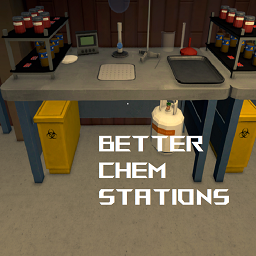
BetterChemStations
Automatically filters Chemistry Station slots based on the selected recipe. Chemistry Stations will only accept the correct ingredients for your chosen recipe.Better Chemistry Stations
Automatically filters Chemistry Station slots based on the selected recipe. With this mod, your Chemistry Stations will only accept the correct ingredients for your chosen recipe.

⚠️ IMPORTANT LIMITATION
This mod currently only applies filters when you configure a Chemistry Station using the Management Clipboard. It does not yet filter slots when directly interacting with the station. This limitation will be addressed in a future update.
Features
- Smart Slot Filtering: Chemistry Station input slots will only accept ingredients required by the selected recipe
- Improved Workflow: No more accidentally putting the wrong ingredients in the wrong slots!
- Works Automatically: Filters update whenever you change recipes
- Zero Configuration: Works right out of the box with no setup needed
Quick Start Guide
- Install the mod using Thunderstore or by placing it in your Mods folder
- In-game, equip the Management Clipboard
- Select a Chemistry Station
- Change the recipe in the configuration panel
- Close the configuration panel
- Now when you use the Chemistry Station, the slots will only accept the correct ingredients
That's it! The slots will now filter ingredients based on the recipe you selected.
Current Limitations
Currently, the filters are only applied when:
- You select a Chemistry Station with the Management Clipboard
- You change the recipe in the Chemistry Station's configuration panel
- You close the configuration panel
The filters will NOT be applied when:
- Directly interacting with the Chemistry Station without using the clipboard first
- Loading a saved game (filters need to be reapplied by opening the configuration)
Configuration
This mod works without any configuration, but for troubleshooting purposes, you can enable debug logging.
After running the mod once, a configuration file will be created at Schedule I/UserData/MelonPreferences.cfg.
Configuration Options:
- DebugMode (Default:
false) - Enable detailed logging for troubleshooting
Example configuration:
[BetterChemStations]
DebugMode = false
Planned Features
- Direct interaction support (no clipboard required)
- Persistence across game saves/loads
- UI improvements with visual indicators
- Optional flexibility for advanced recipes
Credits
- Thanks to the Schedule I community for feedback
License
This project is licensed under the MIT License.