

CleanCaseboard
Shifts cards into neat rows and columns for you.Orionis's CleanCaseboard
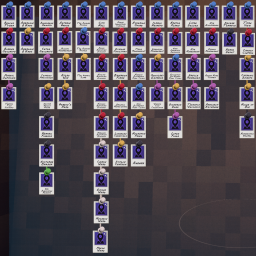
Tired of spending twenty minutes manually arranging your caseboard into neat rows and columns? Let CleanCaseboard do it for you instantly!
How it Works
When you snap an item, the mod finds the nearest row and column of pinned items and aligns your item to them.
Rows align to the leftmost item in that row; columns align to the topmost.
Snap items one at a time and a tidy grid builds itself up.
How to Use
Ensure BepInEx BE is installed alongside CleanCaseboard in your mod manager.
Hover your cursor (mouse or controller) over a pinned item and press Left Shift (keyboard) or X (controller).
The item snaps into line with its neighbours. Repeat for each item you want to tidy.
Manual Installation
Ensure BepInEx BE is installed in your game directory.
Unzip Orionis-CleanCaseboard into your Shadows of Doubt\BepInEx\plugins folder.
Configuration
After launching the game once, a config file will be generated at: Shadows of Doubt\BepInEx\config\orionis.cleanCaseboard.cfg
Open it with Notepad or in your mod manager's config editor to rebind the activation key to your preference, or tune the snapping behavior to your liking.