
SledTpMod
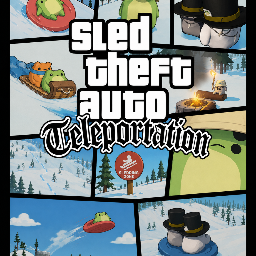
Opens a GTA-style teleportation menu (F6) — quick TP, coordinate warp, saved waypoints, player scanner, and a 7-phase cinematic camera on every teleport.🚔 Sled Theft Auto — Teleportation
A MelonLoader mod that adds a Teleportation menu to the sledding game, complete with a cinematic camera sequence when you warp across the map.
✨ Features
- GTA theme — black charcoal background, police orange accents, warm off-white text
- ★ WANTED badge in the menu header, turning into a live progress indicator during cinematics
- Quick teleport — jump up by a custom height, snap to Y=0 / Y=200, reset to lodge or race start
- Coordinate teleport — enter exact X/Y/Z coordinates and warp with a full GTA cinematic
- Saved waypoints — bookmark any position, give it a name, and teleport back anytime
- Player scanner — lists all other players in the scene with their position and a one-click TP button
- GTA cinematic camera — 7-phase animated flyover (rise → apex → translate → dive → approach) triggered on every coordinate/waypoint/player TP
- Adjustable cinematic duration — from 0.5 s to 8 s via slider
- Error & status bar — color-coded feedback (green = OK, red = error) with a live countdown indicator
🎮 Usage
- Launch the game with MelonLoader installed.
- Join or start a game.
- Press F6 to open/close the menu.
- Use any of the four sections:
- FAST TP — instant height/reset shortcuts
- TP WITH COORDINATES — type X/Y/Z and press ✈ GO
- WAYPOINTS — save your current position, teleport back later
- TP TO A PLAYER — scan the scene and warp to another player
- Press Escape or the ✕ button to close.
⚠️ Make sure you have joined a game before teleporting.
📦 Installation
Manual
- Install MelonLoader on the game.
- Copy
SledTpMod.dllto theMods/folder.
Via Thunderstore Mod Manager / r2modman
Installs directly from the manager; dependencies are managed automatically.
⚙️ Dependencies
- MelonLoader ≥ 0.6.x
📝 Notes
- Teleportation works without being the host — uses a local
ForceTeleportwith Rigidbody freeze and a 6-frame position pin coroutine to prevent rubber-banding. - The GTA cinematic camera is a separate
GameObjectthat temporarily disables the main camera and destroys itself at the end of the sequence. - I had a lot of fun making this. Enjoy !
👤 Author
Mute