
Enemy Health Bars
Standalone health bars for enemies you hit. No bars through walls, and hidden enemies stay hidden. Shows SULFUR Together team marks on the bar.Enemy Health Bars
Standalone health bars for enemies in SULFUR. Hit an enemy and a bar shows up above it for a few seconds.
It's display only, so damage, stats and loot stay the same.
Bar styles
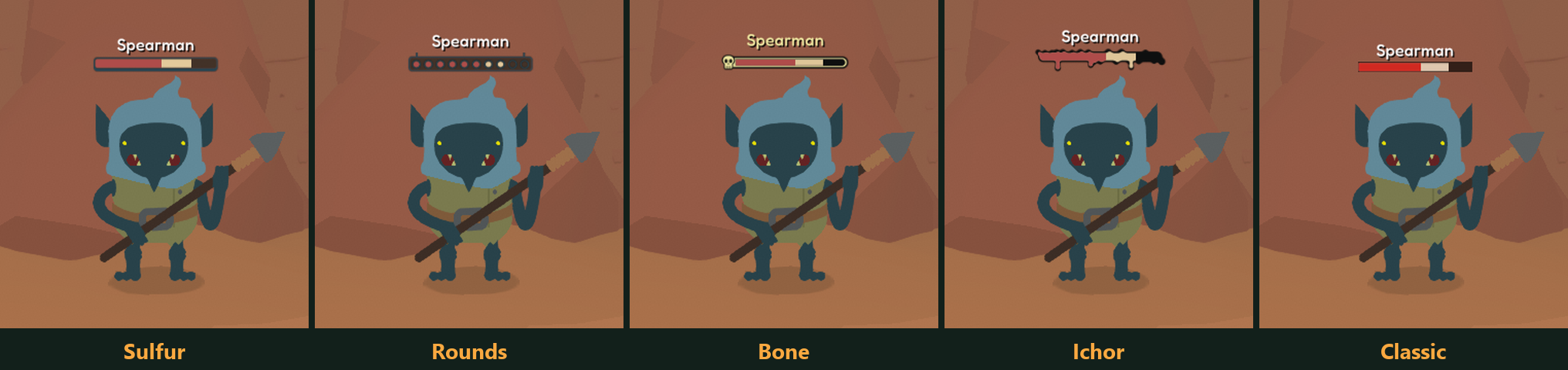
All five styles, caught right as an enemy takes a hit. The red part is the health left, and the pale part is what that hit just took off.
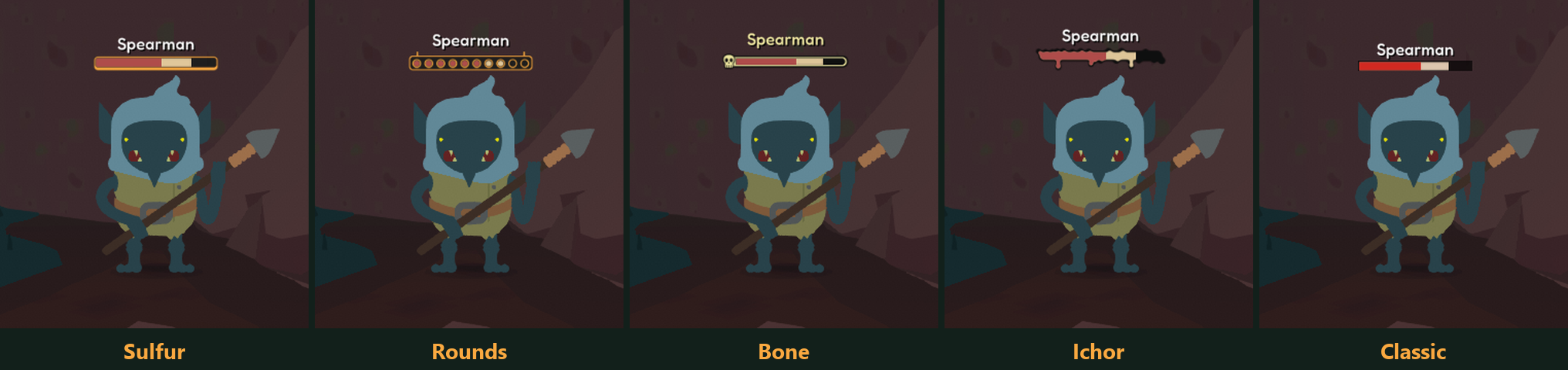
Sulfur and Rounds follow the game's UI color, so they change with the HUD in areas like the desert.
In combat
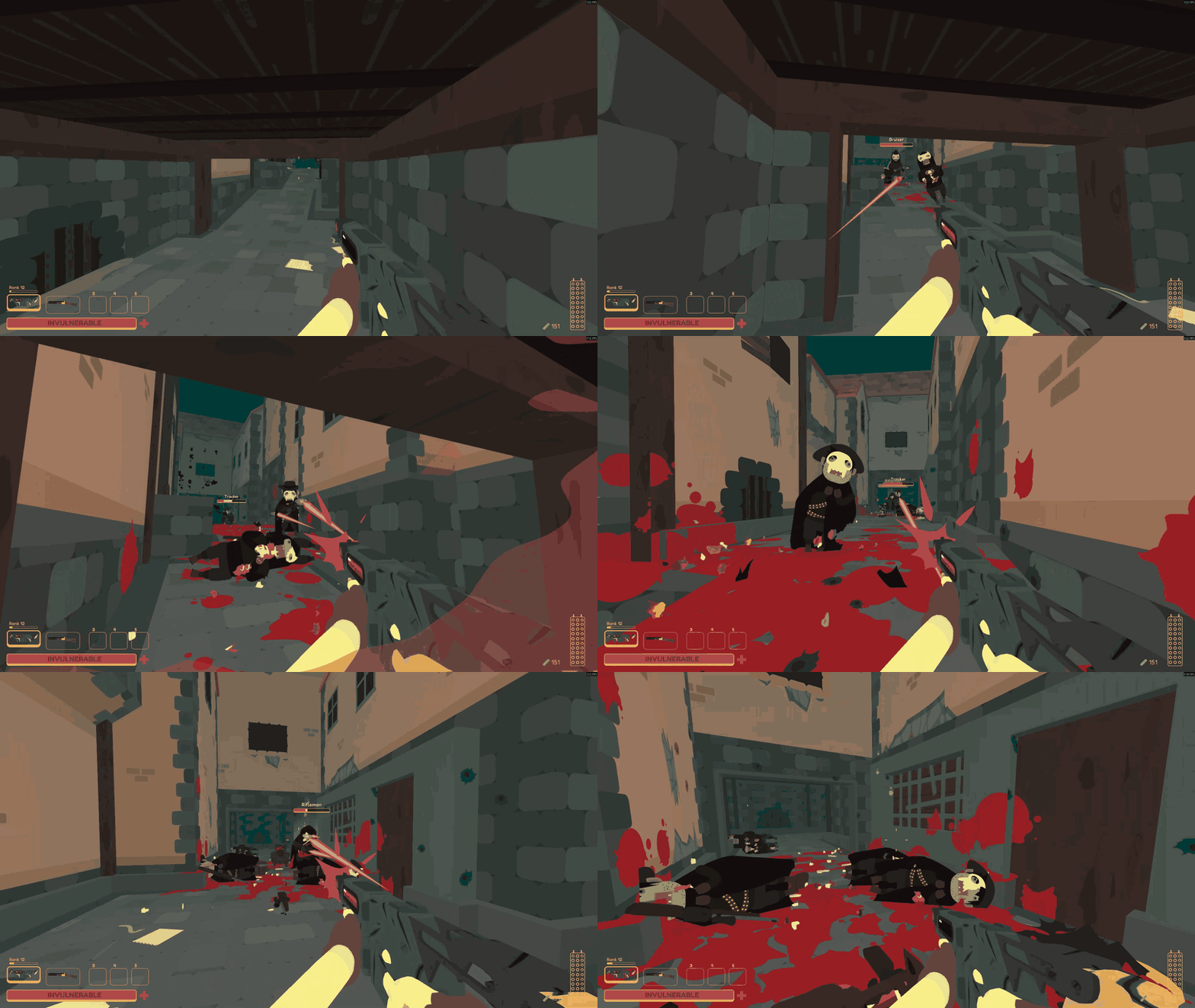
Watch clips of every style on GitHub
8 more clips, including each style and a few other fights. They're GIFs of 3 to 18 MB each, about 76 MB in total, so the page can take a while on a slow connection.
How it behaves
- A bar shows up when an enemy loses health and fades about six seconds after the last hit.
- You need a clear line of sight, so enemies behind walls have no bar.
- Enemies the game is hiding stay hidden. That covers invisible enemies, disguised ambushers and faded-out ghosts.
- Bosses keep their normal boss bar and don't get a second one.
- Allies, charmed enemies, shopkeepers and other friendly characters have no bar.
- Bars hide in menus and the inventory, during dialogue and cutscenes, and on the death screen.
- Enemy names follow your game language.
Team marks in SULFUR Together
With SULFUR Together 1.8.0 or newer, the bars also show team marks. When teammates have marked an enemy, its bar gets one mark for each of them, up to three. Together's skull icon above that enemy is hidden while the bar is up and comes back once the bar is gone.
Each style has its own mark:
- Sulfur: dog tags hanging under the bar.
- Rounds: cartridges standing past the end of the bar.
- Ichor: orange drips, the longest one ending in a skull.
- Bone: the skull's eyes turn orange and bones cross behind it.
- Classic: an orange block, plus a stripe for each teammate after the first.
Your own mark doesn't count, same as on Together's icon.
Settings
Change these in BepInEx/config/ryuka.sulfur.enemy_health_bars.cfg, or in game through SULFUR Config if you have it installed.
Display mode
[Display]
DisplayMode = Damaged
Damaged shows bars only on enemies that lost health. Nearby shows bars on every enemy you can see in range, up to 32 at once, nearest first.
Bar style
[Display]
BarStyle = Sulfur
Sulfur matches the HUD health bar and follows its color. Rounds is a row of ten rings like the ammo gauge. Ichor is a bar of dripping ink. Bone has a skull at its left end. Classic is a plain bar.
Max distance
[Display]
MaxDistance = 30
How far away a bar can still show, in meters (5 to 100).
Bar scale
[Display]
BarScale = 1
Size of the bars and names (0.5 to 2).
Show name
[Display]
ShowName = true
Shows the enemy's name above its bar.
Compatibility
- Needs only BepInEx. SULFUR Config is optional.
- Battle Improvements has an enemy health bar too. If you run both, turn its bar off (
EnableHealthBar) or each enemy shows two. - Works with Damage Sparks.
- SULFUR Together: bars are local to your game. If you join someone else's session, bars follow the health the host sends, so they can lag a little, and enemies that stay invisible until they notice you may not get a bar. With a SULFUR Together older than 1.8.0 the bars still work, just without team marks.
Issues
Report problems at https://github.com/ryuka-dev/Enemy-Health-Bars/issues.